vincent carl
Participant
March 1, 2021
Answered

Not A Valid .PNG

  • March 1, 2021
  • 1 reply
  • 882 views

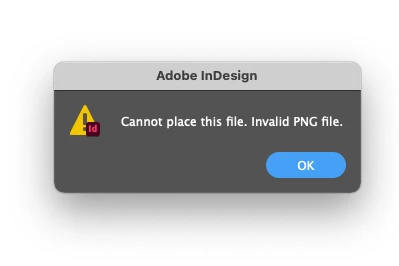
Not A Valid .PNG File when placing? PNG file has been saved as .PNG. Please help?
 

This topic has been closed for replies.
Correct answer rob day

if i export as png from .psd it seems to work, but then the file loses all my size settings.


Photoshop’s Save and Export for web does not include print output size dimensions. If you want to save with the output dimensions use File>Save As, not Export...

1 reply

Scott Falkner
Community Expert
Community Expert
March 1, 2021

How was the PNG saved? Have you tried opening it and resaving from Photoshop? have you tried other formats, like TIF and PSD?

vincent carl
Participant
March 1, 2021

yes, i have tried resaving from my .psd file.


if i export as png from .psd it seems to work, but then the file loses all my size settings.


it importants fine in adobe .ai, only indesign is gicing me this error


thanks


Scott Falkner
Community Expert
Community Expert
March 1, 2021

So you can export as PNG from Photoshop but when you save as PNG you get this message? What size sttings are missing? I suggest using PSD or TIF formats.
