Answered
Outline Japanese dots in border
Is there a way to outline Japanese dots in a border.
Thanks,
Joe

Is there a way to outline Japanese dots in a border.
Thanks,
Joe
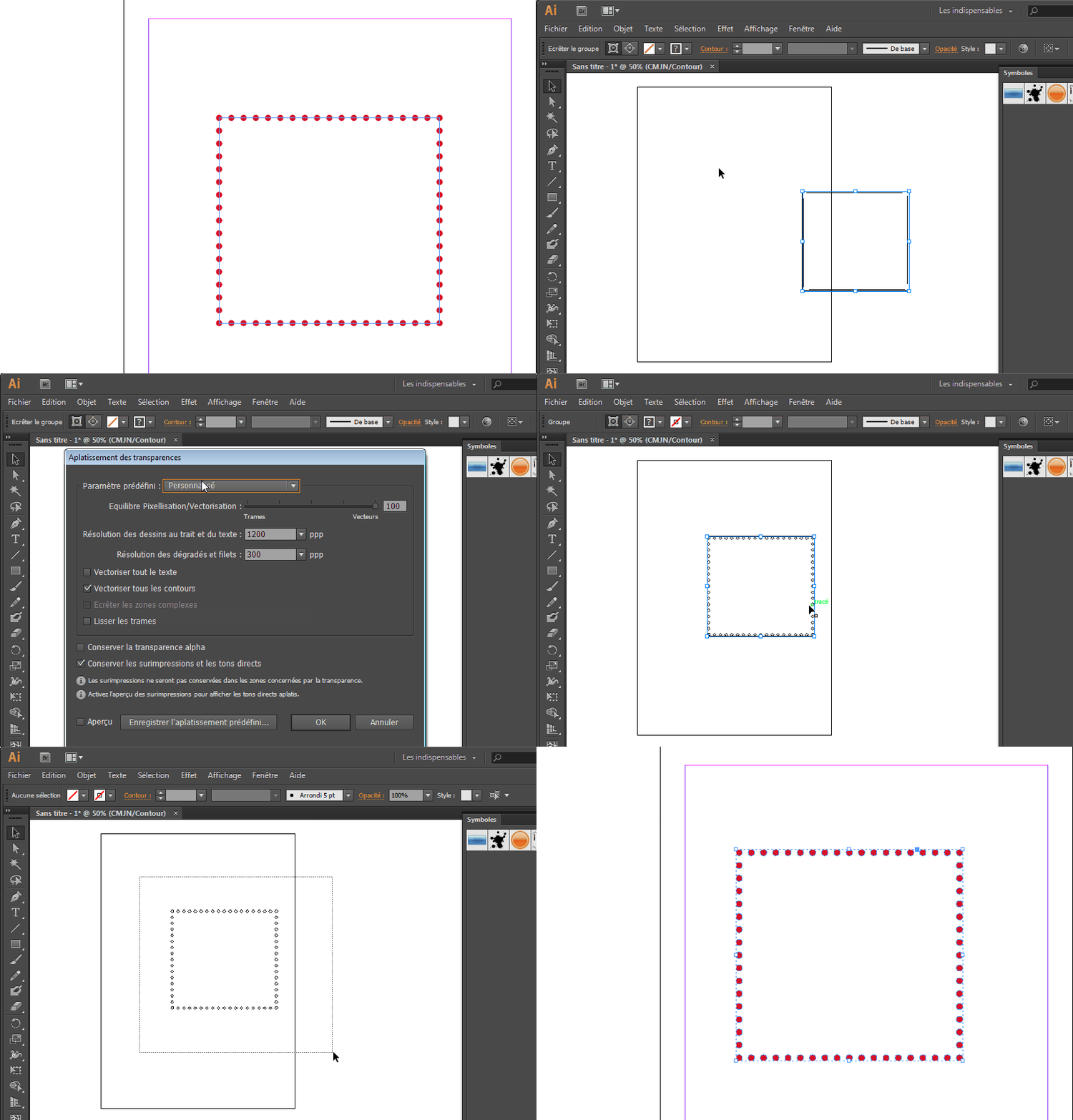
Copy paste your object in Illustrator.
Outline it (flatten transparency with outline stroke option ON + get rid of the transparent path in isolation mode or using direct selection tool)
Copy and paste it back in Indesign.
Here you go...
Already have an account? Login
Enter your E-mail address. We'll send you an e-mail with instructions to reset your password.
 AdChoices