

Page numbers in the footer not aligning as desired
Hello
I have a book comprised of different documents/sections.
I am running into a strange issue, which I haven't encountered earlier. I am unable to get the page numbers in the footer region of one of the documents to align OK.
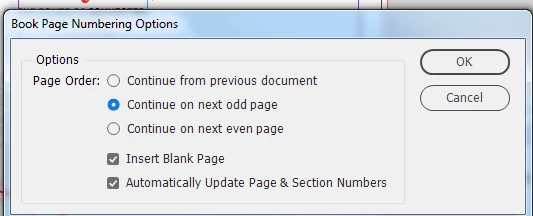
Each doc is set to facing pages, and the book numbering options is as follows:
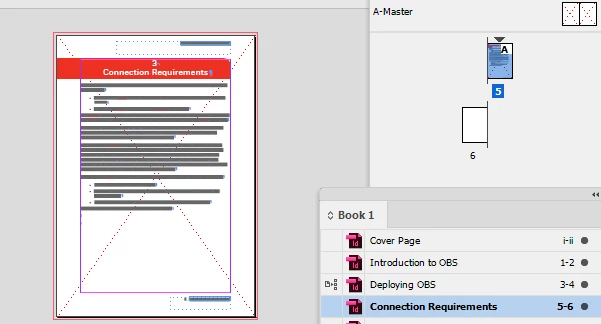
The foll is a screenprint of my book and the diff docs contained within it:
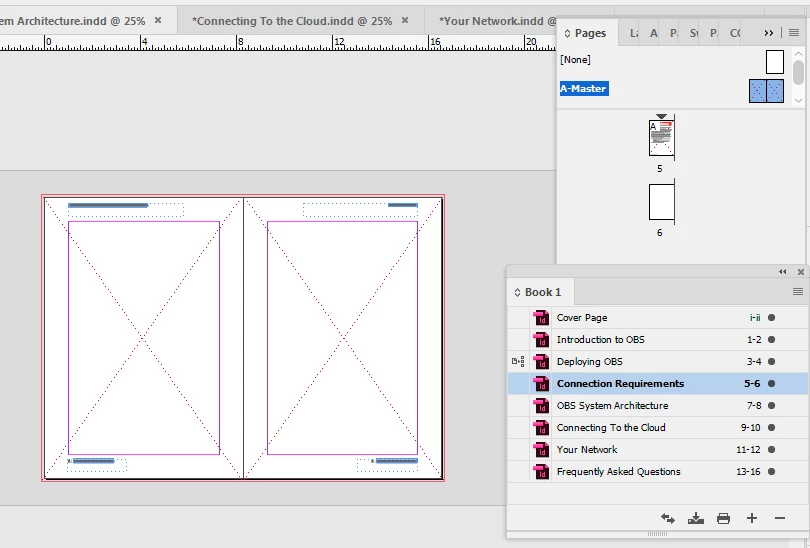
So I would like my my page numbers to show as follows with the number in the verso to the left of the page and the numbering on the recto to the right of the page.

The following is how my master pages are set up across all documents in the book:
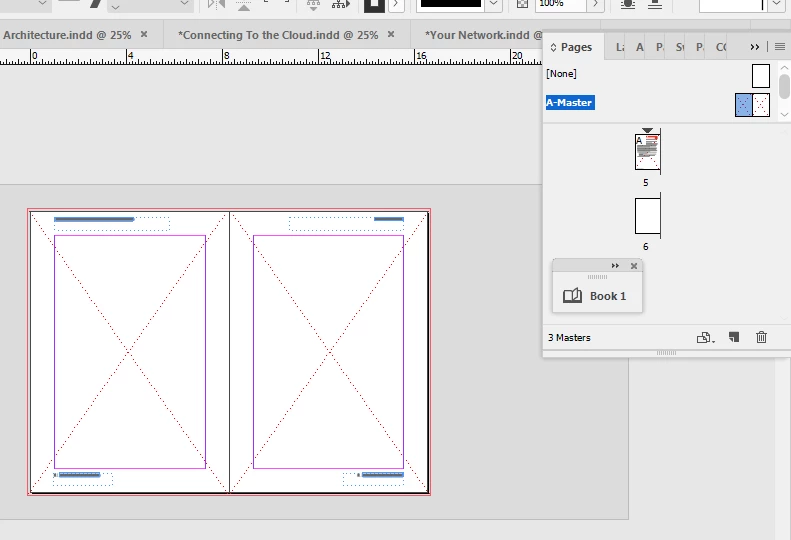
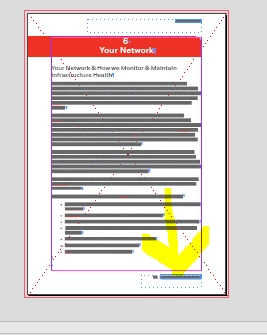
Now for one of the sections/documents in the book, the page numbers in the footer are not aligning OK.

The foll is a screenprint of the InDesign document of the above. I am not sure why the text ( 5 | XXX) in my footer is being aligned to the left of the page as opposed to the right of the page.

In another document (corresponding to the third screnprint in this thread) it looks OK. I am not sure I understand the reason for this discrepancy:
I hope I have been able to convey my point across. Any guidance on how i can fix this would be appreciated.
Regards
 AdChoices