
Answered
pdf 896 4.. Names in Menu panel
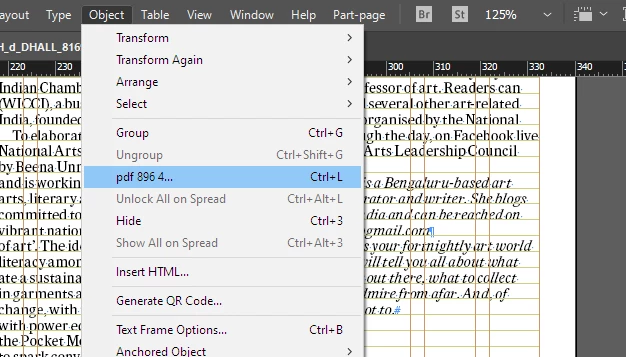
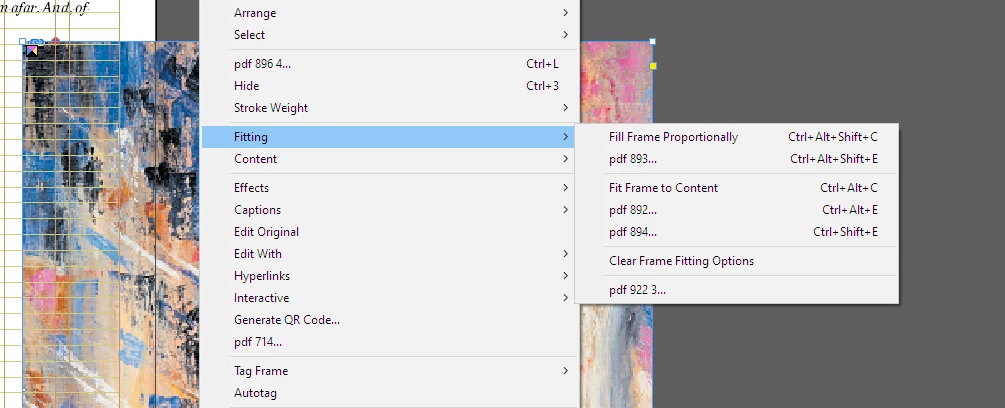
What are these strange pdf 892... names coming up in panel options.
Cannot execute those orginal option commands.

What are these strange pdf 892... names coming up in panel options.
Cannot execute those orginal option commands.
If you did not get any messages when you have resetted your preferences, it means they have NOT been resetted.
while performing resettle, it did give a warning dailogue message. but no message after Indesign open.
Again i resttle the prefereance and deleted the shortcuts, its working fine now, but will configure the shortcuts againt, as its very much required to speed things up.
Thanks
Already have an account? Login
Enter your E-mail address. We'll send you an e-mail with instructions to reset your password.
 AdChoices