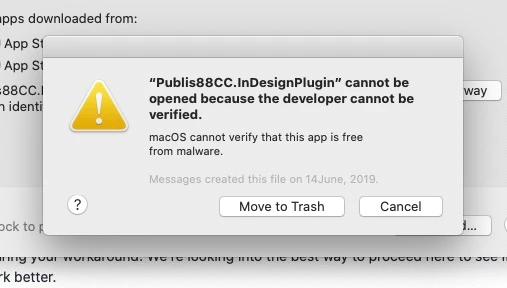
You've downloaded the plugin using a web browser. Apple considers that a security problem and quarantines the file.
Ask the developer to provide a notarized archive/installer/dmg, not just the plugin.
Until then the following steps might help, but I have not tried them myself.
You will need the admin password later on.
Quit InDesign.
Move the plugin out its place, e.g. to the Desktop.
Start InDesign, so that it considers the change*
Quit InDesign.
Move the plugin back.
Unquarantine the plugin with the xattr command in terminal.
Launch terminal
type "sudo xattr -r -d com.apple.quarantine " without the quotes and without return, but including the final space
Instead of typing the path, drag the plugin file to the terminal.
The result should read:
sudo xattr -r -d com.apple.quarantine path/to/your/plugin
press return to run the command
terminal will ask for an admin password.
When completed, start InDesign.
The double restart of InDesign is required because InDesign does special processing with the plugin when it finds it for the first time. This special processing is only performed again when the "plugin configuration" changes.
See a similar discussion here
Photoshop and Catalina | macOS 10.15



 AdChoices