
Stan15D5
Participating Frequently
October 17, 2020
Question

PNG Background Color

  • October 17, 2020
  • 5 replies
  • 1100 views

Hi, I am making a "book" for printing through the Blurb people. I did a small test print and I have noticed a problem. I have some transparent PNG graphics in my book created with Xara (a graphics program). I have a problem with them on the COVER (not the inside of the book). The PNGs look OK in Xara and InDesign, and they look OK in the actual PDFs that went to Blurb to print from, but in the hardcopy of the book I received, the area around the PNGs on the cover are slightly lighter than the dark grey background they are on. The PNGs inside the book look OK on the same dark grey background.
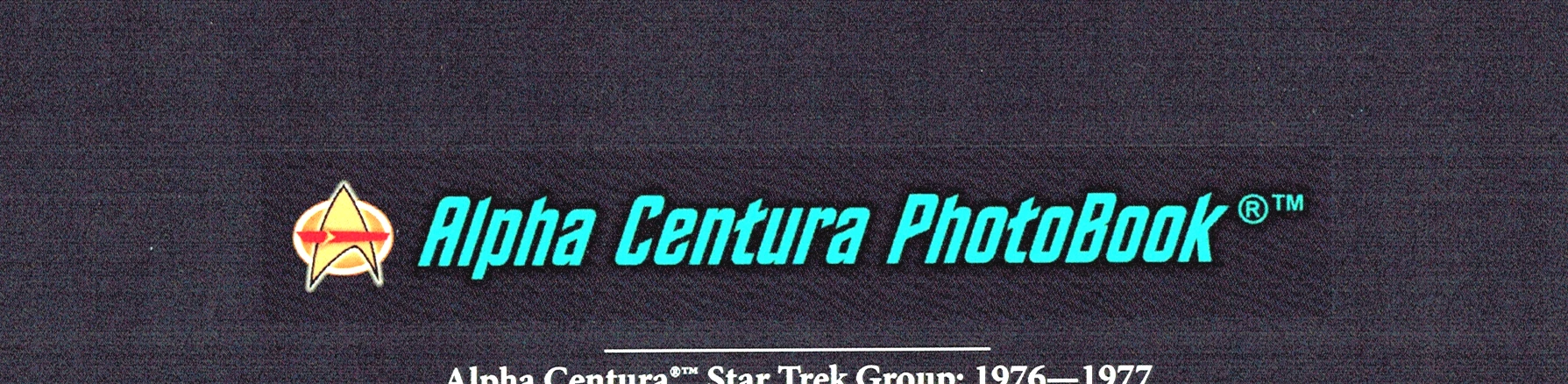
 

Scan of printed cover problem area (above). Hard to see but there's an area of color around the graphic that should not be there.
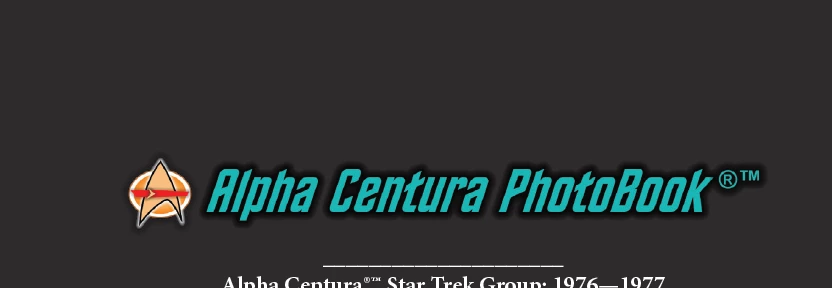
 

Screen shot of image as it looks everywhere other than the hardcopy of book (above)
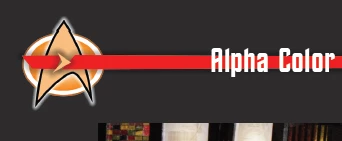
 

Screen shot of inside page w/PNG graphic that's OK (above). Text is InDesign text on top of the PNG and is not part of the graphic. It looks just like this (correct) in the printed book.


From what I've read here and elsewhere, apparently I should not use PNGs for print, is that correct? What I want is the simplest solution that solves the problem. I want to use the graphics already developed in Xara. Those graphics are vector based, but since I've added shadows and gradients I want to stay with raster images exported with transparency (not vector).


Here's what I've tried and seems to work (by that I mean, this all works on screen. I'll need to do another proof copy of the book to check it): I can export from Xara to PSD. Graphics look fine, transparency is correct and intact. I can open that PSD in Photoshop, then from PS I can save a transparent TIF file. I've tried this and it works OK; the transparent TIF places in InDesign just fine and looks identical to the PNGs in there now. 


My question would be does this sound like it will fix the final printing issue? Second question: why did the PNGs inside the book work? Is it because I placed white InDesign text on top of those?


Thanks in advance.


This topic has been closed for replies.

5 replies

rob day
Community Expert
Community Expert
October 18, 2020

The PNGs look OK in Xara and InDesign, and they look OK in the actual PDFs that went to Blurb to print from


Can you share the PNG and PDF you sent to Blurb via Dropbox or your CC account? It looks more like a color management than a file format problem.


PNGs have to be in RGB mode, and it looks like you have placed them on a black only (0|0|0|100) CMYK background. A converted 0|0|0 RGB black would print differently than a 0|0|0|100 CMYK black. Blacks with different output numbers wouldn’t necessarily be obvious from the preview in Acrobat—you have to check the separation numbers.

Stan15D5
Stan15D5Author
Participating Frequently
October 18, 2020

The PNGs are on a 0|0|0|96 InDesign rectangle on the master page layer. The PNGs are transparent, they do not have any background as such.


I'd be glad to share the PDF. I'm not sure if this will work but here's a dropbox link:


https://www.dropbox.com/s/07m5o27iuc1x62a/Alpha%20Centura%20TEST%20PhotoBook%20Cover%20%28Resized%29.pdf?dl=0


If that fails let me know.

rob day
Community Expert
Community Expert
October 18, 2020

There doesn’t seem to be a problem with the PDF.


I can see that you exported to PDF/X-3, which flattens transparency, and the transparent PNG was flattened correctly—the output numbers for the dropshadow and the background are correct.


PDF/X-3 allows RGB objects, but you set the Output tab to Convert to CMYK. The only thing I can think of is the Blurb output device is seeing a difference between the logo bitmap and the InDesign vector background, but you shouldn‘t have to worry about that.

Stan15D5
Stan15D5Author
Participating Frequently
October 18, 2020

I appreciate the help. I'm not a "print guy," I mostly work with on-screen images. This print stuff baffles me sometimes!


Previous to getting my test print copy of the book, I had already changed my front cover into a single image with no transparency which should take care of that one. The back cover would still be an issue.


So one option with all this is to just change the back cover graphic so that it includes the background and covers the entire back cover area so I won't need transparency. I can also do this for any background graphics inside the book to ensure things look OK there.


I like the results from the Blurb people, but unfortunately they won't print one or two pages to proof things, you have to order a minimum 20 page "test book" every time. That was fine the first time around so I could check everything. But it would be very expensive to keep getting test books done just to test image transparency. 


If I can get some sort of definitive answer from Blurb I'll post it here.

Community Expert
October 18, 2020

Controversially, I will disagree with @Derek Cross  PNG is perfectly fine for print, and used all the time in my InDesign workflow.


However, this is not an InDesign problem as correctly pointed out by @Steve Werner 


In my experience your PNG needs to be PNG 24 for print - as PNG 8 doesn't handle transparency well.


I think this is the right screenshot from Xara - set the export to have 256 instead of 16. 


Stan15D5
Stan15D5Author
Participating Frequently
October 18, 2020

I've read that about PNG 24 before. I have no options in Xara export other than true color + alpha, which, if I'm reading things correctly means they are already at PNG 24 but I could be wrong. 


Anyway, if I open the original PNG files in PS, PS says they are RGB Color, 8 bits/channel. If I change the color mode to cmyk, I can then change bits to 8 or 16. Not sure if any of that would help or not though! 

Derek Cross
Community Expert
Community Expert
October 18, 2020

I'm not saying my following points will answer your issue but from a workflow point of view they are worth bearing in mind

– PNG is not the best format for print; if you have access to Illustrator or Photoshop create your graphics in these applications and Place them as native PSD or AI files in your InDesign document.

– Certain colour won't translate from RGB to CMYK color modes (particularly bright greens and bright oranges). You may find that your bright blue cannot be produced in CMYK; it's worth checking.

Stan15D5
Stan15D5Author
Participating Frequently
October 18, 2020

Thanks. As to workflow, yes, it's easier just to save as PSD from Xara then open that in PS and then resave with max compatibility turned on from there. Imports into ID no problem and looks fine...on screen anyway!

Steve Werner
Community Expert
Community Expert
October 18, 2020

What does Blurb say in their documentation about graphic file format support? Do the have technical support?


It's definitely NOT an InDesign issue, it's a Blurb issue.

Stan15D5
Stan15D5Author
Participating Frequently
October 18, 2020

They have some support but it takes a very long time to get anything from them. I have asked about this on their forum which the support people read but no answers from them yet. The odd thing is, Blurb prints from a PDF, not the InDesign file, and the actual PDF I uploaded to them looks fine. At least, it looks OK on screen but not when printed. I'll keep trying to get hold of someone there.