
Participating Frequently
March 9, 2012
Answered

Problem with Bleed, getting a white border I don't want

  • March 9, 2012
  • 3 replies
  • 47396 views

Hi,

When I export my document, my 10mm bleed becomes this white frame. I have not found a solution on how to get rid of it. I've tried a bunch of different things, and now I'm hoping some nice person here can help me out.

Here is how the bleed looks like in the document:
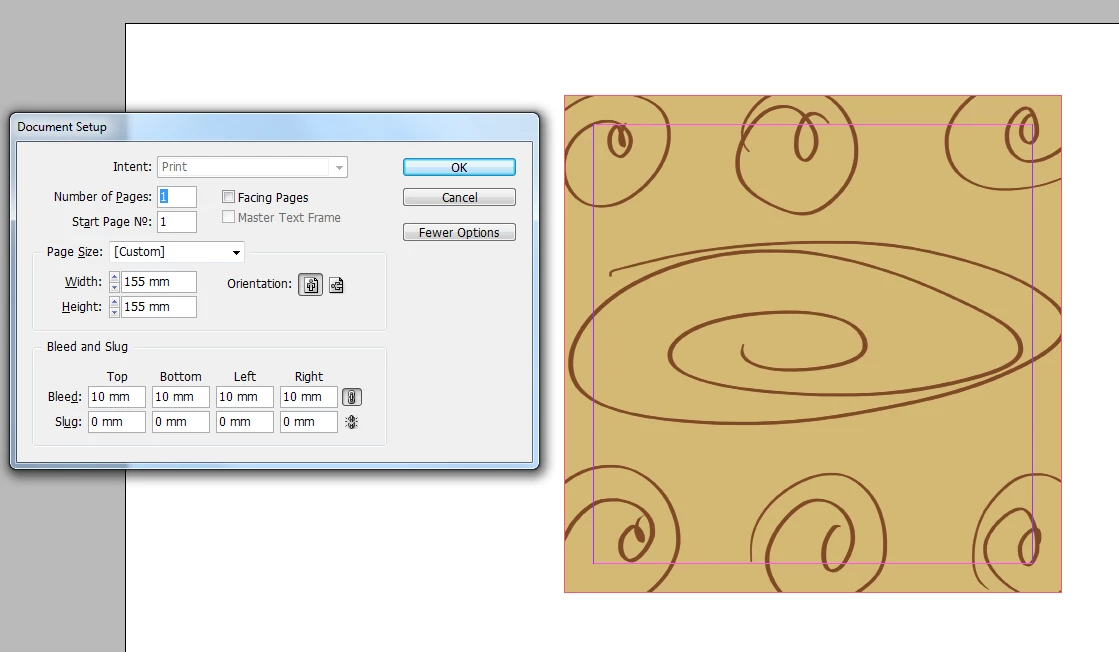
This is the pdf: http://dl.dropbox.com/u/3098225/spiral2.pdf

This is my Indesign project file: http://dl.dropbox.com/u/3098225/spiral.zip

I want my bleed lines to show, but I don't want that white frame.

I suspect my problem is very easy to fix..

I would really appreciate some help on this. Thanks!
    This topic has been closed for replies.
    Correct answer 33_Steps

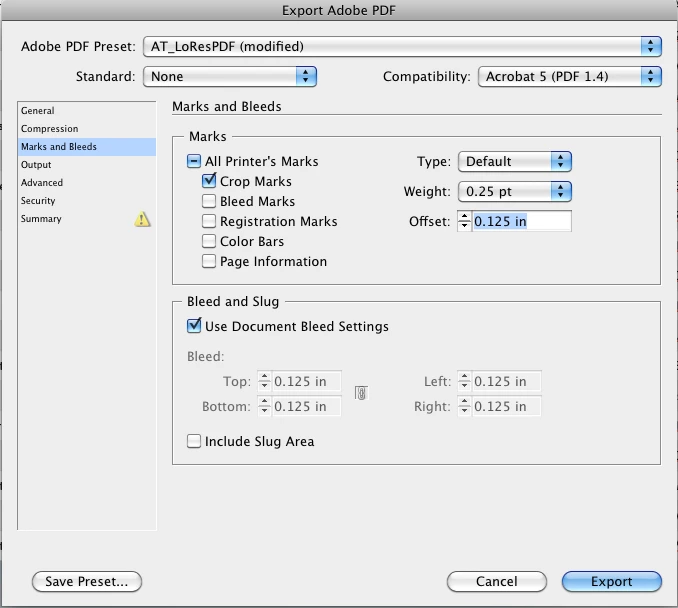
    Did you put an offset  in for the bleeds and crops when you exported the PDF? See attached

    3 replies

    Peter Spier
    Community Expert
    Community Expert
    March 9, 2012

    Looking at your last screen grab your crop marks are inside the bleed area. In theory this is OK, since they are supposed to get cut off, but in practice you'll want to add enough offset to move themoutside the bleed area. That's there, after all, just in case the cutter is misaligned, and if it is you don't wan those marks showing up on your finished prints.

    10 mm, by the way  is pretty big for a bleed allowance. 3 mm is pretty normal.

    borkibarkAuthor
    Participating Frequently
    March 9, 2012

    Thanks for the tip Peter!

    so how much offset would you suggest for this bleed?

    About the 10mm bleed, that is what the print shop insists on. I have no idea why they need it that big. As I'm sure it obvious, I'm a newbie.

    MW Design
    Inspiring
    March 9, 2012

    Peter mentions 3mm (Being in the US, I most often use 0.0125" which is a bit over 3 mm and sometimes a bit less).

    Take care, Mike

    Daniel Flavin
    Inspiring
    March 9, 2012

    Toggle "Use Document Bleed Setting" from the Export > Marks and Bleeds

    You have defined the bleed in the setup, but did not envoke it.

    borkibarkAuthor
    Participating Frequently
    March 9, 2012

    Hi guys.

    Thanks for the input!

    However, when I set "use documents bleed settings" in export>Marks and Bleeds, I still get the white frame. The pdf looks exactly the same.

    borkibarkAuthor
    Participating Frequently
    March 9, 2012

    I found the solution!

    In export under Marks and Bleeds I had to activate "crop marks", and deactivate "bleed marks". While having the Use document bleed setting on. Now the white frame is gone!

    Anyway, thank you for your time guys!

    Community Expert
    March 9, 2012

    Do you have bleed set in the export as well?