Participant
January 10, 2020
Question

Proof Coloring

  • January 10, 2020
  • 1 reply
  • 1974 views

Hello there.


So I am making a document in InDesign CC 19 and I have a problem with Color Proofing. 

All my objects and files are already in CMYK and are in high quality PDF or PSD. Whenever though I turn on the Proof Colors , my colors become blank.




Here are my settings:
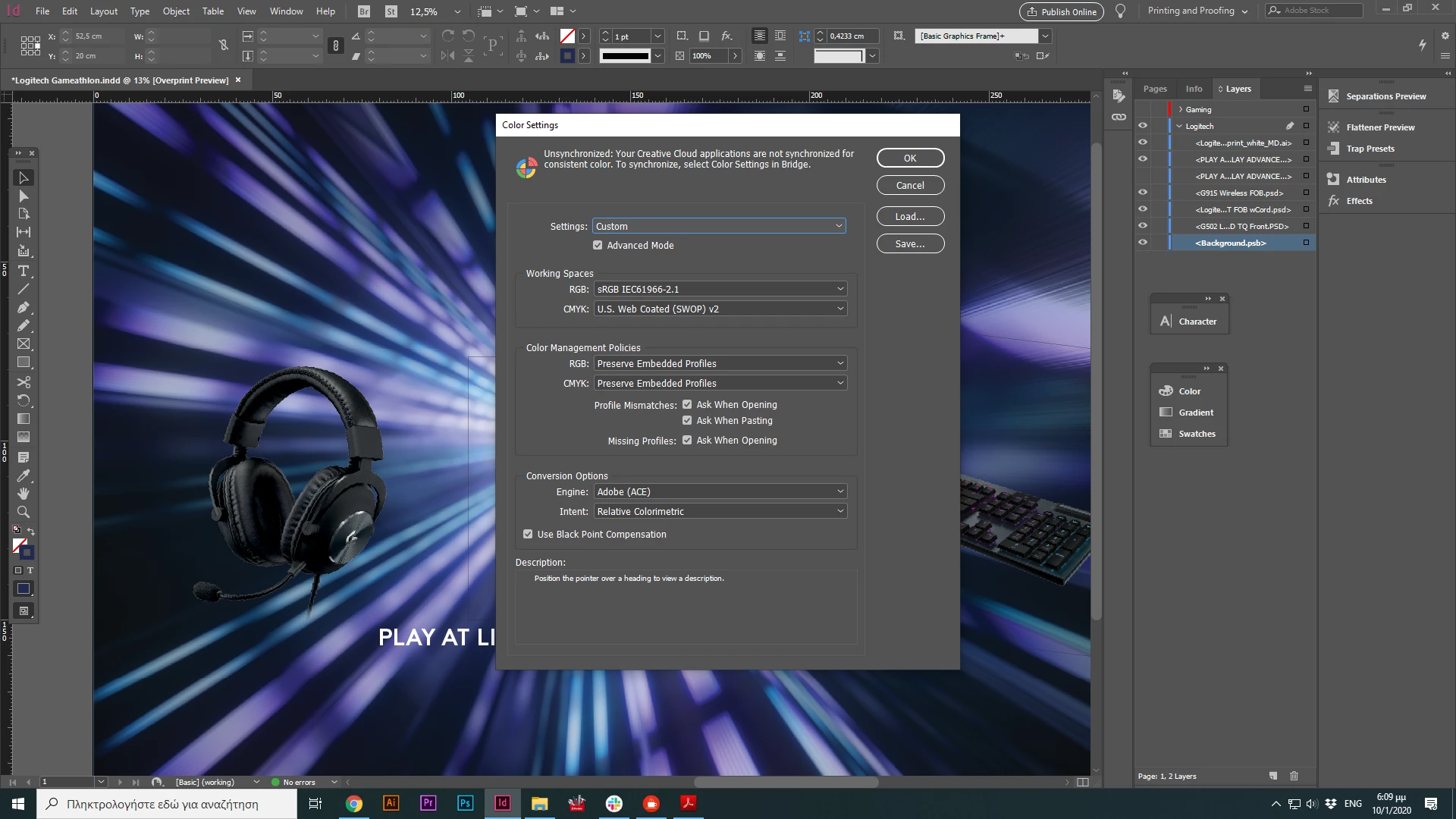


It's a quite big project, waiting for your response.

Thank you

This topic has been closed for replies.

1 reply

Participant
January 10, 2020

Now that I tried to open it with Photoshop ( after I exported it as a PDF file for print), the color proofing is ok. 

Getting crazy over here.

Derek Cross
Community Expert
Community Expert
January 10, 2020

It's best to work in RGB and convert via PDF-X-4

Dave Creamer of IDEAS
Community Expert
Community Expert
January 10, 2020

Just to clarify Derek's post, PDF/X-4 won't technically convert RGB to CMYK in the PDF; it's meant for the printer to do a (hopefuly) color managed conversion. However, PDF/X-1a will convert RGB to CMYK, although it is not as desirable since transparency is affected too.

David Creamer: Community Expert (ACI and ACE 1995-2023)