
Inspiring
August 5, 2019
Question

Removing blank spaces from the lines upon import

  • August 5, 2019
  • 5 replies
  • 575 views

Dear friends,

Good evening! I can't be grateful enough for all the selfless support that I get at this forum. I hope one day i will be good enough to help out as well. Thank you again for all your kind help. Here is a screenshot upon importing a document, all the lines are being split...
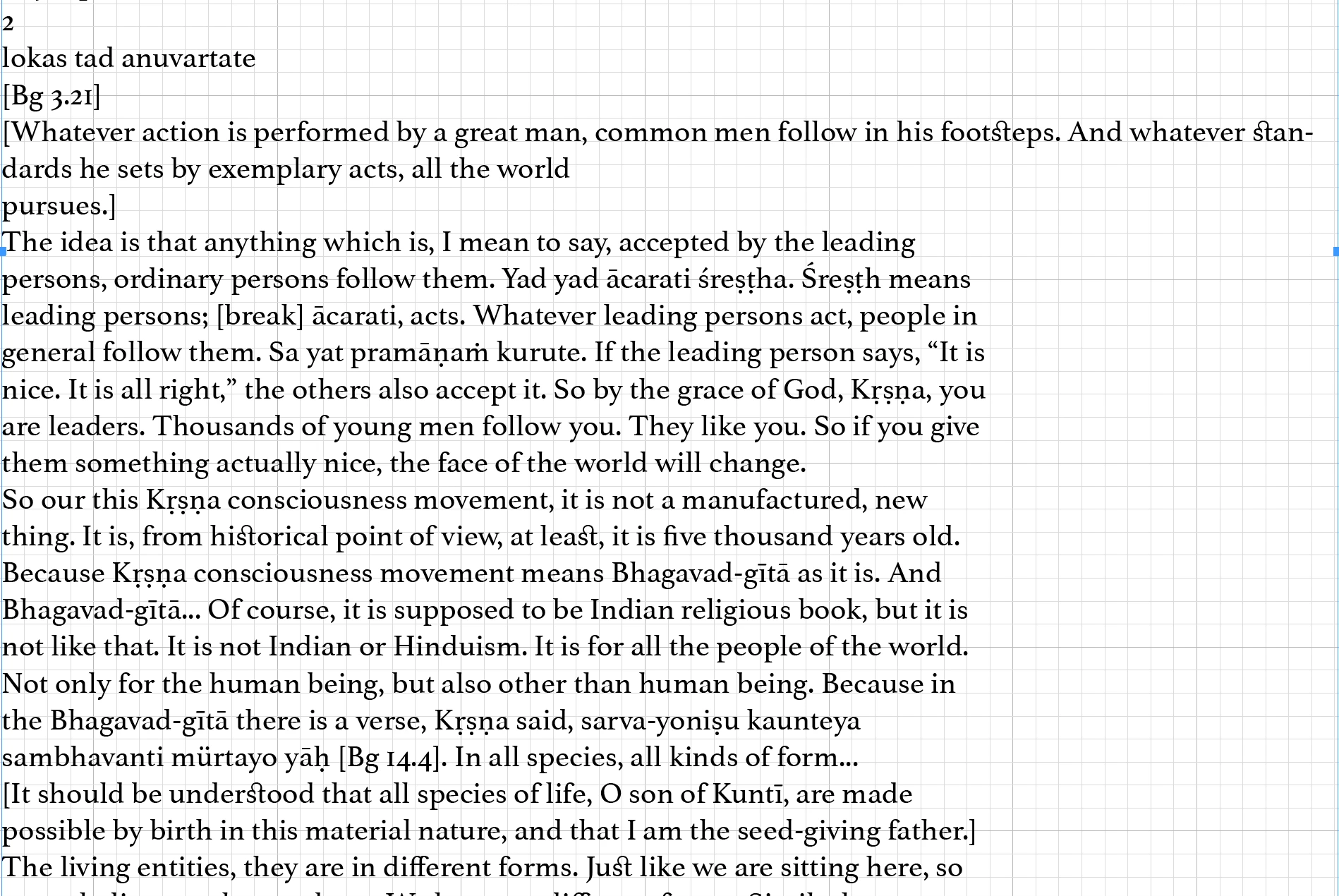
It's a very long document and I can's keep pressing the delete button to put the lines together that are being split.

Is there a way to do this automatically?

Thank you again...

    This topic has been closed for replies.

    5 replies

    Inspiring
    August 6, 2019

    Here are the hidden characters...

    actually, there seem to be two kinds, the returns in the green box need to stay just the way they are...as they are actually the end of short sentences

    the returns in the blue box need to be removed as they are from the sentences being split in half...

    Steve Werner
    Community Expert
    Community Expert
    August 6, 2019

    The text in the blue box looks that it originated as a text-only file in which paragraph returns were arbitrarily inserted after a certain number of characters.

    For example, I just went to Project Gutenberg, and copied from a text version of "Alice in Wonderland". It came in exactly the same way as yours when I opened it in InDesign. The paragraph returns were not inserted by InDesign. They were already in the text when you imported it into InDesign.

    t

    Diane Burns
    Inspiring
    August 5, 2019

    Yes, please post with Show Invisibles on (Type menu > Show/Hide Invisibles). Assuming there is a character there, you may be able to use Find/Change to remove. Once we see the characters, we can tell more.

    vladan saveljic
    Inspiring
    August 5, 2019

    ... or like this?

    vladan saveljic
    Inspiring
    August 5, 2019

    Do you see something similar with hidden characters showing?

    Legend
    August 5, 2019

    Can you post a screen shot of this with hidden characters showing?