
Participant
July 18, 2018
Answered

reordering pages with threaded text

  • July 18, 2018
  • 5 replies
  • 4879 views

Hello all,

I have a 40 page booklet, which is mostly one long blob of threaded text with images interspersed, text styles, and embedded tables ... nothing too complicated. The client wants me to re-order the pages in a major way. I discovered to my horror that I can't just move the pages around, since the text is all threaded! What are my options? I tried SplitStory but that seems a bit drastic.

I appreciate any help!!!

Thanks,

Laura S.
    This topic has been closed for replies.
    Correct answer Colin Flashman

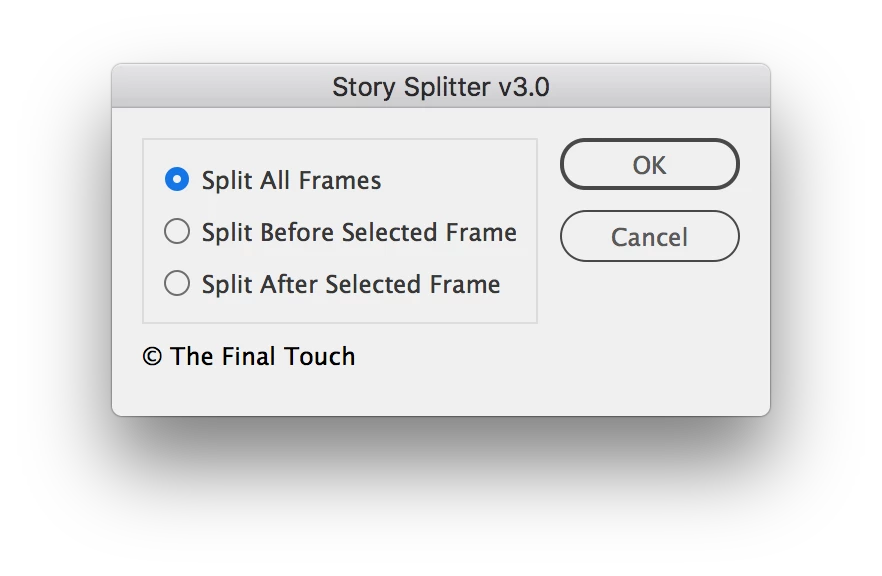
    There is an alternate script that allows stories to be split accordingly:

    that script can be found here: Please provide the Story Splitter script by Adi Ravid?

    I have to do this on a yearly basis during school diary season. Each year, the schools update their preliminary pages in a diary and - while threaded text is a way that I would normally set a book - I'm guaranteed that the school will chop and change all of these pages, requiring me to use the above script to split the stories in certain spots.

    5 replies

    Community Expert
    July 12, 2021

    Hi Laura and all others,

    there is also another script you can try in case the script posted above would fail.


    Written by Timothy Ariel Walden and available with InDesign 2020 and 2021 in the Community section of the Scripts panel of InDesign: BreakTextThread.jsx. This script is also working with previous versions of InDesign. Be aware that you need to see into issues that could come up if you use endnotes or footnotes; this also refers to the Story Splitter script.


    Read about breakTextThread,jsx and its usage in full detail here:


    Break Text Thread: A Free InDesign Script
    by Ariel, January 28, 2020
    https://www.id-extras.com/break-text-thread/


    Regards,
    Uwe Laubender

    ( ACP )

    schroef
    Inspiring
    August 12, 2021

    @Laubender thanks for the headsup!!!


    EDIT

    I actually had that one already 😉

    Participant
    August 2, 2018

    Hi all,

    Sorry, my bad, for disappearing from the conversation. I used StorySplitter, which worked like a charm, did everything I wanted it to do, and it was easy to install (even for a non-script user ... I've never used any kind of InDesign script at all and hardly a script anywhere else either) and intuitive and bug-free. Basically it split the thread in all the right places (exactly where I told it to), and then I could just re-arrange the pages as needed. I didn't need the text to be re-threaded, so I can't say anything about that ... but this script was exactly what I was looking for. Many thanks to Colin for suggesting it!

    Laura S.

    Participant
    July 8, 2021

    I've found another solution to this intolerably difficult problem (preserving threads when moving pages - why???). Make a new document and use the Move Pages feature to place the pages in the correct order within the new document. Threads among consecutive pages from your original document are preserved. You just have to re-thread the sections that you moved.  

    Colin Flashman
    Community Expert
    Colin FlashmanCommunity ExpertCorrect answer
    Community Expert
    July 18, 2018

    There is an alternate script that allows stories to be split accordingly:

    that script can be found here: Please provide the Story Splitter script by Adi Ravid?

    I have to do this on a yearly basis during school diary season. Each year, the schools update their preliminary pages in a diary and - while threaded text is a way that I would normally set a book - I'm guaranteed that the school will chop and change all of these pages, requiring me to use the above script to split the stories in certain spots.

    If the answer wasn't in my post, perhaps it might be on my blog at colecandoo!
    Community Expert
    July 18, 2018

    Hi Colin,

    yes, the script can be useful if you have a consecutive range of frames on a consecutive range of pages you want to split.

    But in this case it is not useful, because the contents of the frames should not be rearranged with the pages.

    Regards,
    Uwe

    Colin Flashman
    Community Expert
    Community Expert
    July 19, 2018

    There's a difference of opinion here, or perhaps I'm misunderstanding the brief. I'm actually suggesting to a combination of both splitting the text threads AND moving the pages around. In my mind, it should be fine to break the threads, move the pages around the the desired page locations and then re-thread them. Using the script I mentioned means that not all threads need to break, only where pages need to move, rather than every text frame.

    If the answer wasn't in my post, perhaps it might be on my blog at colecandoo!
    Community Expert
    July 18, 2018

    Hi Laura,

    you can remove the text frames of the threaded story on the pages you want to rearrange and after that is done thread the story again to new text frames on the rearranged pages. Or you can cut and paste in place the text frames and remove their contents before rearranging the pages and later thread all text frames in the new order.

    Splitting the story is not appropriate because that would mean that text is not removed or moved to the right pages.

    Regards,
    Uwe

    vladan saveljic
    Inspiring
    July 18, 2018