
Known Participant
February 19, 2018
Question

Save 2-up with crop marks?

  • February 19, 2018
  • 4 replies
  • 4016 views

Hello all. Forgive me, I have only just installed inDesign in hopes to find the answer to my long-term problem.

I have designed some invitations in illustrator at 5x7. I need to export them 2 per page, landscape orientation with trim marks. This will be the exact same design, side by side: two of the exact same document.

I bought acrobat pro just to be able to do this, only to find out that I cannot save the file in this set-up - I can only print it that way.

So I installed inDesign this morning and so far, no luck either. This is what I tried in inDesign (screenshot)
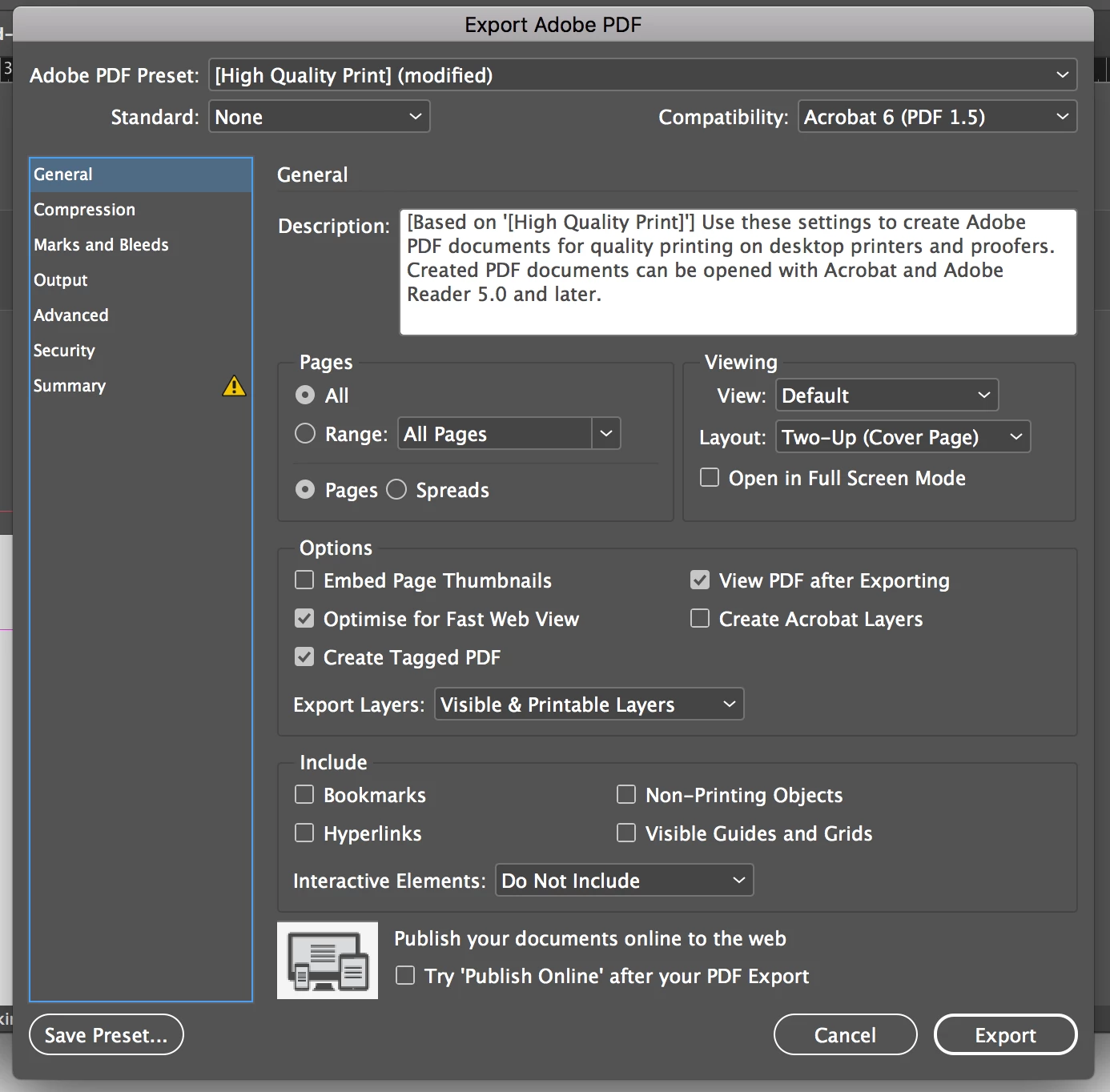
However when the file opens in Acrobat it is only one page on its own, nothing beside it. Please tell me I'm missing something very simple.... I can't believe it would be so difficult to export a file this way. I have searched the internet high and low for an answer. Thanks in advance.

This topic has been closed for replies.

4 replies

Colin Flashman
Community Expert
Community Expert
February 20, 2018

Another option may be to use a javascript for InDesign that has been made available to the public to accomplish your task. Perhaps try:

MakeImposition.jsx - DTP Scripting

or

Rokotyan - Personal network

If the answer wasn't in my post, perhaps it might be on my blog at colecandoo!
rob day
Community Expert
Community Expert
February 19, 2018

I have designed some invitations in illustrator at 5x7.

If your invitation's art board dimensions match the desired trim, you can save the invitation as a PDF from Illustrator and include printer marks. You can then place that PDF 2-up in either ID or Illustrator.

amywillsAuthor
Known Participant
February 19, 2018

Thank you! I already have it saved with trim marks, how do I open it in inDesign? I tried earlier but it wouldn't allow me.

John Mensinger
Community Expert
Community Expert
February 19, 2018

Right, InDesign can't open a PDF, but as Rob mentioned, you can Place it in InDesign (File > Place).

Legend
February 19, 2018

When you select the "Adobe PDF" virtual printer instead of your Canon, you will be able to choose 'Custom' in the paper size menu, and that will tell Acrobat to use the same dimensions as your INDD document.

Legend
February 19, 2018

The "Viewing" options in the Export PDF dialog are just that; it doesn't change the PDF's page size, only how the document appears when first opened.

If you have a document with facing pages and want each PDF page to contain both the left and right halves, then select 'Spreads' in the Pages options.

amywillsAuthor
Known Participant
February 19, 2018

Thanks Dave. I am getting there now. I wonder if you could help me with this... I created the inDesign file at 5x7, with the following print settings, will the design stay at 5x7? I have also included a second screenshot, what is transparency flattener, and what setting should I use for this?