
Participant
February 24, 2021
Answered

Script to relink all image from local to CC Library?

  • February 24, 2021
  • 1 reply
  • 832 views

I'm curious if anyone has written a script to relink all images in a document to a CC Library. I've tried a few of the relinking scripts out there, but nothing works for CC Library. We are hoping to migrate all of our images to the library, but manual relinking is a deal-breaker.

I've tried Gerald Hemetsberger's script as well as the well known Kasyan Servetsky's offerings but both require the ability of the script to find the file in its new location, not simply a string replace of the url. 
 

This topic has been closed for replies.
Correct answer rob day

I don’t think it’s possible because the Javascript filePath for a placed library item is to the computer’s local temp folder. The returned filePath something like this:

cloud-asset/:cc-api-storage.adobe.io:assets:adobe-libraries:cff42dc7-bc72-48f9-b4c9-c8bee3b8976e;node=37c8e868-5662-4840-ad64-1f82e1b9b8df


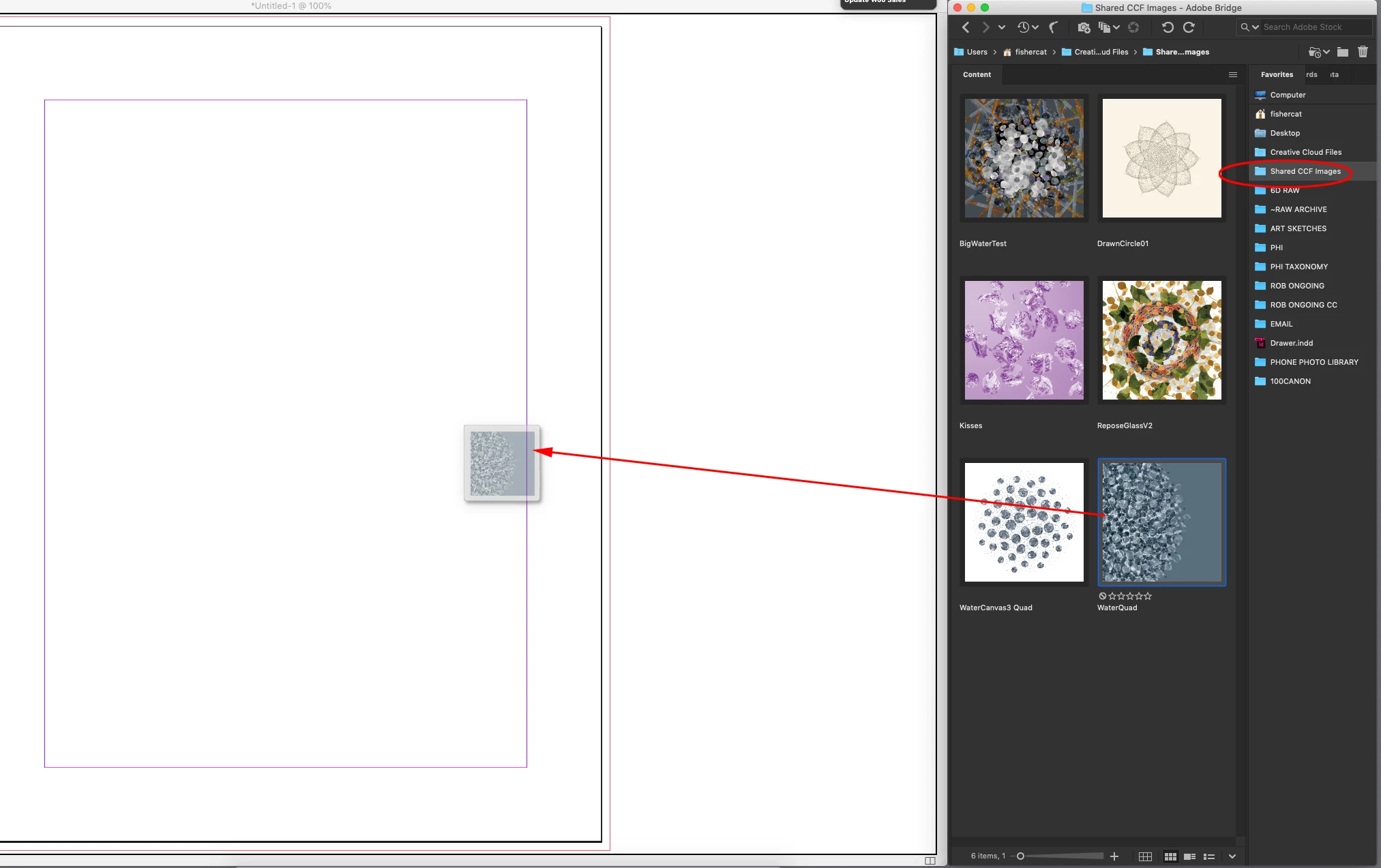
If you are trying to setup assets that are easily accessible to different remote users, you might consider using a shared folder inside of the Creative Cloud Files folder along with a minimized Bridge workspace—you can effectively imitate the old MiniBridge that was dropped from CC2015. Here I have a favorite folder Shared CCF Images, which is inside of the CCF folder and sync’s to my cloud account and I can drag and drop from the minimized Bridge workspace:


1 reply

rob day
Community Expert
rob dayCommunity ExpertCorrect answer
Community Expert
February 25, 2021

I don’t think it’s possible because the Javascript filePath for a placed library item is to the computer’s local temp folder. The returned filePath something like this:

cloud-asset/:cc-api-storage.adobe.io:assets:adobe-libraries:cff42dc7-bc72-48f9-b4c9-c8bee3b8976e;node=37c8e868-5662-4840-ad64-1f82e1b9b8df


If you are trying to setup assets that are easily accessible to different remote users, you might consider using a shared folder inside of the Creative Cloud Files folder along with a minimized Bridge workspace—you can effectively imitate the old MiniBridge that was dropped from CC2015. Here I have a favorite folder Shared CCF Images, which is inside of the CCF folder and sync’s to my cloud account and I can drag and drop from the minimized Bridge workspace:


Participant
February 25, 2021

THAT is a FANTASTIC idea! I will abandon the script search and look into this immediatly. Thanks!