Pixelysian
Inspiring
September 20, 2017
Answered

Shortcut issues on MacBook Pro?

  • September 20, 2017
  • 2 replies
  • 915 views

Hi

I have just launched InDesign for the first time on my new 15" work MacBook Pro (2016, touch bar, Sierra 10.12.6).

Where are the shortcuts?!

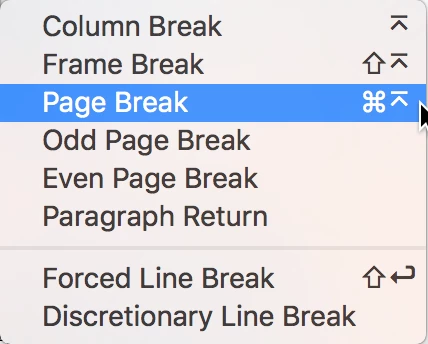
I have a document in which I have a flow of linked text pages and want to page-break the text in certain places (before main headings) so each one sits on a page of its own.

The usual shortcut I used to use on my old G5 (Command + Enter) is not working. Nor when I go to add it as an Indesign Keyboard Shortcut (see image).


Google has not provided any solutions either, other than to suggest it's something to do with not having a numeric keyboard... and using the fn key... but when I try selecting fn, it just brings up the Function option, and doesn't action anything.

Anyone know what's going on? This seems very daft. I really don't want to have to do multiple Line Returns each time.

Thanks


This topic has been closed for replies.
Correct answer Barb Binder

Hi Pixelysain:

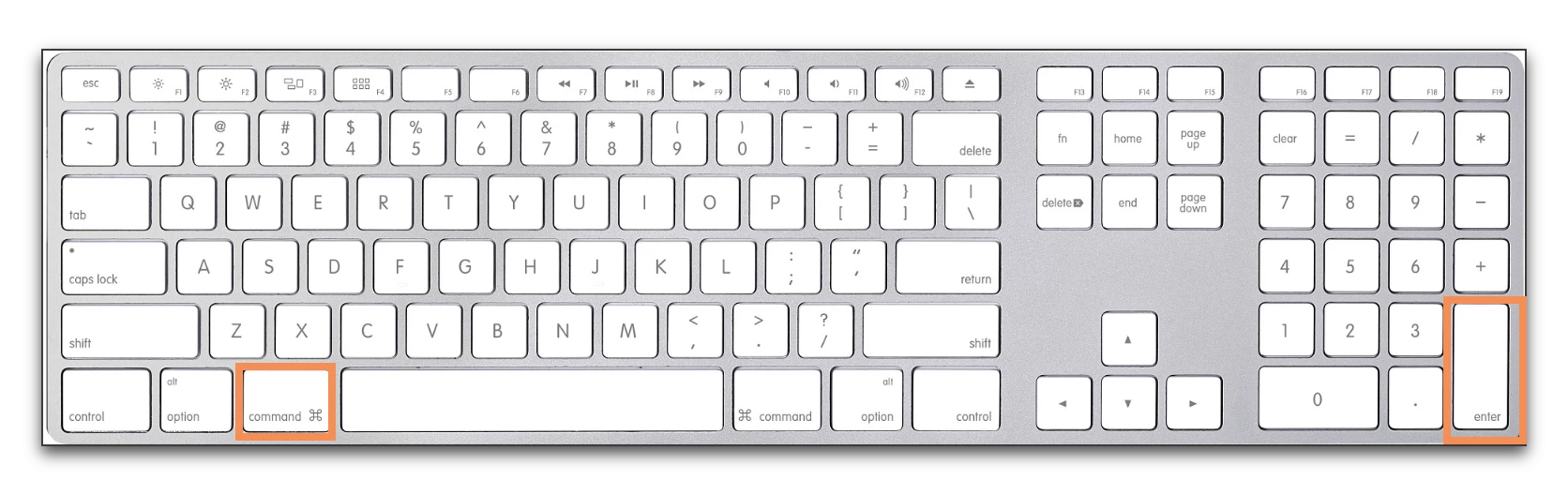
The keyboard shortcut for a page break is Cmd+Num Enter (meaning the Enter key on the numeric keypad.)


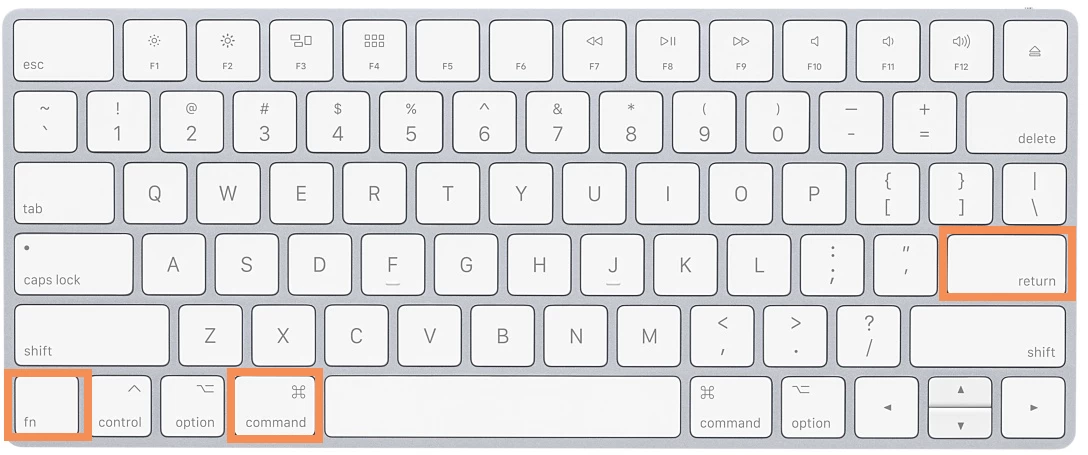
If you don't have a numeric keypad, it shifts to Fn+Cmd+Return.

2 replies

Barb Binder
Community Expert
Barb BinderCommunity ExpertCorrect answer
Community Expert
September 21, 2017

Hi Pixelysain:

The keyboard shortcut for a page break is Cmd+Num Enter (meaning the Enter key on the numeric keypad.)


If you don't have a numeric keypad, it shifts to Fn+Cmd+Return.

~Barb at Rocky Mountain Training
Pixelysian
Inspiring
September 25, 2017

Thanks!

`The 2nd keyboard option was what I was after! I am on a MacBook Pro so the usual shortcut didn't work and I  found very little online. I did come across the fn key but no direction as to the sequence - all fine now!

Barb Binder
Community Expert
Community Expert
September 25, 2017

It is confusing, at best. Glad you got it figured out.

~Barb at Rocky Mountain Training
Derek Cross
Community Expert
Community Expert
September 20, 2017

Try double clicking on the in or out ports in the text frame to unlink them.