
Simplified Chinese font - Displaying spaces in Chrome/IE
Hi,
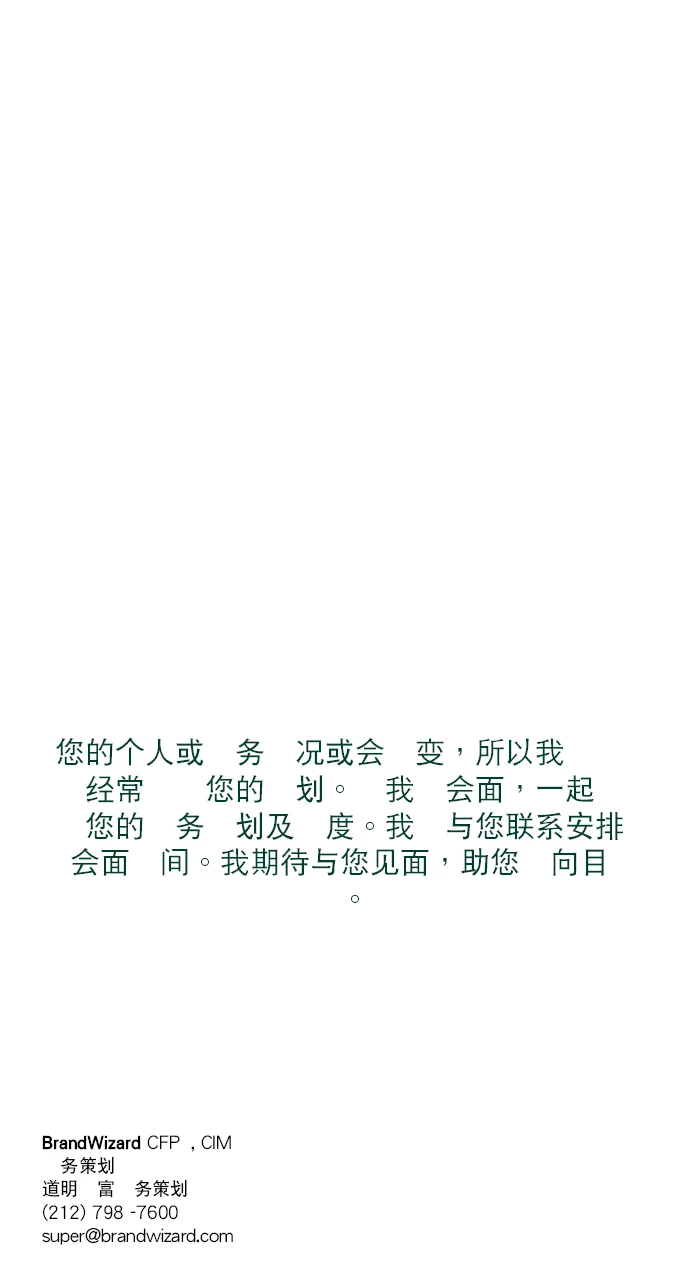
Trying to create a PDF/JPG with Simplified Chinese font using InDesign Server CS5.5 and InDesign Template
When I generate a PDF/JPG, empty spaces are being displayed instead on Chinese font characters in Chrome and IE, looks good in Firefox. But we use only IE/Chrome.
The same PDF looks different in Firefox and IE/Chrome.
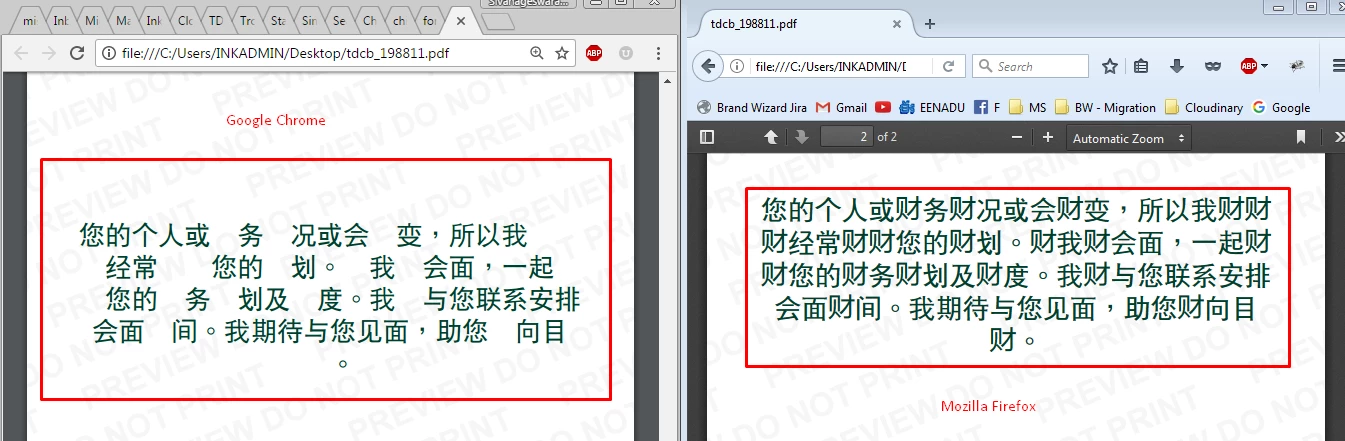
The InDesign template is using the following fonts:
1) Futura Std Light Condensed
2) DFPHeiGB5Hk W9
3) DFPHeiGB5Hk W5
These fonts are already installed in my InDesign server.
Even it looks odd in Acrobat Reader DC (spaces) - Version: 2017.009.20044
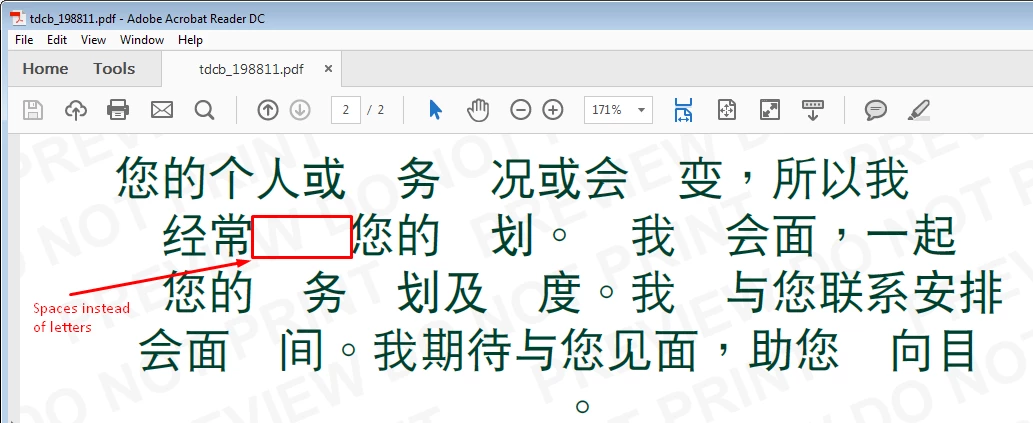
I have observed that Traditional Chinese font is looks good in all browsers. However Simplified Chinese font is not visible.
I believe the InDesign server is exporting Chinese font to the PDF (otherwise Firefox could not display it), but they are not visible in remaining browsers and Acrobat reader.
Am I missing something here.
Can you please suggest what needs to be done to correct this behavior.
Thanks in advance for the help.
 AdChoices