Participant
August 8, 2018
Answered

single character keyboard shortcuts

  • August 8, 2018
  • 2 replies
  • 2393 views

I am setting up a template for a card club newsletter in InDesign. Can I set up individual characters with a keyboard shortcut? I would need four - red heart, red diamond, black spade and black club. I note that the font symbol has black symbols for these and could use those and change the colour - but because I will use these a lot, I wanted to set them up as part of my document setup to make it simpler.

Thanks for any help

Ange
    This topic has been closed for replies.
    Correct answer Steve Werner

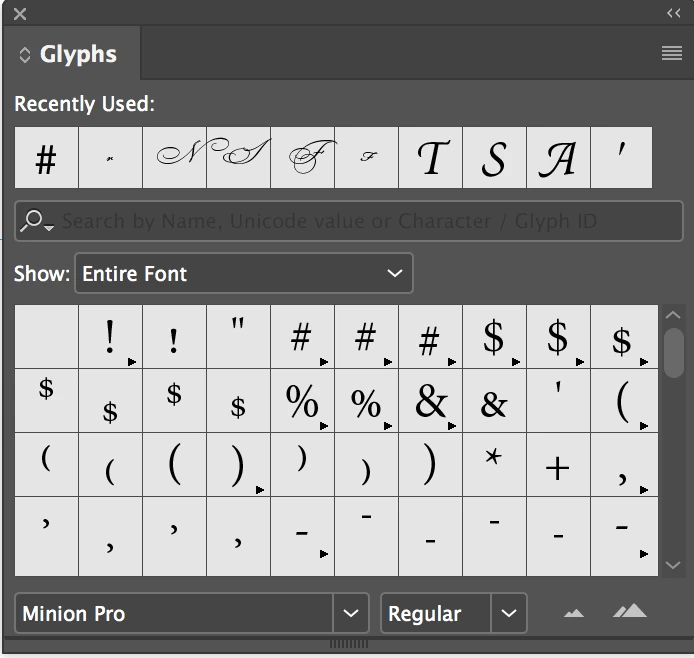
    Try this: You would probably insert glyphs (characters) from a font which contains them using the Glyphs panel (Type > Glyphs). At the top of the Glyphs panel are recently added glyphs:

    If you placed your four glyphs in the first four positions you could set up Edit > Keyboard Shortcuts if you set up a custom keyboard set.

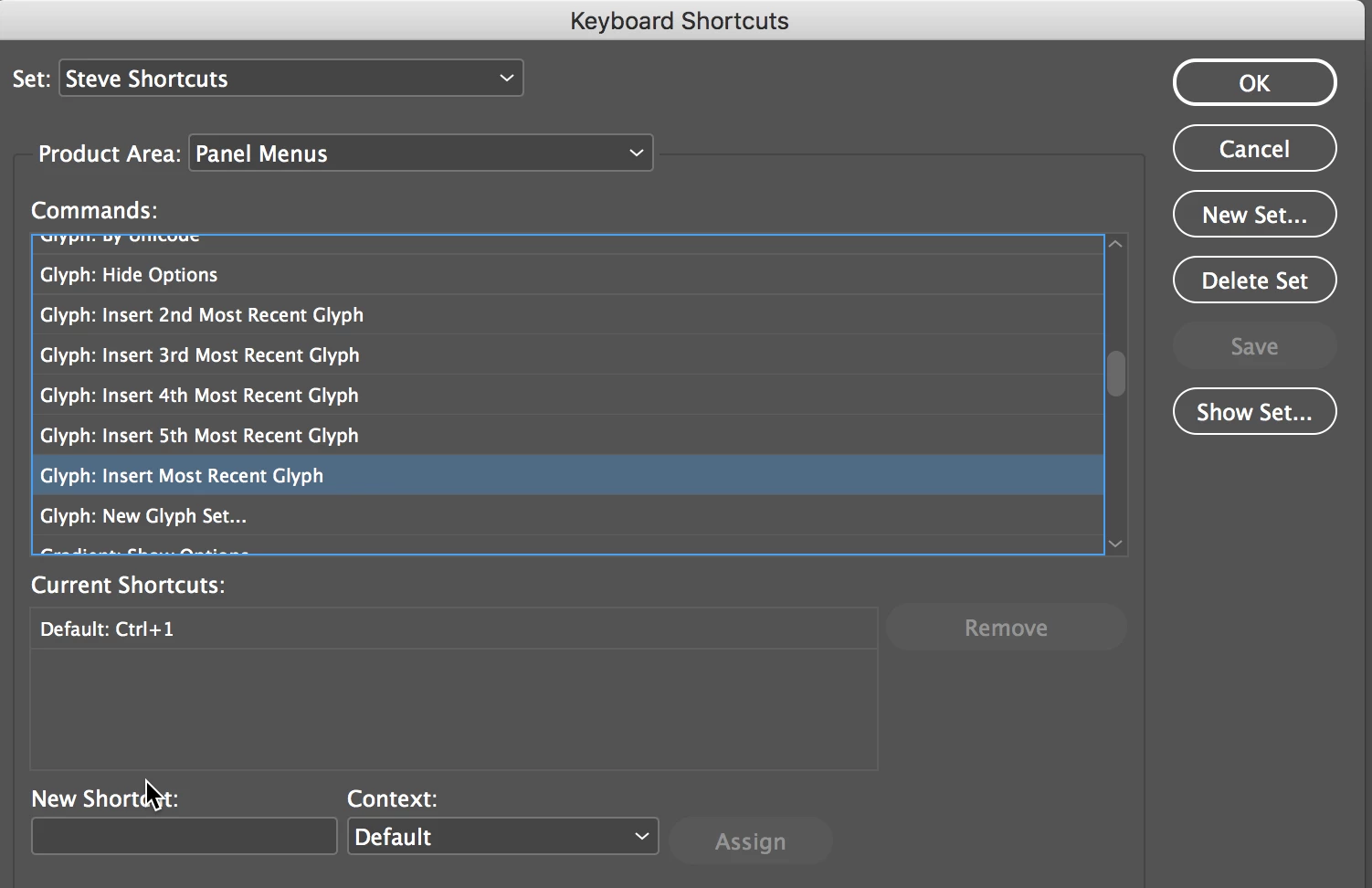
    You can go to the Product Area: Panel Menus and choose Glyphs: and you'll see the entries below to which you can add keyboard shortcuts: The first one in the recents is called out by the Insert Most Recent Glyph, and so on.

    2 replies

    Steve Werner
    Community Expert
    Community Expert
    August 8, 2018

    I think that just changes the way the glyphs are sorted in the Glypg panel.

    Participant
    August 8, 2018

    OK thanks, I didn't realise that

    Steve Werner
    Community Expert
    Steve WernerCommunity ExpertCorrect answer
    Community Expert
    August 8, 2018

    Try this: You would probably insert glyphs (characters) from a font which contains them using the Glyphs panel (Type > Glyphs). At the top of the Glyphs panel are recently added glyphs:

    If you placed your four glyphs in the first four positions you could set up Edit > Keyboard Shortcuts if you set up a custom keyboard set.

    You can go to the Product Area: Panel Menus and choose Glyphs: and you'll see the entries below to which you can add keyboard shortcuts: The first one in the recents is called out by the Insert Most Recent Glyph, and so on.

    Participant
    August 8, 2018

    Thanks for your help Steve

    If I choose Glyph: insert by Unicode - where do I put the code number? Because I will be using all 4 - red heart, red diamond, black spade, black club - I thought it might work with the unicode option. What do you think?

    Also, with Glyphs, can I set it up to be red if wanted eg for hearts and diamonds?

    Ange

    Steve Werner
    Community Expert
    Community Expert
    August 8, 2018

    Where are you seeing Glyph: Insert by Unicode?