
Participating Frequently
June 24, 2017
Question

Soft proofing with icc profile

  • June 24, 2017
  • 2 replies
  • 4076 views

Hi all

I am designing a book with blurb, working in Photoshop and Indesign, both CC

I am soft proofing my images in photoshop according to the blurb icc profile. I CMYK the files and place the JPEG's into InDesign and start to layout.

Heres the problem:

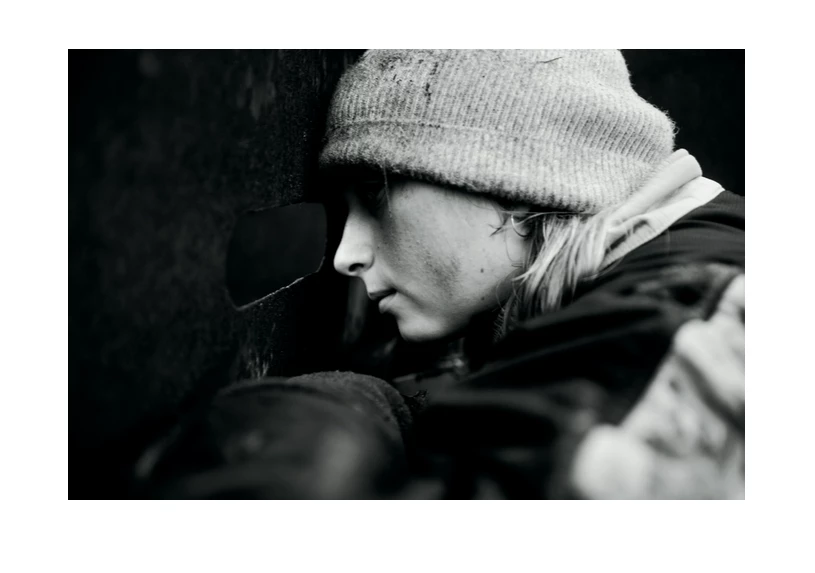
Naturally the soft proofed version og the image will appear a tad darker, but when the layout is finalized in InDesign and exported as a PDF this series of B/W images is almost completely blacked out in the shadows and way more contrasty.

Anyone experienced this before, and maybe a solution.

Below is the soft proofed image with soft proofing viewable in photoshop:
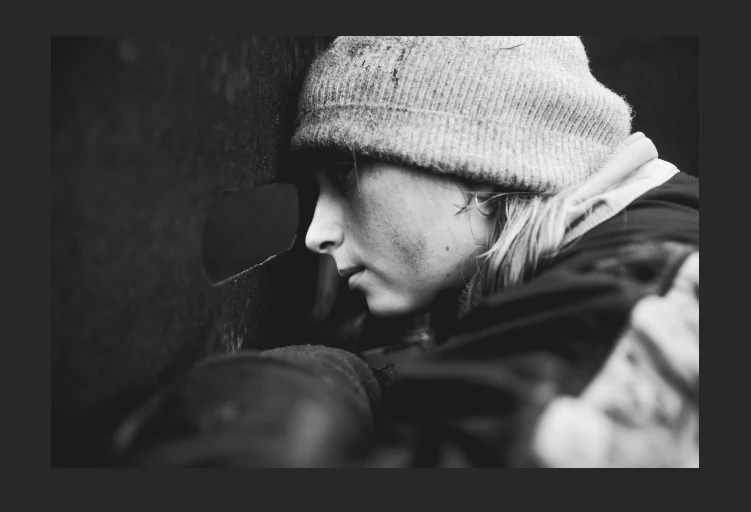
Below is the soft proofed image in photoshop with the soft proof turned off. a little darker and less contouring in the shadows.
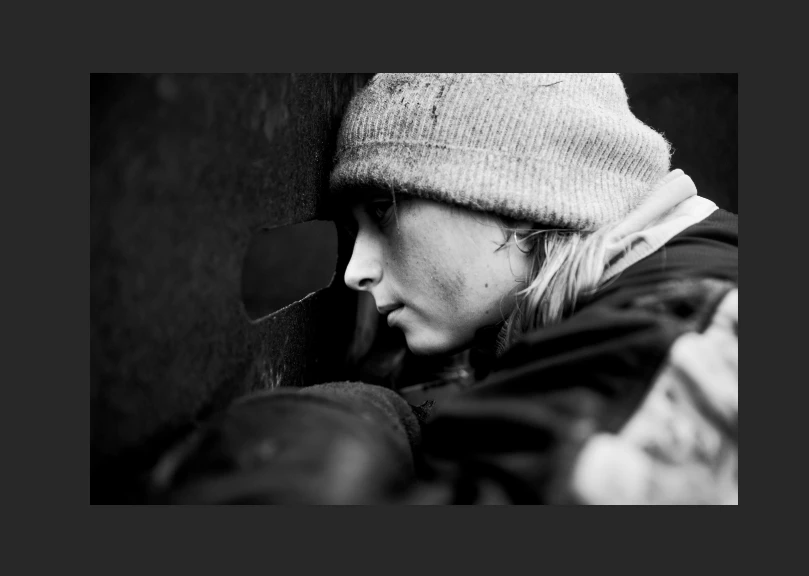
below here is the image from the exported PDF from InDesign. Which is nowhere near the second image that has been soft proofed. Way more black and no detail in the shadows anymore.
This topic has been closed for replies.

2 replies

cinziamarotta
Participating Frequently
June 24, 2017

After converting in CMYK save in .psd (not jpg) and try again.

Participating Frequently
June 24, 2017

At some point im gonna need a JPEG to place in ID. Cant really work with 150 large 100mb+ PSD files within an InDesign file.

My PSD's are saved in CMYK, and then saved as fullsize JPEG's via image processor, if that is what you mean

Legend
June 24, 2017

Why must you convert to JPEG? Why can't you work with big PSD? This is normal and recommended. Don't embed.

Derek Cross
Community Expert
Community Expert
June 24, 2017

Work in RGB color mode, if you've already converted to CMYK, go back to the original images and create again. The reason your images are dark is probably your screen is too bright. Best to calibrate your monitor.

Participating Frequently
June 24, 2017

I am working in rgb before converting to CMYK. images need to be in cmyk for the printing of the book.

Derek Cross
Community Expert
Community Expert
June 24, 2017

Don't convert to CMYK yourself always work in RGB, if your printer hasn't given you a spec use the InDesign Acrobat PDF Presets. Use PDF/X-4 to convert to CMYK for commercial litho printing and for inkjet printing select High Quality Print which will allow the printing software to convert correctly to CMYK or even CMYK+ If it's say a 9 color printer.