Participant
May 8, 2015
Answered

Specify ID for InDesign objects

  • May 8, 2015
  • 1 reply
  • 2726 views

I have a need to assign a unique ID to an object (typically a text or graphic frame).  I then will export the document to EPUB, open the EPUB, find the object and inject some content into it (as well as updating some other parts of the EPUB).  I see that InDesign assigns unique IDs to the various HTML entities that it exports, but the IDs appear to be generated according to the type of object and some internal, sequential number series. Is there a way to assign my own ID via the UI of the application?  Or, alternatively, is there a way to determine, while I am creating/editing the document in InDesign, what that unique ID is/will be?

This topic has been closed for replies.
Correct answer Kasyan Servetsky

Hi richardkwright,

No, you can’t assign an ID to an object: they are assigned exclusively by InDesign. But you can get and use them (I mean the IDes of such objects as text frames, rectangles, etc. in InDesign. I am sure you can't get/set the IDes of DIVes in the exported HTML).

Here’s my idea (off the top of my head):

To illustrate it let’s run this script ...

main();

function main() {

    var textFrame, recrangle, objExpOptions,

    doc = app.activeDocument,

    textFrames = doc.textFrames,

    rectangles = doc.rectangles;


    for (var i = 0; i < textFrames.length; i++) {

        textFrame = textFrames;

        textFrame.insertionPoints[0].contents = "[" + textFrame.id + "]";

    }

    for (var j = 0; j < rectangles.length; j++) {

        recrangle = rectangles;

        objExpOptions = recrangle.objectExportOptions;

        objExpOptions.altTextSourceType = SourceType.SOURCE_CUSTOM;

        objExpOptions.customAltText = "[" + recrangle.id + "]";

    }

}

... against this sample documentTest-Before.indd (created in InDesign CC2014) — consisting of three text frames and three linked images.
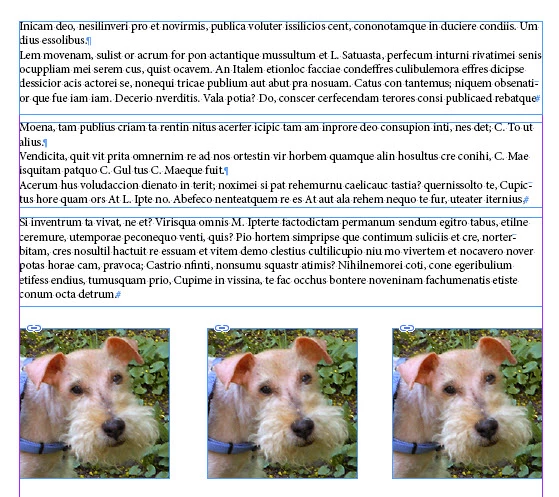
After running the script visually nothing is changed. However, the script loops through every text frame, reads its unique ID and adds it enclosed in square brackets at the beginning of the text.
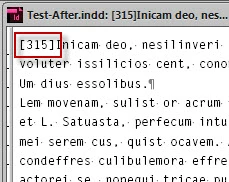
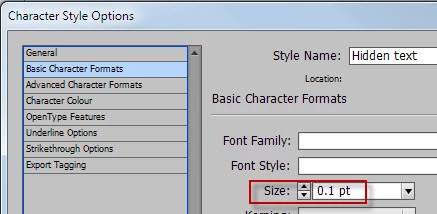
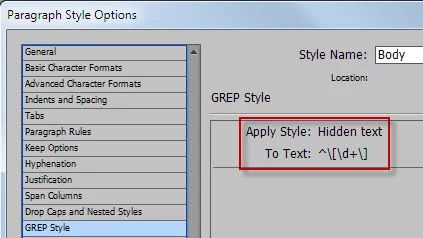
The text is invisible because I applied a character style via GREP style.

The character style has text size — 0.1 pt ...
... and text color – “Paper” – which makes it unseen.
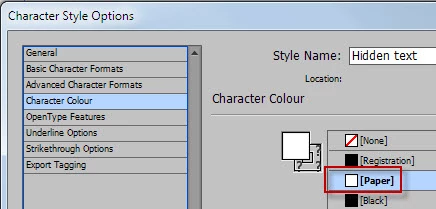
GREP style applies it to any number of digits between square brackets at the beginning of a line.
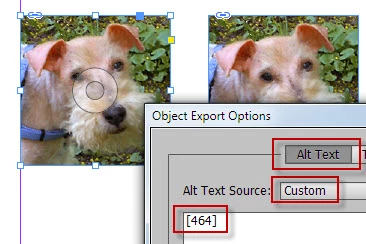
With images I use a little different approach: I get the ID of each container (let’s assume the images are always placed in rectangles) and write it as custom “Alt Text” in object export options.
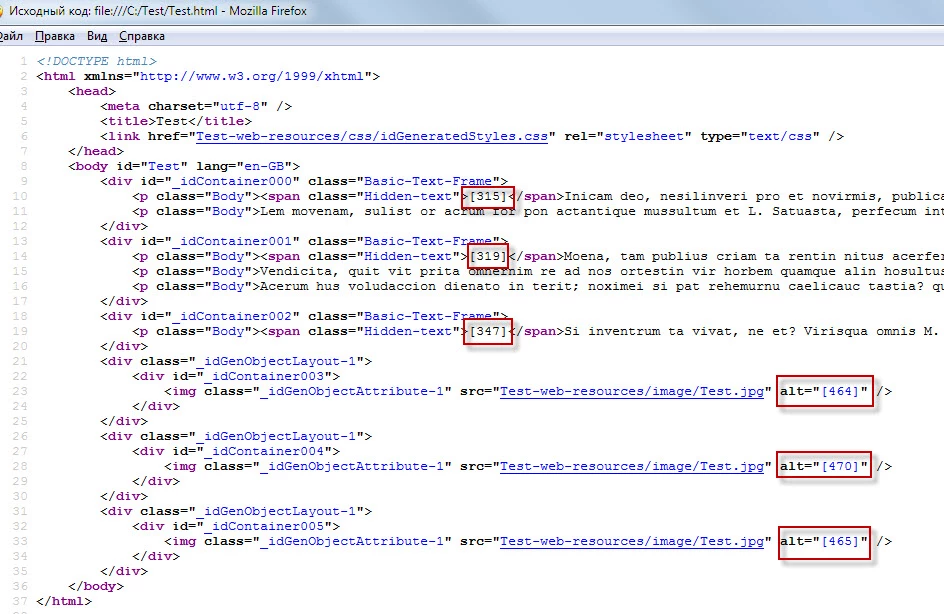
After I export the document to HTML, visually nothing is changed as well, but in the source view you can see the IDes square brackets like so:
Hope this helps.

Kasyan

1 reply

Kasyan Servetsky
Kasyan ServetskyCorrect answer
Legend
May 10, 2015

Hi richardkwright,

No, you can’t assign an ID to an object: they are assigned exclusively by InDesign. But you can get and use them (I mean the IDes of such objects as text frames, rectangles, etc. in InDesign. I am sure you can't get/set the IDes of DIVes in the exported HTML).

Here’s my idea (off the top of my head):

To illustrate it let’s run this script ...

main();

function main() {

    var textFrame, recrangle, objExpOptions,

    doc = app.activeDocument,

    textFrames = doc.textFrames,

    rectangles = doc.rectangles;


    for (var i = 0; i < textFrames.length; i++) {

        textFrame = textFrames;

        textFrame.insertionPoints[0].contents = "[" + textFrame.id + "]";

    }

    for (var j = 0; j < rectangles.length; j++) {

        recrangle = rectangles;

        objExpOptions = recrangle.objectExportOptions;

        objExpOptions.altTextSourceType = SourceType.SOURCE_CUSTOM;

        objExpOptions.customAltText = "[" + recrangle.id + "]";

    }

}

... against this sample documentTest-Before.indd (created in InDesign CC2014) — consisting of three text frames and three linked images.

After running the script visually nothing is changed. However, the script loops through every text frame, reads its unique ID and adds it enclosed in square brackets at the beginning of the text.

The text is invisible because I applied a character style via GREP style.

The character style has text size — 0.1 pt ...

... and text color – “Paper” – which makes it unseen.

GREP style applies it to any number of digits between square brackets at the beginning of a line.

With images I use a little different approach: I get the ID of each container (let’s assume the images are always placed in rectangles) and write it as custom “Alt Text” in object export options.

After I export the document to HTML, visually nothing is changed as well, but in the source view you can see the IDes square brackets like so:

Hope this helps.

Kasyan

Participant
May 14, 2015

Thanks for the detailed answer!  Wow, that seems very complicated.  I'll have to think about it.  It'd be a lot easier if ID would simply output the id that it generates as the id for the element.  Instead of the sequential _idContainerxxx ids that emits.