
Table Cell Footer to only appear on final page
Hi, all! I'm making an invoice that needs to continue onto an indefinite number of pages, but I only want the footer to appear on the last page (so that the total only appears at the end). I know I could get rid of the footer in this table and manually create a new table as a fake footer at the end, but I want to make this as streamline as possible for future work.
Here's a screenshot of the two beginning pages; the table begins on page 1 and continues onto page 2:
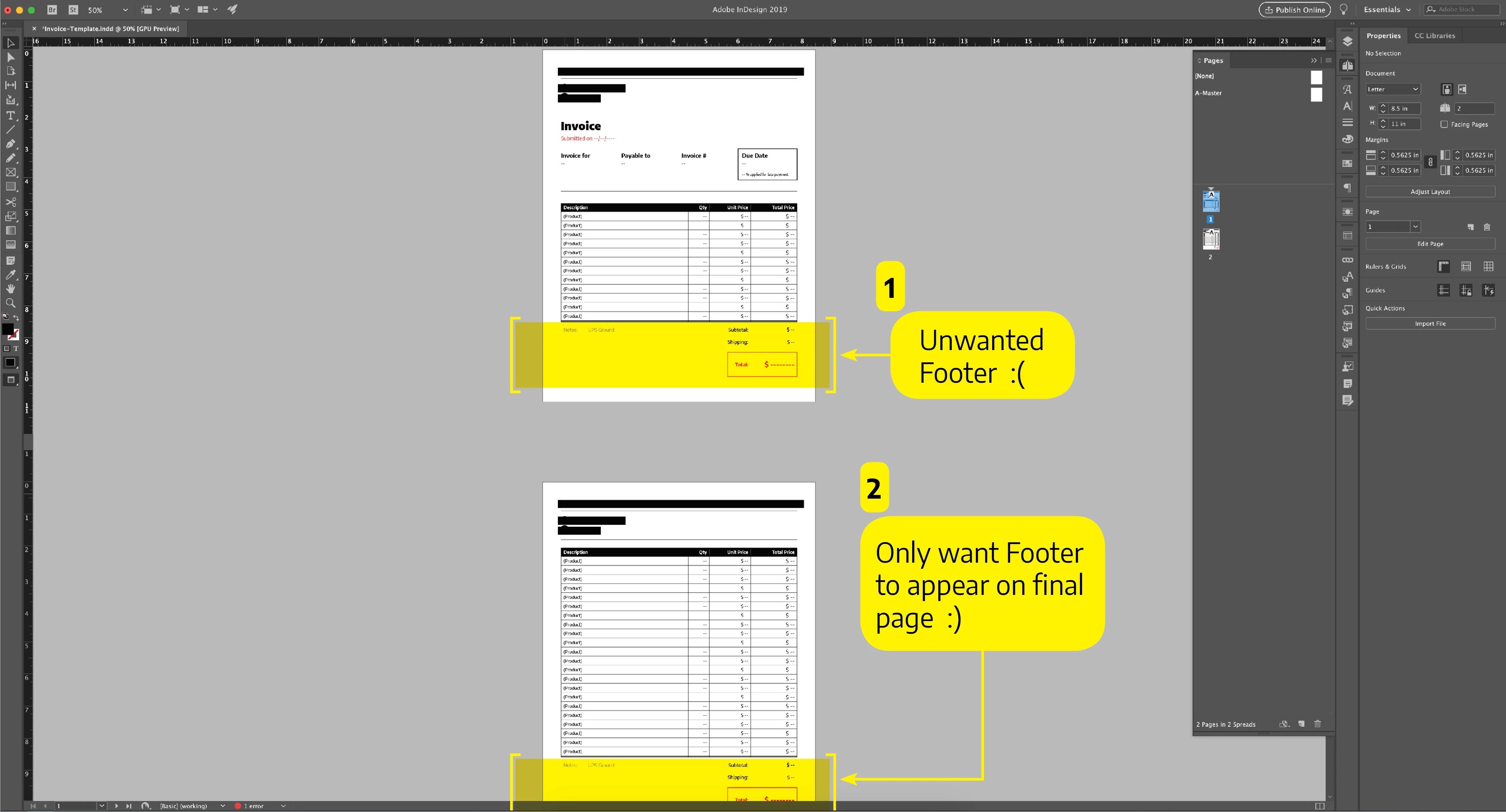
When I open "Table Setup" go to "Headers & Footers," I can skip the first header and skip the last footer, but I'm trying to get the footer to skip every page until the last page. Sadly, each of the options in the "Repeat Footer" drop down menu ("Every Text Column," "Once per Frame," and "Once per Page") don't affect this situation. I can imagine "Once per Frame" being helpful here, but only if I find a way to define the table on the final page as a separate frame(?):

If anyone knows the answer, please let me know! Totally at a loss here. Thanks guys!
 AdChoices