Lorie Zweifel
Inspiring
December 29, 2017
Answered

US Letter Half Page Booklet Layout

  • December 29, 2017
  • 6 replies
  • 18052 views

Hello All....

This trips me up every time.  I am doing a booklet which is essentially an 8.5 x 11 sheet of paper folded.  Each page will have 4 pages (side 1 - Page 1-2, opposite side - Page 3-4) etc.  When I look at the screen I should see a landscape 8.5 x 11 artboard...  correct? 

Can someone please help with the layout specifications.

L
This topic has been closed for replies.
Correct answer rob day

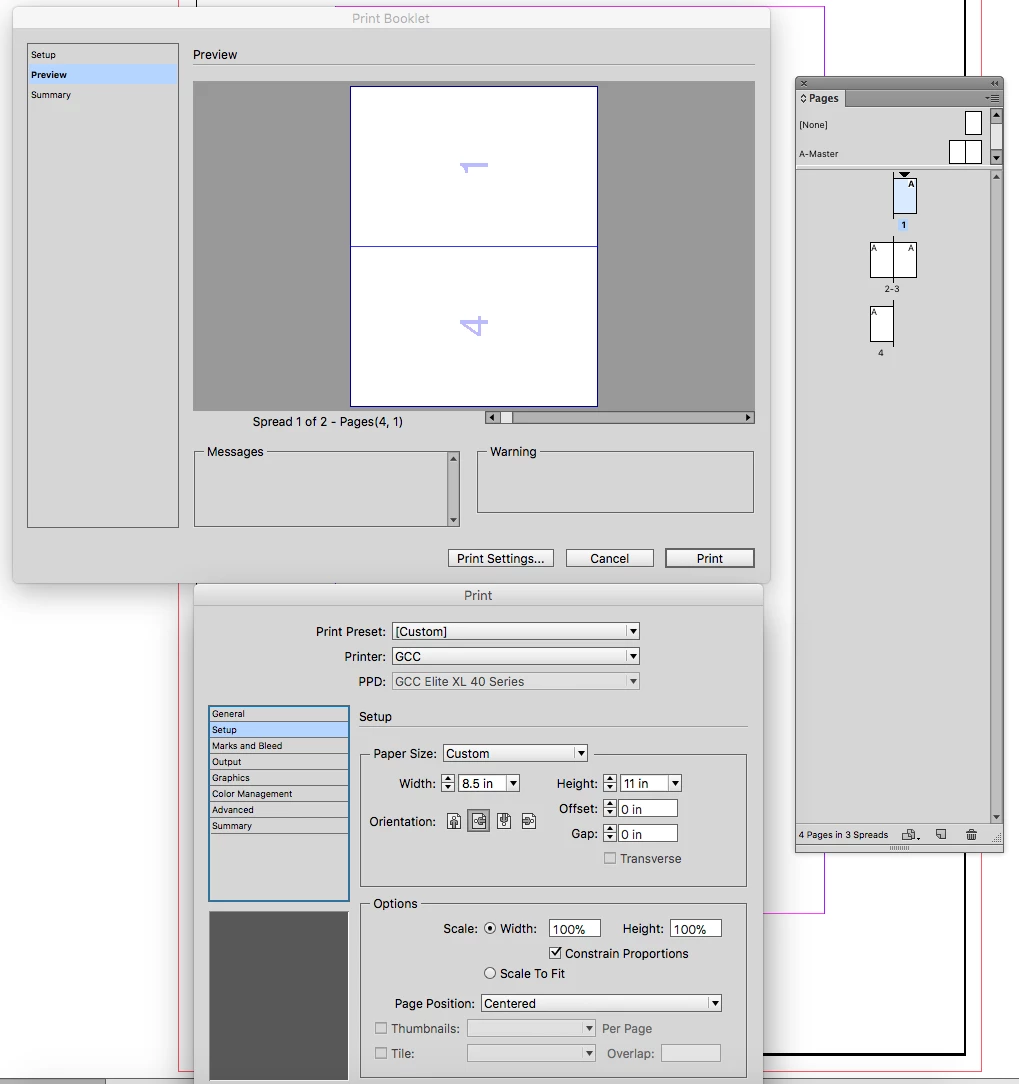
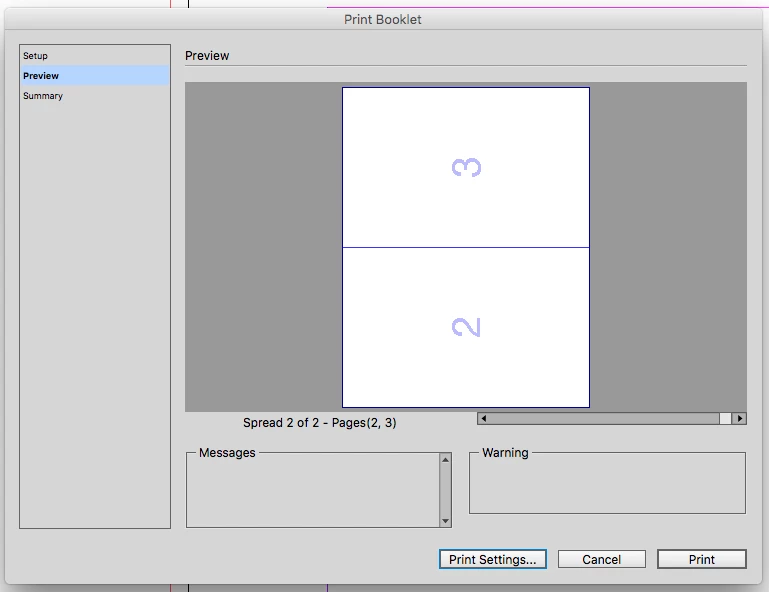
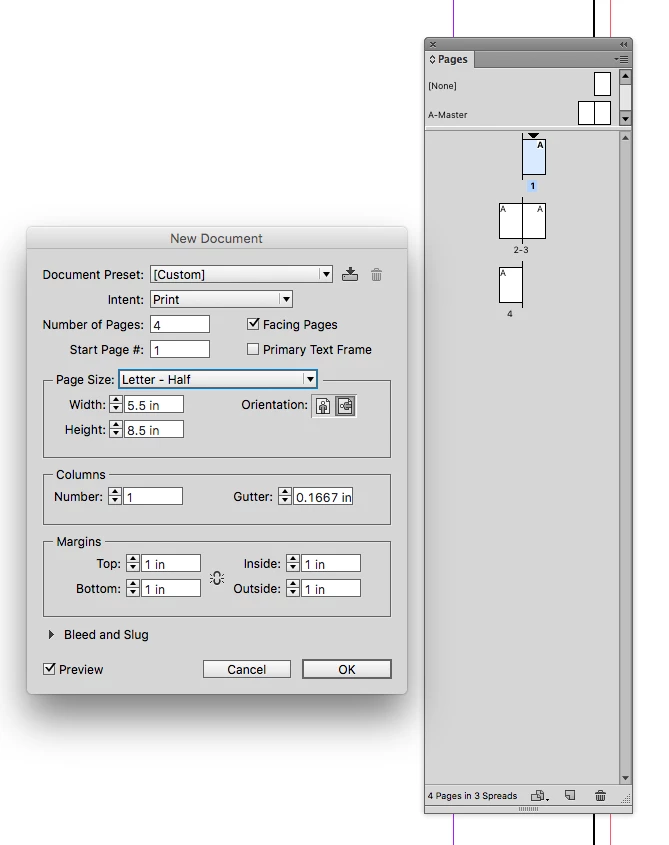
Setup Half Letter Facing pages, so the cover is page one, the inside spread is 2-3, and the back cover is 4

Then use Print Booklet to print the 4,1 and backup with 2,3

6 replies

Lorie Zweifel
Inspiring
January 3, 2018

Okay everyone....  thank you so much for your help.  Next issue.  Now that I have the perfect little booklet, how do I send it in spreads to be printed by a printer??

MW Design
Inspiring
January 3, 2018

There has only been one print establishment I have ever used that wants printer's spreads (an imposed booklet like you made). Instead, they want single, consecutive pages. They do the imposing. So make sure to talk to the print establishment.

Which is accomplished by just exporting that file to PDF...unless one changes the default setting to create an imposed PDF.

Mike

Lorie Zweifel
Inspiring
December 30, 2017

Okay....  finally got it.  I thank you so very much, just one last question....

When I need to add a page I need to add 4, right?  I had 12 pages and it wasn't working, now that I have four and set the duplex correctly it now works, now when I add pages I need to always add 4 at a time, so why would 12 not work?

MW Design
Inspiring
December 30, 2017

Yes, 12 pages should do 3 sheets of paper just fine. I've never used ID's print booklet feature. But the 3 sheets should print fine from Acrobat using its Booklet feature.

Lorie Zweifel
Inspiring
December 30, 2017

Okay, perfect...  this is what I have done, except it isn't printing them in order...  maybe I have the flip the wrong way on the printer settings.

Lorie Zweifel
Inspiring
December 30, 2017

Is there a way I can be looking at my Page 1 - Page 2 spread on screen but have it print so that it just has to be folded when off the printer?

rob day
Community Expert
rob dayCommunity ExpertCorrect answer
Community Expert
December 30, 2017

Setup Half Letter Facing pages, so the cover is page one, the inside spread is 2-3, and the back cover is 4

Then use Print Booklet to print the 4,1 and backup with 2,3

Lorie Zweifel
Inspiring
December 29, 2017

Hi Mike....  so sorry I missed your message.  Yes, I am printing it myself this time.  So I pick the ½ Page layout then print booklet on 81/2 x 11 paper?

MW Design
Inspiring
December 29, 2017

Facing page layout, 5.5" x 8.5" page size.

Are you doing the printing or is it going to be printed professionally/elsewhere? If by yourself, in Acrobat choose to print booklet. And make sure you have a page count in multiples of 4.

Mike