
lisaa24680110
Participating Frequently
December 30, 2017
Answered

Where are my fonts?

  • December 30, 2017
  • 1 reply
  • 5403 views

Hello

I made the mistake of buying a new camera and then updating Lightroom and Photoshop so that I could read the new format of RAW file.

Then I went back to the InDesign doc I was working on and all my fonts are unusable.


InDesign was working great before, now I can't work at all. I don't know how to get my fonts back. Where did they go? I don't want to use Typekit. I have weird fonts on my machine that I have been using for decades. How can I use them again without dealing with Typekit?

Thank you.
    This topic has been closed for replies.
    Correct answer rob day

    Good morning.

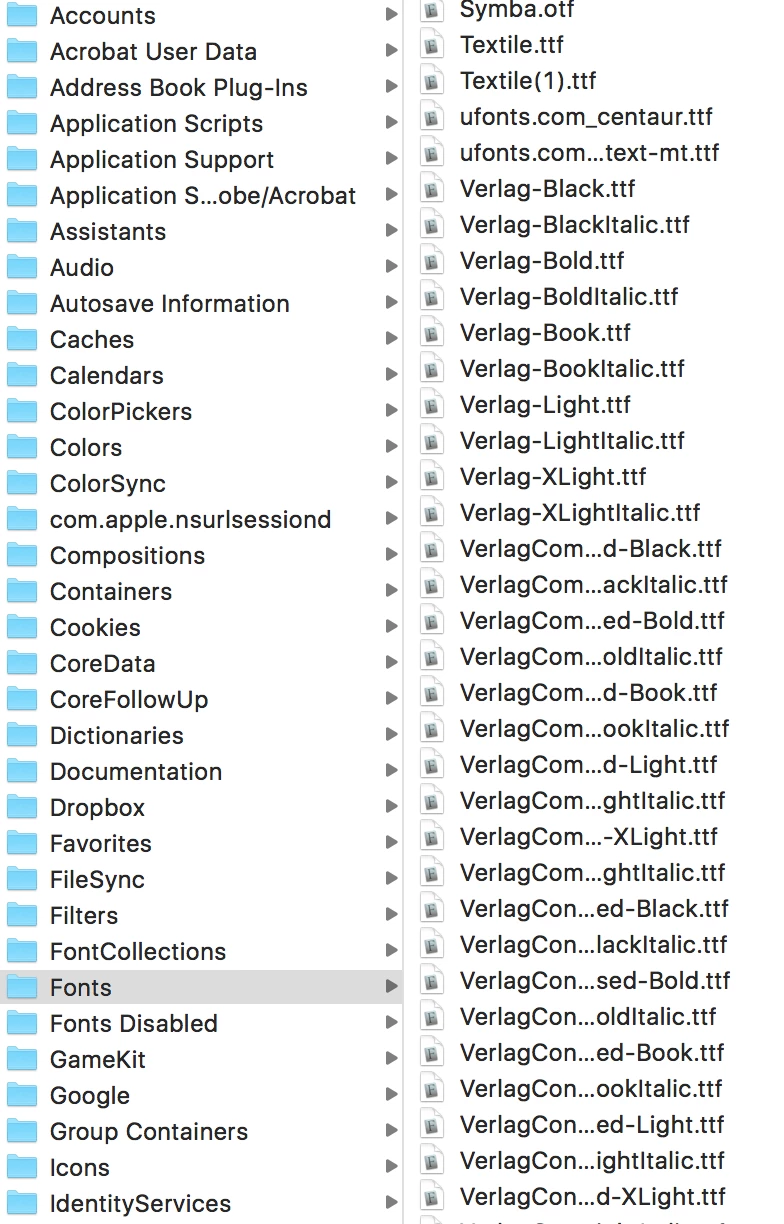
    Resetting the preferences didn't work. Here is a screen shot of some fonts in my fonts folder. A handful of the Verlag fonts show up in InDesign- but not all of them. There is no rhyme nor reason to any of this as far as I can tell.
    Also, once again, I did not update InDesign! I updated Photoshop and Lightroom and the fonts are all working in Photoshop.

    The fonts also all work in IndesignCS6

    Is it possible that the solution is to update the InDesign to cc2018? Frankly I am afraid to do this, but I guess it can't get any worse at this point and InDesign CS6 seems "safe" in case CC2018 doesn't work either.

    Best

    Lisa


    Resetting the preferences didn't work.

    Did you also clear your Cache folder?

    1 reply

    BobLevine
    Community Expert
    Community Expert
    December 30, 2017

    I’m sorry, but these seem completely unrelated and you’ve given us very little to go on.

    What version of InDesign? What operating system? Do the fonts show in other applications?

    lisaa24680110
    Participating Frequently
    December 30, 2017

    I'm sorry! I was trying to be as succinct as possible since the issues did seem related to me. I have a Mac running OSX El Cap. I am working with Indesign CC2017.

    Last night, after buying a new camera, I was unable to open my RAW files, so I updated both Lightroom and Photoshop. This worked! However, and I understand that these really don't sound related, after I did those updates I could no longer access my fonts in InDesign.

    As per your request, I did open the new Photoshop CC2018, and my fonts are usable there.

    Also, in InDesign, some of my odder fonts, downloaded from the web decades ago, are there, but the regular old fonts that I use everyday are gone. When I go to the Type menu, the only option is Typekit (at the top of the menu). My fonts are in the Indesign library folder and I did NOT update InDesign last night so it is still 2017.

    When the popup window shows me the fonts and I try to "find" them, they are not found.

    This seems to be a simple matter of somehow disabling Typekit and rerouting back to the library where my fonts live (and have happily lived for years) on my computer, but this does not seem to be an option. For now, I am back in InDesign 6, which  still works thankfully, because I am on deadline and I can't afford to spend days and hours trying to get my fonts to work again!

    Thanks for any advice you might have on this. It just seems like it should be something really easy.

    BobLevine
    Community Expert
    Community Expert
    December 30, 2017

    Does this happen with all files or just some?