

Wrap text around an object in one-click!
Drawing a path and placing the text within the image to, later on, wrap it manually across the object within the image frame was definitely a tedious task to do which you no longer will have to do.
Use the power of artificial intelligence-driven by Adobe Sensei to wrap text around an object in one click! The artificial intelligence system automatically detects the specific object and wraps text around it while still providing you with sufficient controls for finer adjustments.
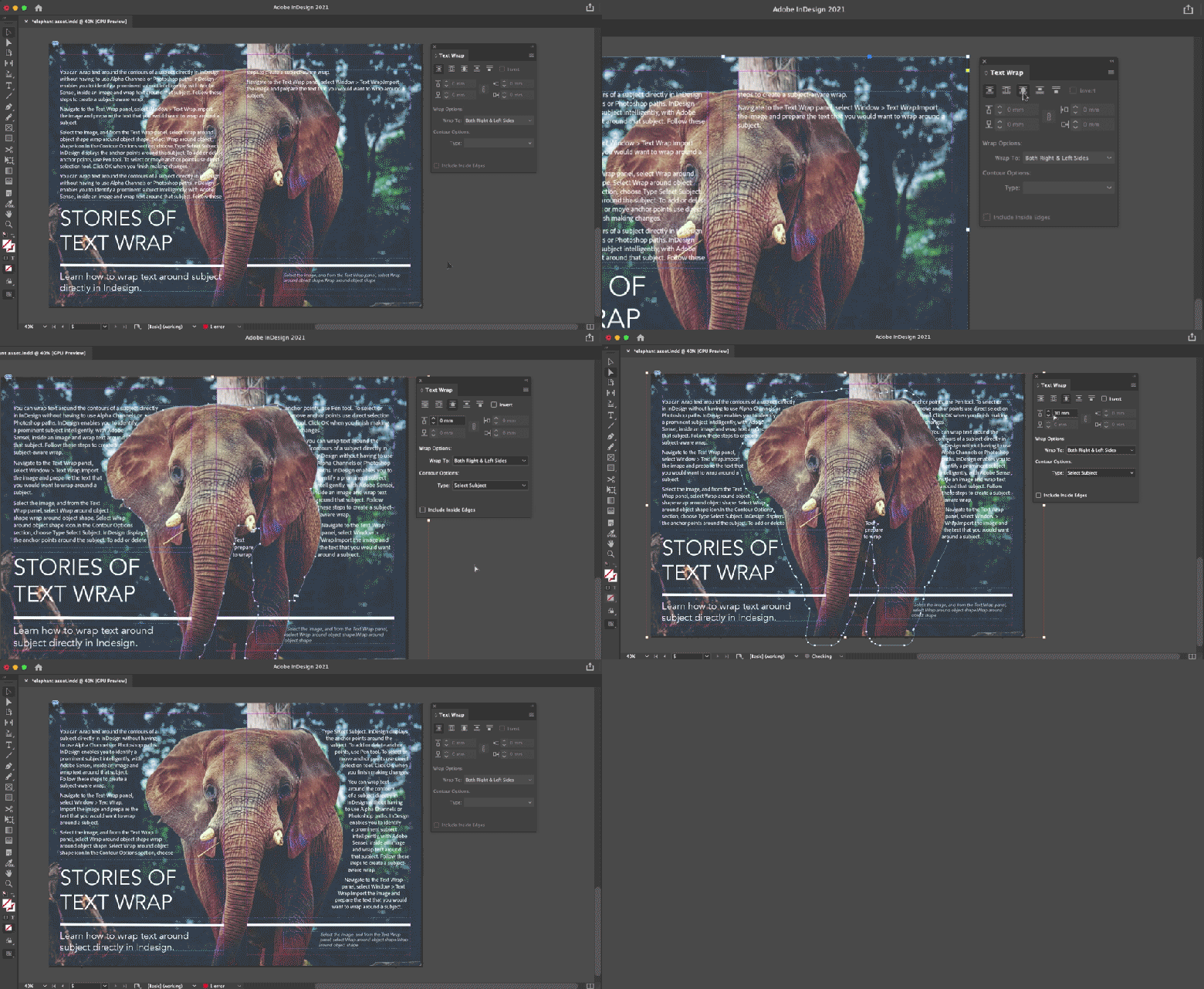
Exploring the advance control options, you can control the following settings:
- Offset
- Wrap options
- Add, delete, and move anchor points.
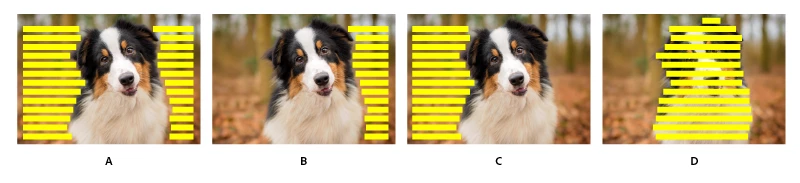
Here's an example of the different wrap options using the same subject detected:
To know more about the feature, please see the help article.
Feel free to post about your experience using this powerful feature in InDesign on the community and share your journey with us.
Regards,
Sheena


 AdChoices