



Released
P: Garbled tool tip for Remove > Next Variation in French on Windows
The tool tip for Remove > Next Variation is garbled in LR 13.4 / Windows running in French:
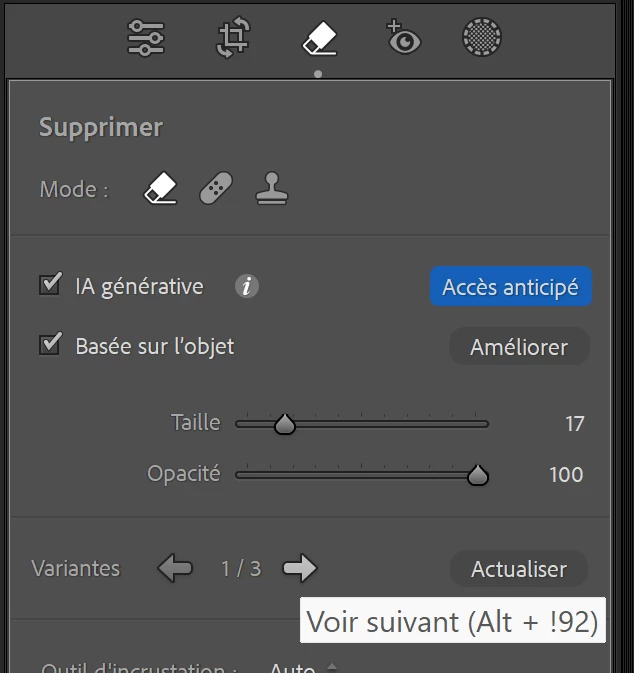
This is caused by a typo in TranslatedStrings_Lr_fr_FR.txt:
"$$$/AgDevelop/Dust/GenRemove/NextVariation/Shortcut/Win=Alt + ^U + 2192"
It should be:
"$$$/AgDevelop/Dust/GenRemove/NextVariation/Shortcut/Win=Alt + ^U+2192"
Of course, this wouldn't have happened if the tool tip followed the convention used everywhere else in LR, with "Left Arrow" and "Right Arrow" used instead of ←and →, and if the developers used the Any Shortcut plugin to catch errors before release. (There's plenty of room in the tool tips for spelling out Left Arrow and Right Arrow.)
 AdChoices