

johnrellis
Genius
June 6, 2024

P: Hour file-renaming token doesn't work in Polish or Russian

  • June 6, 2024
  • 6 respuestas
  • 2238 visualizaciones

Using the Hour file-renaming token results in an internal error when LR is running in Polish or Russian. To reproduce on LR 13.3.1:


1. Set Preferences > General > Language to Polski and restart LR.


2. In Library, select a photo and do F2 (Rename Photo).


3. In the File Naming drop-down, select Edit (the last menu item).


4. Create the renaming template "Data (RRRRMMDD) - Godzina" (Godzina is Hour in Polish):
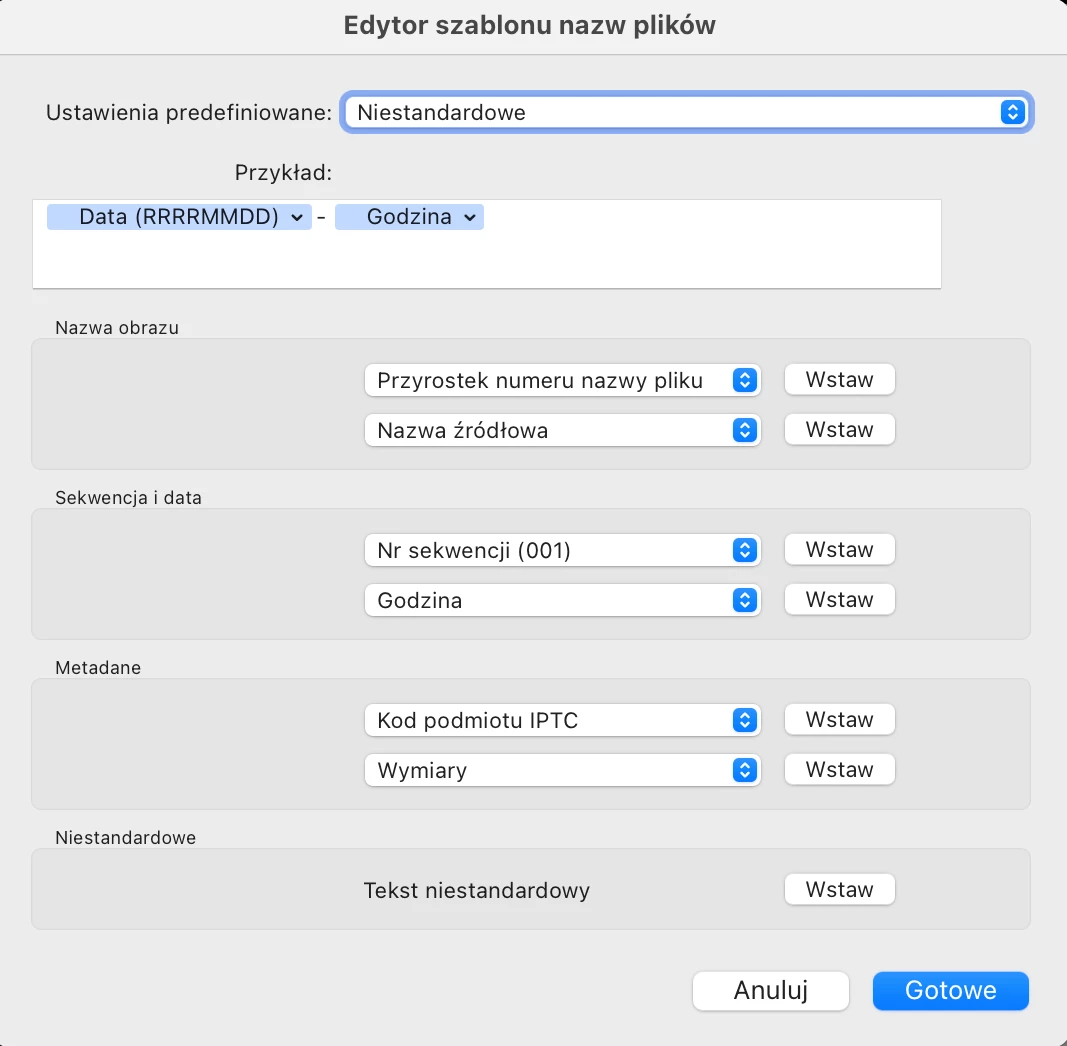
 

5. Click OK twice, and observe this error:
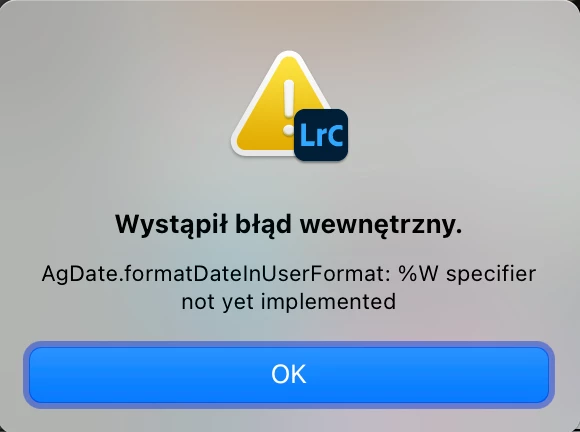
 

Translation: Internal error. AgDate.formatDatelnUserFormat: %W specifier not yet implemented.


6. Repeat the previous steps for Russian:
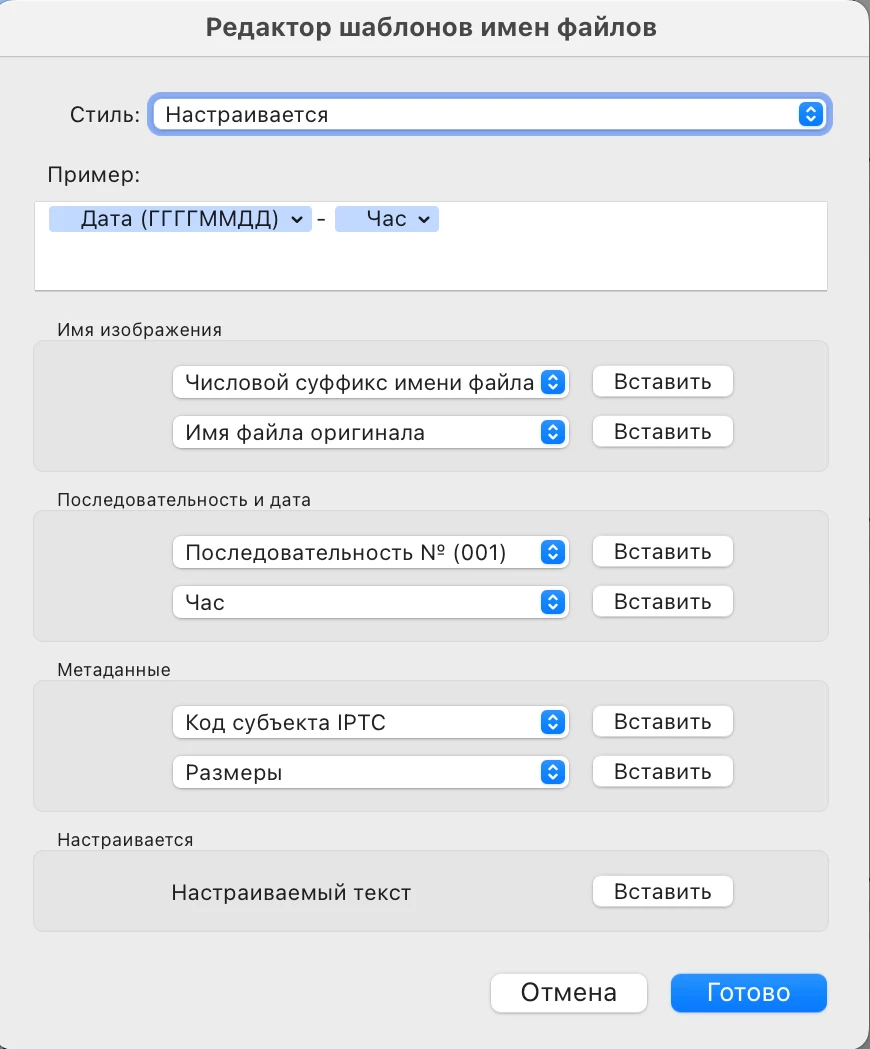
 

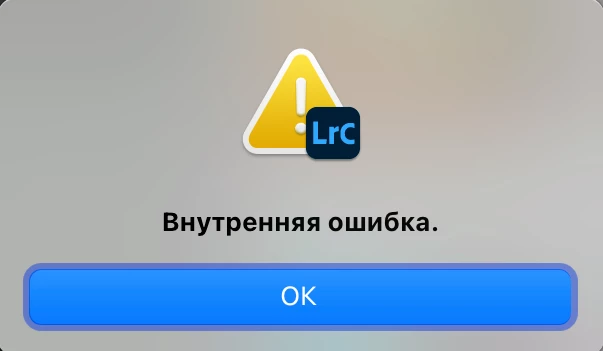
and observe this internal error:
 

* * *


This is a trivial bug to fix. In the corresponding TranslatedStrings files, all the other languages have 

/AgNaming/Token/dateEvaluator_Hour set to %H (the Lua date-formatting code for "Hour with leading zero (24-hour clock)"). But the files for Polish and Russian have it set to %W and %T respectively, which are invalid formatting codes:


$ grep /AgNaming/Token/dateEvaluator_Hour *.lproj/*.txt
de.lproj/TranslatedStrings_Lr_de_DE.txt:"$$$/AgNaming/Token/dateEvaluator_Hour=%H"
es.lproj/TranslatedStrings_Lr_es_ES.txt:"$$$/AgNaming/Token/dateEvaluator_Hour=%H"
fr.lproj/TranslatedStrings_Lr_fr_FR.txt:"$$$/AgNaming/Token/dateEvaluator_Hour=%H"
it.lproj/TranslatedStrings_Lr_it_IT.txt:"$$$/AgNaming/Token/dateEvaluator_Hour=%H"
ja.lproj/TranslatedStrings_Lr_ja_JP.txt:"$$$/AgNaming/Token/dateEvaluator_Hour=%H"
ko.lproj/TranslatedStrings_Lr_ko_KR.txt:"$$$/AgNaming/Token/dateEvaluator_Hour=%H"
nb.lproj/TranslatedStrings_Lr_nb_NO.txt:"$$$/AgNaming/Token/dateEvaluator_Hour=%H"
nl.lproj/TranslatedStrings_Lr_nl_NL.txt:"$$$/AgNaming/Token/dateEvaluator_Hour=%H"
pl.lproj/TranslatedStrings_Lr_pl_PL.txt:"$$$/AgNaming/Token/dateEvaluator_Hour=%W"
pt.lproj/TranslatedStrings_Lr_pt_BR.txt:"$$$/AgNaming/Token/dateEvaluator_Hour=%H"
ru.lproj/TranslatedStrings_Lr_ru_RU.txt:"$$$/AgNaming/Token/dateEvaluator_Hour=%Т"
sv.lproj/TranslatedStrings_Lr_sv_SE.txt:"$$$/AgNaming/Token/dateEvaluator_Hour=%H"
th.lproj/TranslatedStrings_Lr_th_TH.txt:"$$$/AgNaming/Token/dateEvaluator_Hour=%H"
zh_cn.lproj/TranslatedStrings_Lr_zh_CN.txt:"$$$/AgNaming/Token/dateEvaluator_Hour=%H"
zh_tw.lproj/TranslatedStrings_Lr_zh_TW.txt:"$$$/AgNaming/Token/dateEvaluator_Hour=%H"


Este tema ha sido cerrado para respuestas.

6 respuestas

johnrellis
Genius
August 14, 2024

I confirmed this is fixed in my LR 13.5.

Rikk Flohr_Photography
Community Manager
Community Manager
August 14, 2024

Greetings all, 


Updates for the Adobe Photography Products are released.  The August 2024 updates contain an update for this issue. 

If you do not see the update in your Creative Cloud Application, you can refresh it by hitting [Ctrl/Cmd]+[Alt/Opt]+[ R ].

Note: It may take up to 24 hours for your update to be available in your Creative Cloud app.


Thank you for being so patient.

Rikk Flohr: Adobe Photography Org
Participant
August 1, 2024

When using russian language of LR classic: Puting russian "Час" ("Hour" in English) in custom file naming would provoke and internal error when exporting.

In English there is not a problem

johnrellis
Genius
July 22, 2024

<deleted>

Słowik inspiruje
Inspiring
July 22, 2024

I found an error in Lightroom Classic that occurs when the language is set to Polish.

How to reproduce the bug:

1. Change the language of Lightroom Classic to Polish.
2. Open the Library module and select a photo.
3. Go to the menu: Library -> Rename Photo. Edit the custom name and try to add the hour and minute to it.

In the Polish version, this cannot be done. However, when I switch Lightroom Classic to English, it works as it should, and I can change the file name to include the hour and minute.

The same issue occurs on my friend's Windows 11 computer.

See the attached video I recorded to demonstrate the problem.

https://youtu.be/ayMwoNcQym4

PS: I don't know why you deleted my previous post, saying that it is a duplicate. It is not!

Best regards,
Paweł Słowik
www.slowik.eu

My system info:

Lightroom Classic version: 13.4 [ 202406181129-60d181b7 ]
License: Creative Cloud
Language setting: en
Operating system: Mac OS 14
Version: 14.5.0 [23F79]
Application architecture: arm64
Logical processor count: 10
Processor speed: NA
SqLite Version: 3.36.0
Power Source: Plugged In, 100%
Built-in memory: 16 384,0 MB
Dedicated GPU memory used by Lightroom: 230,4MB / 10 922,6MB (2%)
Real memory available to Lightroom: 16 384,0 MB
Real memory used by Lightroom: 1 793,8 MB (10,9%)
Virtual memory used by Lightroom: 417 752,7 MB
Memory cache size: 34,5MB
Internal Camera Raw version: 16.4 [ 1897 ]
Maximum thread count used by Camera Raw: 5
Camera Raw SIMD optimization: SSE2
Camera Raw virtual memory: 211MB / 8191MB (2%)
Camera Raw real memory: 213MB / 16384MB (1%)

Cache1:
Final1- RAM:189,0MB, VRAM:0,0MB, M3_01453.ARW
NT- RAM:189,0MB, VRAM:0,0MB, Combined:189,0MB

Cache2:
m:34,5MB, n:189,1MB

U-main: 126,0MB

Standard Preview Size: 3024 pixels
Displays: 1) 3024x1964

Graphics Processor Info:
Metal: Apple M1 Pro
Init State: GPU for Export supported by default
User Preference: Auto

Application folder: /Applications/Adobe Lightroom Classic
Library Path: /Users/pawelslowik/Pictures/#LIGHTROOM-CATALOG/Lightroom2021-v13-3.lrcat
Settings Folder: /Users/pawelslowik/Library/Application Support/Adobe/Lightroom

Installed Plugins:
1) DxO PureRAW 3
2) DxO PureRAW 3 Importer
3) Flickr
4) LensTagger Exif Tool
5) Luminar Neo

Config.lua flags:

Participating Frequently
June 6, 2024

Please help, couldn't find any solution!

When I try to rename photos by date and hour I am unable to set the hour properly. Year, month and date works, as well as minutes and seconds, however when I try to add an hour - example of a name disappears and error appears.

I'm trying to format my photos like this: YYYYMMDD-HHMMSS


When doing that in "export" and "rename" F2 windows, this error shows up:
Unable to export

Internal error has occured:

AgDate.formatDateInUserFormat: %W specifier not yet implemented

I searched internet, but with no avail. Has anyone had similar problem?

Community Expert
June 6, 2024

This naming preset works fine for me (Windows, release 13.2) for file renaming and also for export.


So after choosing the YYYYMMDD option of the Date token, you do need to separately type in the dash and then separately choose Hour, Minute and Second naming tokens in turn. Typing extra stuff inside the supplied YYYYMMDD naming token - that is, within its curly brackets - is not going to succeed. Each token (or else manual text, such as the dash) needs to be used as-is, and will then be combined into the desired name.

Participating Frequently
June 6, 2024

Yes, I've tried doing exactly as you showed, sadly, it doesn't work 😕😕

I can add Minute and Second, but as soon as I add Hour - the "example" disappears and trying to export triggers an error.