



johnrellis
Legend
June 6, 2024

P: Hour file-renaming token doesn't work in Polish or Russian

  • June 6, 2024
  • 返信数 6.
  • 2243 ビュー

Using the Hour file-renaming token results in an internal error when LR is running in Polish or Russian. To reproduce on LR 13.3.1:


1. Set Preferences > General > Language to Polski and restart LR.


2. In Library, select a photo and do F2 (Rename Photo).


3. In the File Naming drop-down, select Edit (the last menu item).


4. Create the renaming template "Data (RRRRMMDD) - Godzina" (Godzina is Hour in Polish):
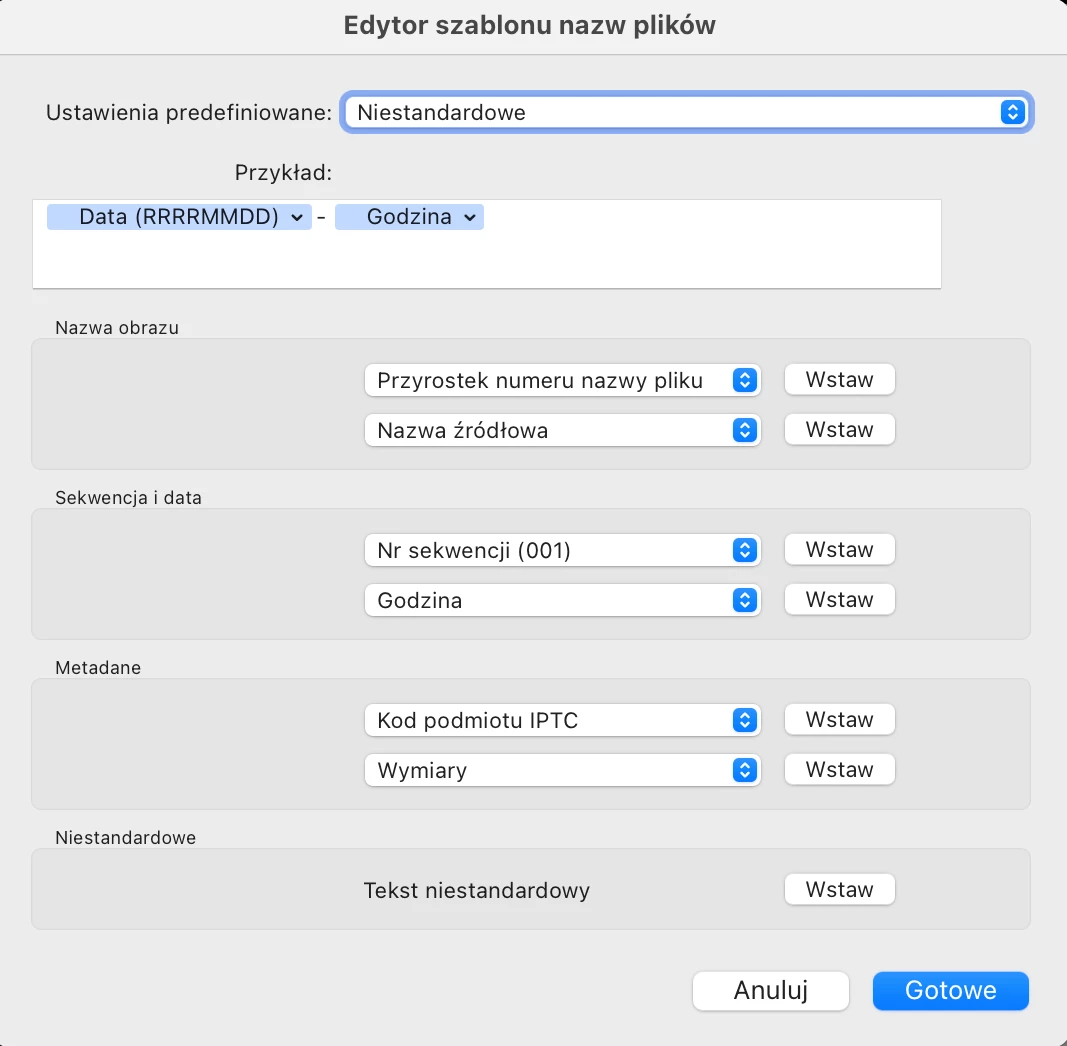
 

5. Click OK twice, and observe this error:
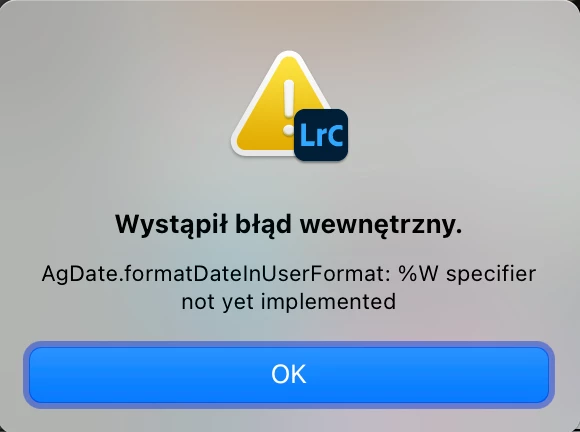
 

Translation: Internal error. AgDate.formatDatelnUserFormat: %W specifier not yet implemented.


6. Repeat the previous steps for Russian:
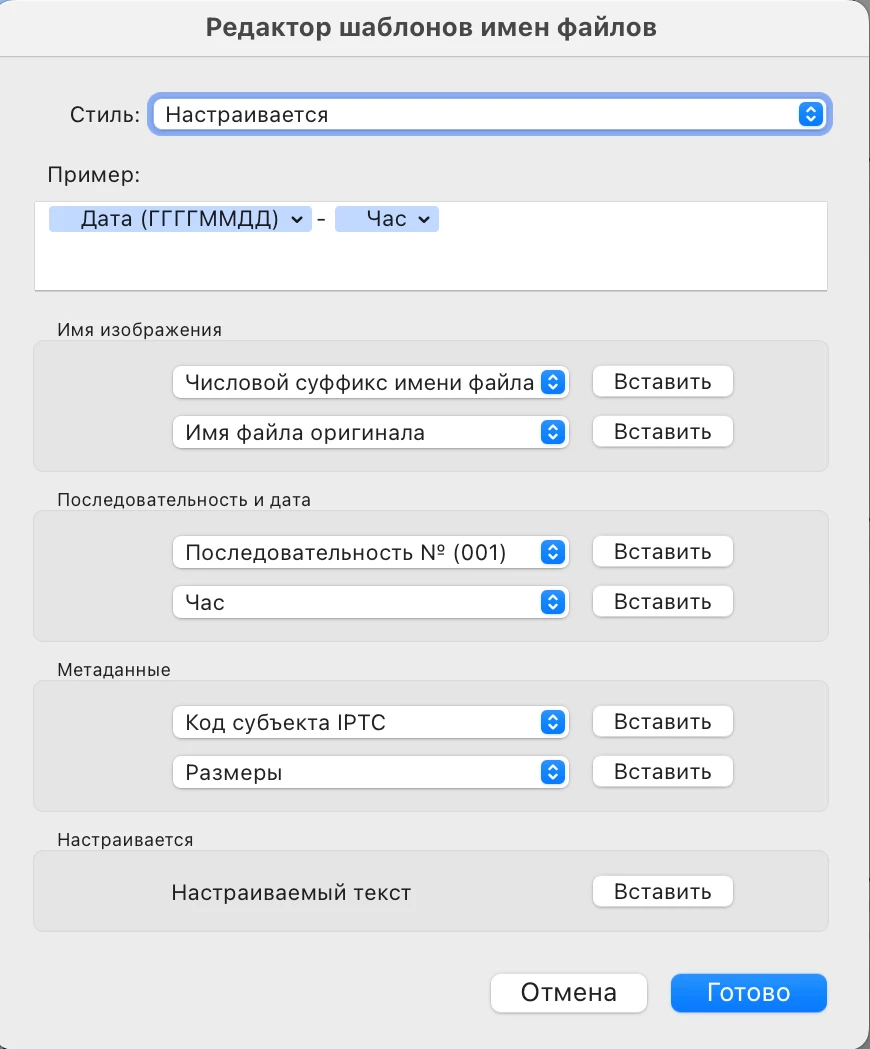
 

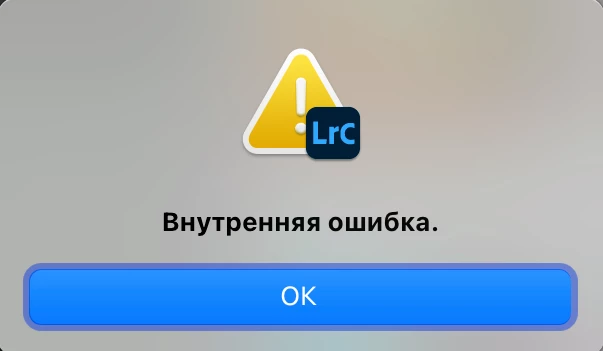
and observe this internal error:
 

* * *


This is a trivial bug to fix. In the corresponding TranslatedStrings files, all the other languages have 

/AgNaming/Token/dateEvaluator_Hour set to %H (the Lua date-formatting code for "Hour with leading zero (24-hour clock)"). But the files for Polish and Russian have it set to %W and %T respectively, which are invalid formatting codes:


$ grep /AgNaming/Token/dateEvaluator_Hour *.lproj/*.txt
de.lproj/TranslatedStrings_Lr_de_DE.txt:"$$$/AgNaming/Token/dateEvaluator_Hour=%H"
es.lproj/TranslatedStrings_Lr_es_ES.txt:"$$$/AgNaming/Token/dateEvaluator_Hour=%H"
fr.lproj/TranslatedStrings_Lr_fr_FR.txt:"$$$/AgNaming/Token/dateEvaluator_Hour=%H"
it.lproj/TranslatedStrings_Lr_it_IT.txt:"$$$/AgNaming/Token/dateEvaluator_Hour=%H"
ja.lproj/TranslatedStrings_Lr_ja_JP.txt:"$$$/AgNaming/Token/dateEvaluator_Hour=%H"
ko.lproj/TranslatedStrings_Lr_ko_KR.txt:"$$$/AgNaming/Token/dateEvaluator_Hour=%H"
nb.lproj/TranslatedStrings_Lr_nb_NO.txt:"$$$/AgNaming/Token/dateEvaluator_Hour=%H"
nl.lproj/TranslatedStrings_Lr_nl_NL.txt:"$$$/AgNaming/Token/dateEvaluator_Hour=%H"
pl.lproj/TranslatedStrings_Lr_pl_PL.txt:"$$$/AgNaming/Token/dateEvaluator_Hour=%W"
pt.lproj/TranslatedStrings_Lr_pt_BR.txt:"$$$/AgNaming/Token/dateEvaluator_Hour=%H"
ru.lproj/TranslatedStrings_Lr_ru_RU.txt:"$$$/AgNaming/Token/dateEvaluator_Hour=%Т"
sv.lproj/TranslatedStrings_Lr_sv_SE.txt:"$$$/AgNaming/Token/dateEvaluator_Hour=%H"
th.lproj/TranslatedStrings_Lr_th_TH.txt:"$$$/AgNaming/Token/dateEvaluator_Hour=%H"
zh_cn.lproj/TranslatedStrings_Lr_zh_CN.txt:"$$$/AgNaming/Token/dateEvaluator_Hour=%H"
zh_tw.lproj/TranslatedStrings_Lr_zh_TW.txt:"$$$/AgNaming/Token/dateEvaluator_Hour=%H"


このトピックへの返信は締め切られました。

返信数 6

johnrellis
johnrellis作成者
Legend
August 14, 2024

I confirmed this is fixed in my LR 13.5.

Rikk Flohr_Photography
Community Manager
Community Manager
August 14, 2024

Greetings all, 


Updates for the Adobe Photography Products are released.  The August 2024 updates contain an update for this issue. 

If you do not see the update in your Creative Cloud Application, you can refresh it by hitting [Ctrl/Cmd]+[Alt/Opt]+[ R ].

Note: It may take up to 24 hours for your update to be available in your Creative Cloud app.


Thank you for being so patient.

Rikk Flohr: Adobe Photography Org
Participant
August 1, 2024

When using russian language of LR classic: Puting russian "Час" ("Hour" in English) in custom file naming would provoke and internal error when exporting.

In English there is not a problem

johnrellis
johnrellis作成者
Legend
July 22, 2024

<deleted>

Słowik inspiruje
Inspiring
July 22, 2024

I found an error in Lightroom Classic that occurs when the language is set to Polish.

How to reproduce the bug:

1. Change the language of Lightroom Classic to Polish.
2. Open the Library module and select a photo.
3. Go to the menu: Library -> Rename Photo. Edit the custom name and try to add the hour and minute to it.

In the Polish version, this cannot be done. However, when I switch Lightroom Classic to English, it works as it should, and I can change the file name to include the hour and minute.

The same issue occurs on my friend's Windows 11 computer.

See the attached video I recorded to demonstrate the problem.

https://youtu.be/ayMwoNcQym4

PS: I don't know why you deleted my previous post, saying that it is a duplicate. It is not!

Best regards,
Paweł Słowik
www.slowik.eu

My system info:

Lightroom Classic version: 13.4 [ 202406181129-60d181b7 ]
License: Creative Cloud
Language setting: en
Operating system: Mac OS 14
Version: 14.5.0 [23F79]
Application architecture: arm64
Logical processor count: 10
Processor speed: NA
SqLite Version: 3.36.0
Power Source: Plugged In, 100%
Built-in memory: 16 384,0 MB
Dedicated GPU memory used by Lightroom: 230,4MB / 10 922,6MB (2%)
Real memory available to Lightroom: 16 384,0 MB
Real memory used by Lightroom: 1 793,8 MB (10,9%)
Virtual memory used by Lightroom: 417 752,7 MB
Memory cache size: 34,5MB
Internal Camera Raw version: 16.4 [ 1897 ]
Maximum thread count used by Camera Raw: 5
Camera Raw SIMD optimization: SSE2
Camera Raw virtual memory: 211MB / 8191MB (2%)
Camera Raw real memory: 213MB / 16384MB (1%)

Cache1:
Final1- RAM:189,0MB, VRAM:0,0MB, M3_01453.ARW
NT- RAM:189,0MB, VRAM:0,0MB, Combined:189,0MB

Cache2:
m:34,5MB, n:189,1MB

U-main: 126,0MB

Standard Preview Size: 3024 pixels
Displays: 1) 3024x1964

Graphics Processor Info:
Metal: Apple M1 Pro
Init State: GPU for Export supported by default
User Preference: Auto

Application folder: /Applications/Adobe Lightroom Classic
Library Path: /Users/pawelslowik/Pictures/#LIGHTROOM-CATALOG/Lightroom2021-v13-3.lrcat
Settings Folder: /Users/pawelslowik/Library/Application Support/Adobe/Lightroom

Installed Plugins:
1) DxO PureRAW 3
2) DxO PureRAW 3 Importer
3) Flickr
4) LensTagger Exif Tool
5) Luminar Neo

Config.lua flags:

Participating Frequently
June 6, 2024

Please help, couldn't find any solution!

When I try to rename photos by date and hour I am unable to set the hour properly. Year, month and date works, as well as minutes and seconds, however when I try to add an hour - example of a name disappears and error appears.

I'm trying to format my photos like this: YYYYMMDD-HHMMSS


When doing that in "export" and "rename" F2 windows, this error shows up:
Unable to export

Internal error has occured:

AgDate.formatDateInUserFormat: %W specifier not yet implemented

I searched internet, but with no avail. Has anyone had similar problem?

johnrellis
johnrellis作成者
Legend
June 7, 2024

"AgDate.formatDateInUserFormat: %W specifier not yet implemented"


That's very strange. In the Lua library used by LR's implementation, the %W specifier is the week number of the current year.  As requested by GoldingD, please post a screen recording (not a phone video) showing the complete steps you're taking, including the entire LR window (for clues).  Alternatively, post a full-resolution screenshots of the entire LR window right before you enter Hour, right after, and of error message.

johnrellis
johnrellis作成者
Legend
June 8, 2024

Well, it's quite ironic.

I'm from Poland and had my Lightroom set in Polish. When I changed the language to English just to record everything as you asked (so that you wouldn't be confused by a different language), suddenly everythings works fine.


I have no idea why my language brakes the system :V but I'm happy to know how to "solve" the issue.

It would be awesome if Adobe fixed this.. As much as I know English I would prefer to use my native language settings.


Here's the video you asked for:

(at the end i didn't try to export and rename, but it works fine just like normal F2 renaming)


I filed a bug report about this -- the Hour token doesn't work in Polish and Russian.


While waiting for Adobe to fix this (hopefully in the next release, but very possibly in a later release), it's easy to fix yourself.  Open this file Notepad:


C:\Program Files\Adobe\Adobe Lightroom Classic\Resources\pl\TranslatedStrings_Lr_pl_PL.txt


Search for this line:


pl.lproj/TranslatedStrings_Lr_pl_PL.txt:"$$$/AgNaming/Token/dateEvaluator_Hour=%W"


and change the %W to %H.