
Inspiring
October 24, 2012

P: Secondary Display Blurry

  • October 24, 2012
  • 19 replies
  • 755 views

There seems to be an issue with blurry thumbnails/2nd monitor loupe display in develop module after upgrading to LR4.2 from LR4.1

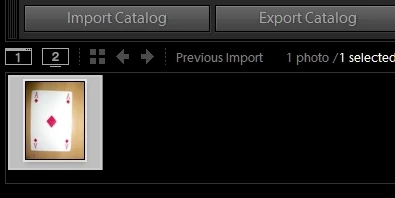
Library Thumbnail

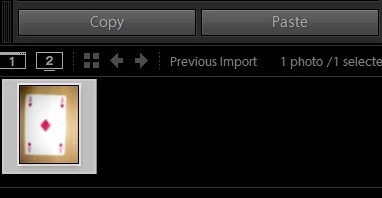
Develop Thumbnail

More Discussion in topic on Lightroom Discussions Area :
http://forums.adobe.com/thread/107598...


Note: This topic was created from a reply on the LR 4.2 displaying blurry grid images when in "import" topic.

This topic has been closed for replies.

19 replies

Inspiring
February 26, 2013
Looks almost entirely fixed in 4.4 RC for me. Thanks for posting the link there. Much more usable now!
Participating Frequently
February 26, 2013
This issue has been somewhat improved in Lightroom 4.4. There is still work that needs to be done, but it's better than in 4.3.

The public release candidate of 4.4 is available for download here:
http://labs.adobe.com/technologies/li...

Please note that this is not the final version of Lightroom 4.4, it's a release candidate. A "release candidate" label indicates that this update is well tested but would benefit from additional community testing before it is distributed automatically to all of our customers.

Thanks,
Ben
Legend
February 21, 2013
In progress. Team is investigating a fix.
Known Participant
February 21, 2013
Just stared for me on a 2 year old MacBook Pro OS 10.6.8 8Gb Ram, LR 4.3. Never had this issue before. The main laptop screen is fine at 100-200%. Second screen is blurry (in the image area) at any magnification. Quitting and restarting LR solves the bug for a while. Turning off and on secondary screen in LR doesn't fix it.

Secondary display is a CRT (still calibrating well) at 1600x1200x65 Hz.

Anyone offered any ideas yet?
Inspiring
February 1, 2013
Similar issue on Macbook pro retina 13" and 27" LED cinema display as secondary display, OSX 10.8.2, LR 4.3, CR 7.3

Problem occurs only on secondary display, in develop mode, loupe mode on secondary display, with canon RAW files (.CR2)

Apparently, on my side, problem appears everytime in native ratio (2x3 for me), not depending on orientation, in ratio 1x1 everything is ok.

This issue is very problematic for me since LR supports HiDPI displays only on 4.3.
Participant
January 25, 2013
Same problem... When that BAD bug will be solved ?
Participating Frequently
January 23, 2013
Top picture is second monitor, picture below it is primary monitor.
Participating Frequently
January 23, 2013
I too have the same problem in LR 4.3. Vertical-oriented TIF's (see screenshot of second monitor below) and CR2's both have this issue. Zooming in fixes the issue, but a zoom out restores it. Library view does not have degraded performance in the second monitor.
Participating Frequently
December 26, 2012
Same problem - especially with vertical TIF files.
I have
1) upgraded to LR 4.3
2) updated my Graphics driver (2x)

The fuzziness goes away on ZOOM IN, but returns on ZOOM Out.
This is happening with both NEW and OLD images.
DNG are fine.
But once I edit it and save it in TIF format, either from Photoshop or PhotoMatix (HDR application), the image is fuzzy.
Inspiring
December 21, 2012
I'm also experiencing this problem and it seems to be related to portrait orientation. I have just rendered 1:1 previews for all images. For example I load new images in landscape orientation and within a second it is shape on both display, then I select the crop tool and crop (any value) and the preview looks fine. If hit the x key to rotate the orientation of the crop suddenly the preview is Ll blurred, if I hit x again to rotate back it looks fine.