AndyFranck
Participating Frequently
March 2, 2021

P: Spot Removal Brush Render Glitch When Converted to Compressed DNG

  • March 2, 2021
  • 28 replies
  • 2598 views

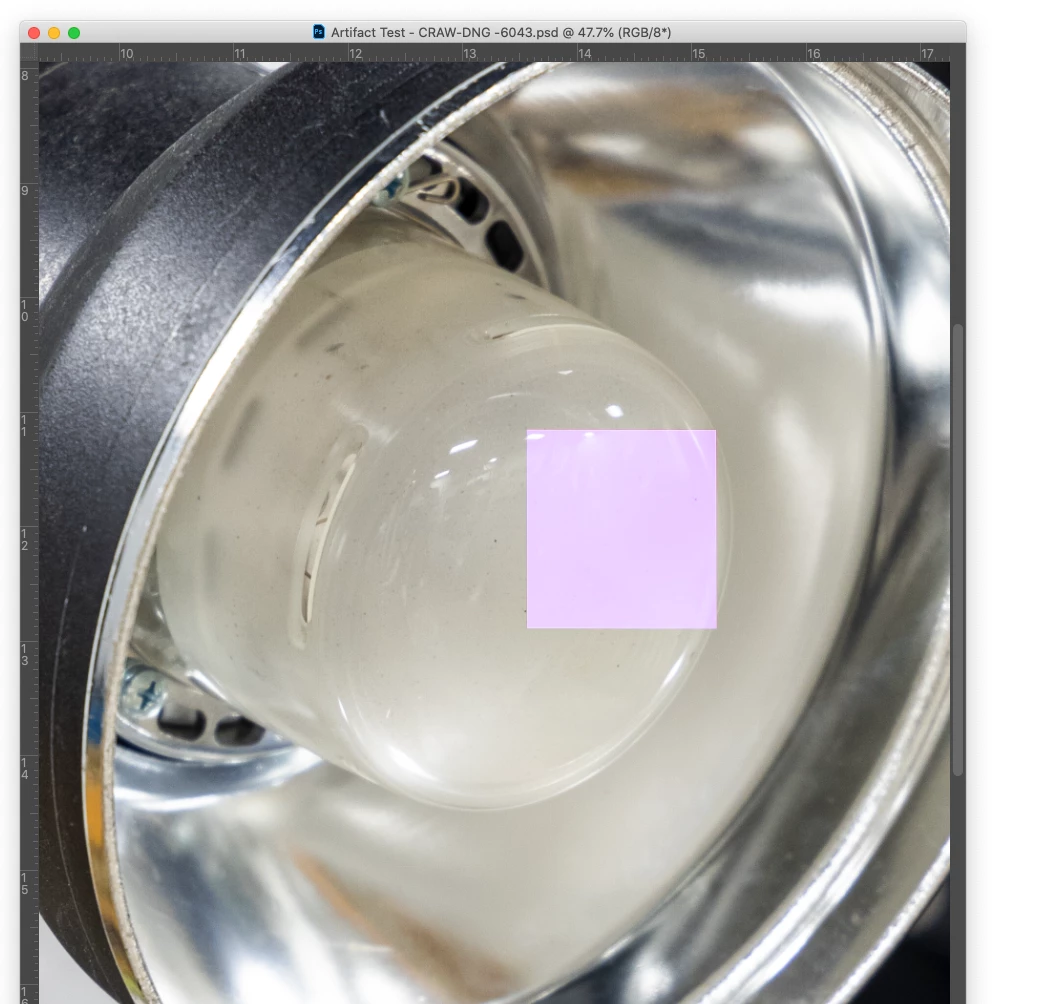
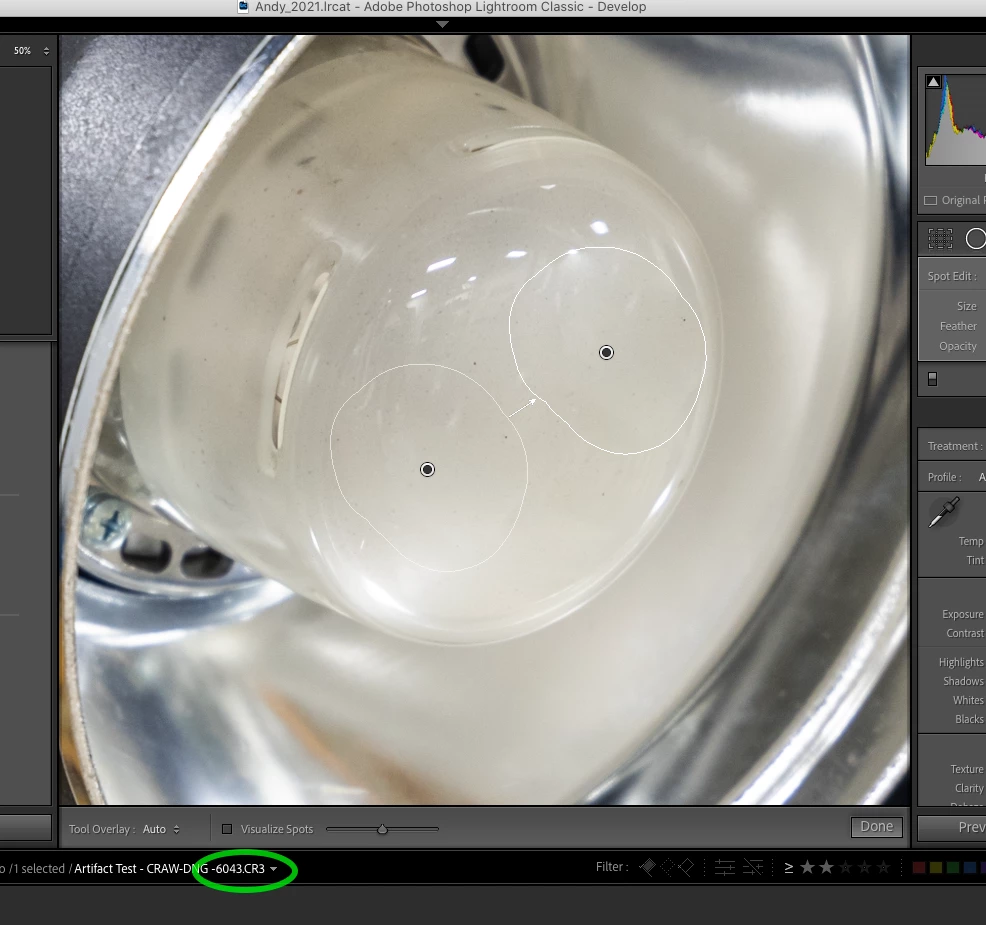
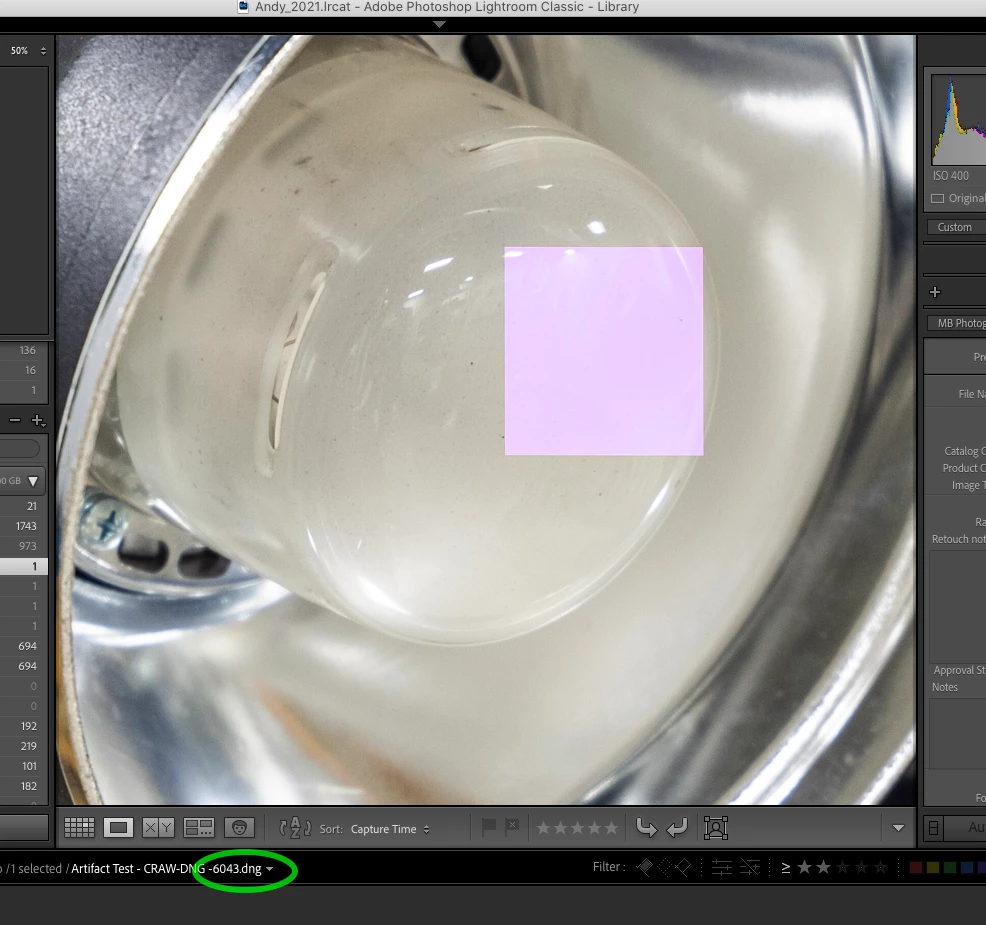
I am consistently finding all spot removal adjustments rendered as pink block artifacts after converting to compressed DNG. I am using LR Classic 10.1.1 on a 2017 15 inch MacBook Pro running macOS Catalina 10.15.7. I've seen the problem with a Canon R5 (raw and c-raw), Canon 5DmkIII, and Fuji X-T3 (RAF). The artifacts don't immediately appear - only when rendering 1:1 - so they are easy to overlook. I can remove the artifacts by modifying each spot removal adjustment in some way (often I'll just select an adjustment and nudge the feather slider up and down by one so the adjustment isn't affected). Also, there doesn't seem to be a problem when adding spot removal adjustments to images after they are converted to compressed DNG. Not sure how long this problem has been around - I've just discovered it when testing compressed DNG as a possible way to manage file sizes from the R5. Here are screenshots showing the original raw, compressed DNG, and exported PSD...


This topic has been closed for replies.

28 replies

Todd Shaner
Legend
December 5, 2021

"when converting raw to compressed DNG in LR environment. These artifacts occur in the place where I used spot removal. Is there a solution?"


Re-exporting the affected lossy DNG files as shown below with Embed Fast Load Data unchecked appears to fix the issue without touching the image data. You can do this as a batch export to a subfolder, then delete the original lossy DNG files and move the new files to the original folder.


LrC 11.0.1 does not exhibit the spot removal artifacts on my Windows 10 system. No spot removal pink squares are observed in new lossy DNG export files with Embed Fast Load Data checked or uncheced. Please let me know what you're seeing.


Known Participant
December 5, 2021

Hi, 

when converting raw to compressed DNG in LR environment. These artifacts occur in the place where I used spot removal. Is there a solution?
Thank you


JohanElzenga
Community Expert
Community Expert
December 5, 2021

This is a known bug, that should be fixed in an update.


-- Johan W. Elzenga
Known Participant
December 5, 2021

Thank you, for your Answer. I probably hoped it would be fixed in version 11, but unfortunately it is not.

Rikk Flohr_Photography
Community Manager
March 3, 2021

I've logged this bug with the Classic team. Thanks for the reports.

Rikk Flohr: Adobe Photography Org
Legend
March 3, 2021

I can also replicate this issue on my Windows 10 machine after converting to lossy DNG from a NEF raw file.

AndyFranck
Participating Frequently
March 2, 2021

Wow, definitely the same issue and some in-depth info. I did search before posting to see if my problem had been discussed already but failed to find these conversations. I'll be doing some reading this evening.

AndyFranck
Participating Frequently
March 2, 2021

That's good to know. I've been extensively using DNG in our workflow for years with no issues. As I mentioned, I've been trying out the compressed option to lessen the impact of our new R5. Fortunately we do have a huge storage upgrade for our servers being provisioned to roll out in the next few weeks - so if, as you say, compressed DNG is generally problematic I may just stick with the old reliable non-compressed option.

Bob Somrak
Legend
March 2, 2021

I never use compressed DNG as there have been several threads of issues with it from past forum threads including this issue. 

M4 Pro Mac Mini. 48GB
Jerry Syder
Inspiring
March 2, 2021

I can confirm the same on my Windows machine. Like Bob, both in library Loupe and Grid

AndyFranck
Participating Frequently
March 2, 2021

Thanks - I appreciate the confirmation