Participating Frequently
February 11, 2022
Question

Überschärfung der Bilder nach Export

  • February 11, 2022
  • 3 replies
  • 662 views

Hallo zusammen,


ich habe leider neuerdings das Problem. dass nach meinem Export (gleicher Bearbeitungsstil bzw. gleiche Einstellungen bei der Bearbeitung und beim Export und nie verändert) die Bilder völlig überschärft und körnig werden.


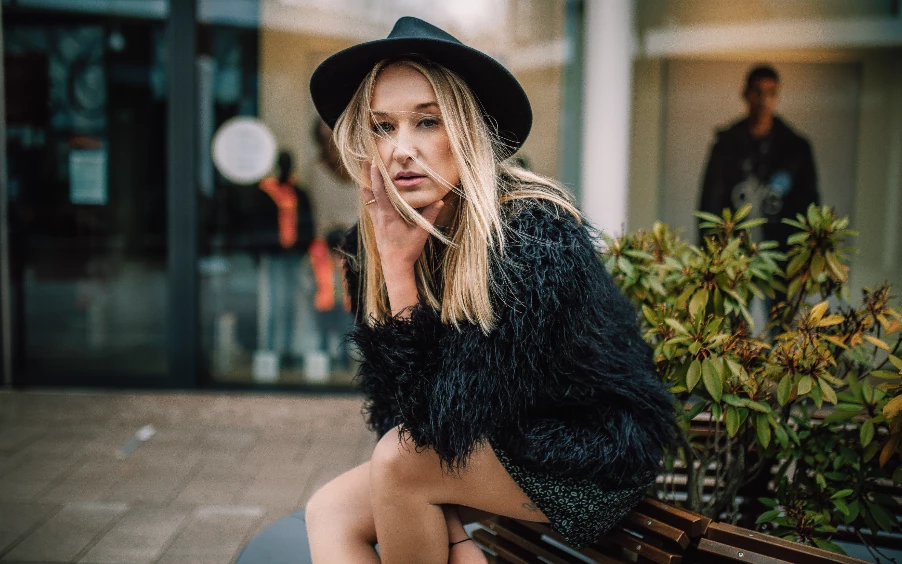
Beispiele anbei (zuerst das überschärfte, dann das Original)
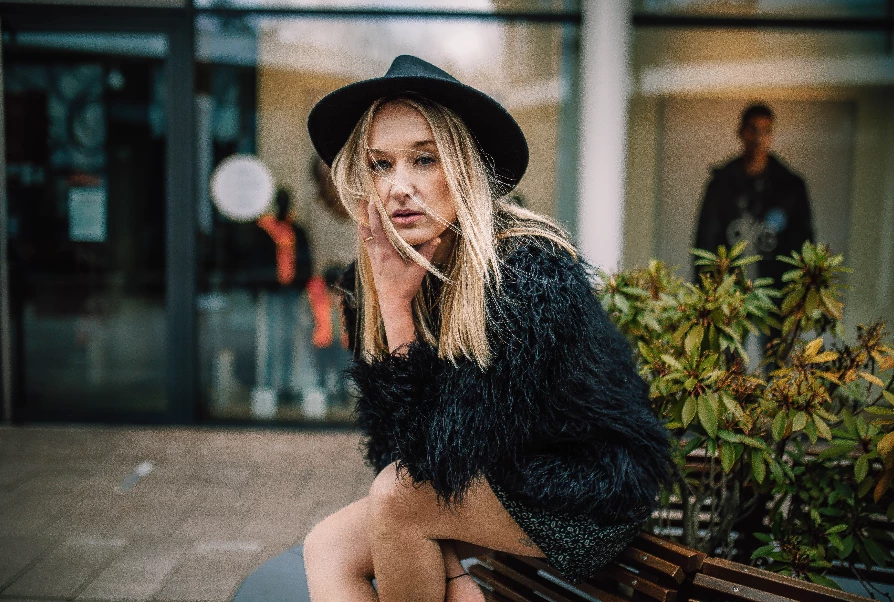
Hat jemand eine Ahnung, woran das liegen könnte. Posten beispielsweise bei Instagram ist so leider auch nicht möglich....


Danke und Grüße


Marcus

This topic has been closed for replies.

3 replies

DdeGannes
Community Expert
Community Expert
February 15, 2022

I also had a look at the DNG file provided by the Author. The first thing I attempted was to engage a lens profile. LrC auto selected an Adobe Created lens profile which had the effect of brightning the overall image. See the screen capture which compares the difference. The Histogram also changes, no other settings were changed Basic or otherwise.

The profile choosen was Adobe ( Sigma 35mm F1.4 DG HSM A012, Canon.) I am not aware if that was actually the lens used.


Regards, Denis: iMac 27” mid-2015, macOS 11.7.10 Big Sur; 2TB SSD, 24 GB Ram, GPU 2 GB; LrC 12.5,; Lr 6.5, PS 24.7,; ACR 15.5,; (also Laptop Win 11, ver 24H2, LrC 15.0.1, PS 27.0; ) Camera Oly OM-D E-M1.
DdeGannes
Community Expert
Community Expert
February 16, 2022

I just wish to make additional observations I experienced when I imported the DNG file to LrC, the editsk were not automatically applied and I had to utilize the read metadata from the file for them to be applied. I expected this to happen automatically at initial import.

I later opened the DNG file directly in Photoshop and the image was displayed in the ACR dialog as expected with the edits applied.

I do not have the option to " Automatically write to XMP " selected in LrC but expect XMP to be applied at import.

Note, the issue stated in this post was solved by me resetting the LrC Preferences.


Regards, Denis: iMac 27” mid-2015, macOS 11.7.10 Big Sur; 2TB SSD, 24 GB Ram, GPU 2 GB; LrC 12.5,; Lr 6.5, PS 24.7,; ACR 15.5,; (also Laptop Win 11, ver 24H2, LrC 15.0.1, PS 27.0; ) Camera Oly OM-D E-M1.
AxelMatt
Community Expert
Community Expert
February 12, 2022

I don't see such a problem in the past.

In a first step I would try to reset the preferences of Lightroom Classic:  https://helpx.adobe.com/lightroom-classic/help/setting-preferences-lightroom.html


Backup your preferences prior to resetting the preferences: 

https://helpx.adobe.com/lightroom-classic/kb/preference-file-and-other-file-locations.html


Which export settings do you use?

Which Lightroom version do you use?

My System: Intel i7-8700K - 64GB RAM - NVidia Geforce RTX 3060 - Windows 11 Pro 25H2 -- LR-Classic 15 - Photoshop 27 - Nik Collection 8 - PureRAW 6 - Topaz Photo AI
Participating Frequently
February 13, 2022

Okay i will try it. But i never changed anything in these settings. 

I always use(d) the newest version of Lightroom.

Per Berntsen
Community Expert
Community Expert
February 11, 2022
quote

unfortunately I have the problem lately. that after my export (same editing style or settings during editing and export and never changed) the images become completely oversharpened and grainy.

Does anyone have any idea why this could be the case? Posting on Instagram, for example, is unfortunately not possible...


Are you applying output sharpening in the Export dialog?

In what application are you viewing the exported image?

Participating Frequently
February 11, 2022

No there is no output sharpening..

I checked it on the mobile Phone and Instagram, unfortunaly there it is the bad qualitiy. If i open it "normally" on the Mac with the viewer then it is the normal quality...

Per Berntsen
Community Expert
Community Expert
February 11, 2022

So the problem is only on your phone?

Can you post the full size exported image here?