

13.3.1 Syncing deletes images from Collections
I noticed that my catalog hadn't picked up the images from my iphone for a a week or so and checked the usual solutions. With no obvious answer, I called Adobe. I warn people not to call Adobe for help; I should heed my own advice.....After spending way too long on the phone between two days, Adobe told me to manually search for and change the flag status or color of 200 images, manually. Yeah right. I'm surprised that they never suggested that I try a back up catalog. Since syncing, even when it was working, never finished syncing, I decided to burn things down and start over. I deleted the Lightroom app on my phone and re-installed it to dump the photos, and deleted everything from the cloud.
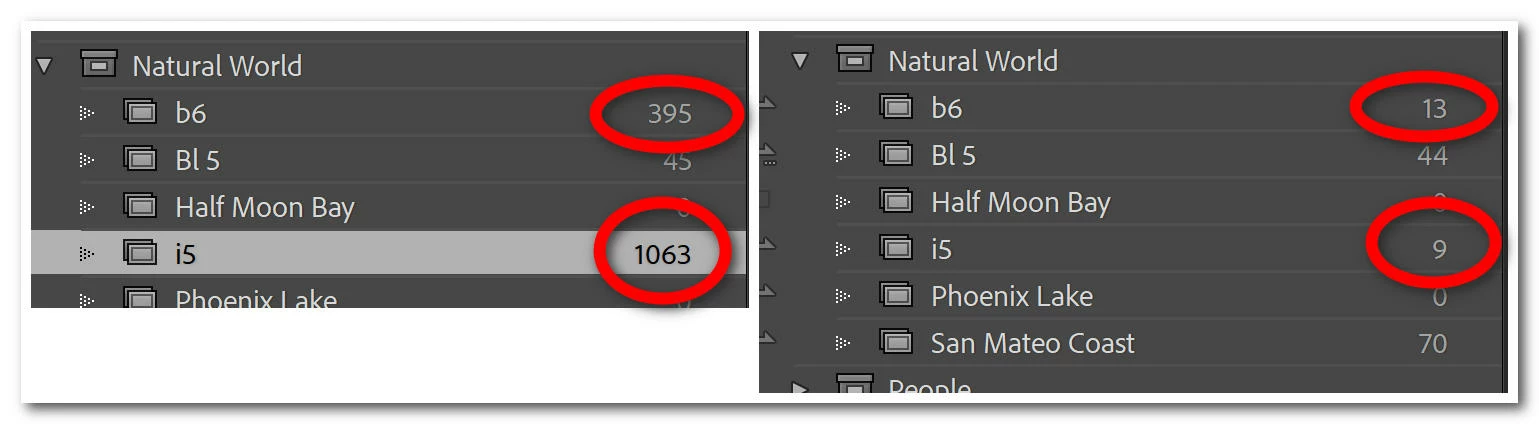
Syncing new photos from my phone to Classic is working and most Collections are syncing from Classic to my phone, but some collections aren't and some collections are shrinking in size. I've created new collections to sync and they shrink too.
Windows 10
 AdChoices