
Known Participant
October 26, 2024
Answered

14.0.1 Stuck at "Copy and import photos"

  • October 26, 2024
  • 12 replies
  • 9685 views

Long time Lightroom user since version 1.0. Since Lightroom updated to 14.0.1 (Windows) I have been having trouble Importing photos from my memory card to the (internal) hard drive on my workstation. The process would be stuck at "Copy and Import Photos" and nothing happens. It would not copy the files, let alone renaming and cataloging them. When I cancel the import, Lightroom Classic would say "No photos or videos were found to import" and eject the card.

This is the stuck screen.
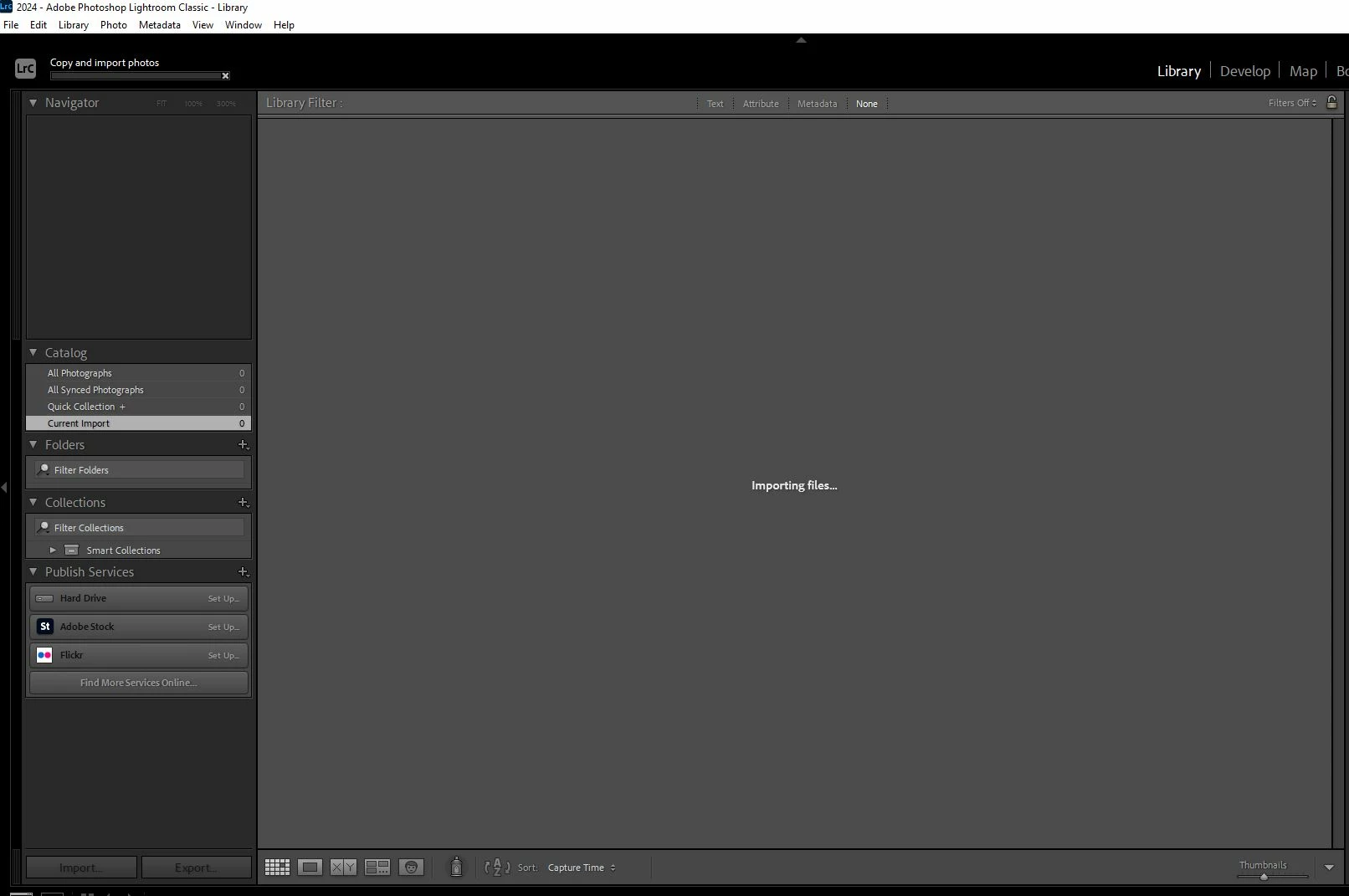
I have tried to:

1) Start a new catalog. Same result.

2) Uninstall, restart, reinstall Lightroom Classic. Same result.


Lightroom has basically become useless. Is anyone else encountering this issue?

Correct answer Henkki Zakkinen
quote

I agree. I can't understand how an under-powered GPU would cause Lightroom not to copy files and import into the catalog. I don't mind slow rendering, I do mind being stuck.


By @lll0228


I do not think it is the GPU itself, but is because Import in Lr14 renders videos by calling a new version of the common Adobe file dynamiclinkmediaserver.exe, as I mentioned above.


This exe fails to start if its system requirements have not been met, and I have seen a range of impacts on my older Windows PC:

  • Import stalls if it contains any videos
  • LrC fails to render thumbnails of some videos that are already in the catalogue (those which don't already have thumbnails)
  • LrC's Sync stalls when sync down files imported into LrDesktop/Mobile/Web if they include a video file


I wouldn't be surprised if there are other problems caused when video files are present.


On the same computer:

  • Adobe Bridge 14 triggers an error message about not supporting video - it's triying to call the new dynamiclinkmediaserver.exe
  • Older versions of Lightroom and Bridge can import/render video because they call an older version of dynamiclinkmediaserver.exe


One thing I mean to test is if one can simply replace the new dynamiclinkmediaserver.exe with an copy of the old one. But I'd expect some smart programmer already thought of that and included code to check the version.


@john beardsworth, I think your suspicion is correct. I actually had one video in my import set. The moment I deselected it, the photos imported fine. 

12 replies

AxelMatt
Community Expert
Community Expert
October 26, 2024

Try resetting the preferences of Lightroom Classic:  How to reset Lightroom Classic preferences (adobe.com) 

It's recommended to backup your preferences before you reset the preferences to the default settings: 

https://helpx.adobe.com/lightroom-classic/kb/preference-file-and-other-file-locations.html


If this doesn't help, provide a copy of your 'System Info'. This can be get from the LrC Help > System Info menu item. There's a copy button in the System Info dialog. Press this button and paste the info into your next forum post.

My System: Intel i7-8700K - 64GB RAM - NVidia Geforce RTX 3060 - Windows 11 Pro 25H2 -- LR-Classic 15 - Photoshop 27 - Nik Collection 8 - PureRAW 6 - Topaz Photo AI
lll0228Author
Known Participant
October 26, 2024

Thank you. I have tried that it resulted in an Import screen without thumbnails previews.

System info below.

Lightroom Classic version: 14.0.1 [ 202410161356-30922cfc ]
License: Creative Cloud
Language setting: en
Operating system: Windows 10 - Business Edition
Version: 10.0.19045
Application architecture: x64
System architecture: x64
Logical processor count: 8
Processor speed: 3.1GHz
SqLite Version: 3.36.0
CPU Utilisation: 15.0%
Power Source: Plugged In
Built-in memory: 32743.6 MB
Dedicated GPU memory used by Lightroom: 35.4MB / 1991.8MB (1%)
Real memory available to Lightroom: 32743.6 MB
Real memory used by Lightroom: 1235.7 MB (3.7%)
Virtual memory used by Lightroom: 1418.1 MB
GDI objects count: 759
USER objects count: 2189
Process handles count: 2832
Memory cache size: 481.7MB
Internal Camera Raw version: 17.0 [ 2043 ]
Maximum thread count used by Camera Raw: 5
Camera Raw SIMD optimization: SSE2,AVX
Camera Raw virtual memory: 89MB / 16371MB (0%)
Camera Raw real memory: 91MB / 32743MB (0%)

Cache1:
NT- RAM:0.0MB, VRAM:0.0MB, Combined:0.0MB

Cache2:
m:481.7MB, n:0.0MB

U-main: 127.0MB

System DPI setting: 96 DPI
Desktop composition enabled: Yes
Standard Preview Size: 1920 pixels
Displays: 1) 1920x1200, 2) 1920x1200
Input types: Multitouch: No, Integrated touch: No, Integrated pen: Yes, External touch: No, External pen: Yes, Keyboard: No

Graphics Processor Info:
DirectX: Radeon (TM) RX 460 (30.0.15020.1001)
Init State: GPU for Display supported by default with image processing and export supported in the custom mode
User Preference: Auto
Enable HDR in Library: OFF

Application folder: C:\Program Files\Adobe\Adobe Lightroom Classic
Library Path: D:\Lightroom\LightroomCC-20241024\2024\2024.lrcat
Settings Folder: C:\Users\nobod\AppData\Roaming\Adobe\Lightroom

Installed Plugins:
1) AdobeStock
2) Flickr

Config.lua flags:

Audio and Video info: Loading

GoldingD
Legend
October 28, 2024

That's what I find so weird. I have 2 identical computers. One, with a bunch of apps that are always on and simply minimized (mine), eating up RAM all the time, upgraded no sweat.  The other, with the same exact hardware, GPU, RAM, OS, etc. does not work at all on any version. Sigh. 


quote

That's what I find so weird. I have 2 identical computers. One, with a bunch of apps that are always on and simply minimized (mine), eating up RAM all the time, upgraded no sweat.  The other, with the same exact hardware, GPU, RAM, OS, etc. does not work at all on any version. Sigh. 


By @gerry27651257xyzc

You may want to consider creating your own brand new post in discussions on that misbehaving computer.


In your new post:

  • Describe what you do that results in failure
  • If you can launch LrC for just a bit of time, then copy the system information as LrC reports it
  • If you are able to grab that info, include it in your posting, include all info from first line down to and including plug-in's *info after plug-ins just so much gobbledygook)
  • Tekk us where your catalog is
  • Share a screenshot of the folder the catalog is in
  • And include any error messages


Please please, do not add that other computers issues in this Discussion.


Participating Frequently
October 26, 2024

Yes me too. Download of pics very slow and I cannot import to start editing??? It just hangs on importing.. 

lll0228Author
Known Participant
October 26, 2024

Just spent 2 hours with Adobe. 

They blamed my GPU for not being powerful enough/compatible with version 14. They reinstalled version 13 so I have something that can work for now. They recommended me to get ​RTX 2040 RTX 3060 RTX 4060, before reinstalling version 14.