Participating Frequently
January 30, 2025
Answered

14.1.1 Export is slow

  • January 30, 2025
  • 3 replies
  • 602 views

I really need some expert help on this matter. 


I run a very highend beefy computer with some serious grunt and normally can do Exports of 2000 images in less than 20 minutes without breaking a sweat. So my PC has the necessary grunt to run LR.


It is a dedicated machine purely for editing and exporting and nothing else. Yet lately my exports are horrifically slow. It has taken me 12 hours to export 2500 photos. Thats NUTS and just not normal. 


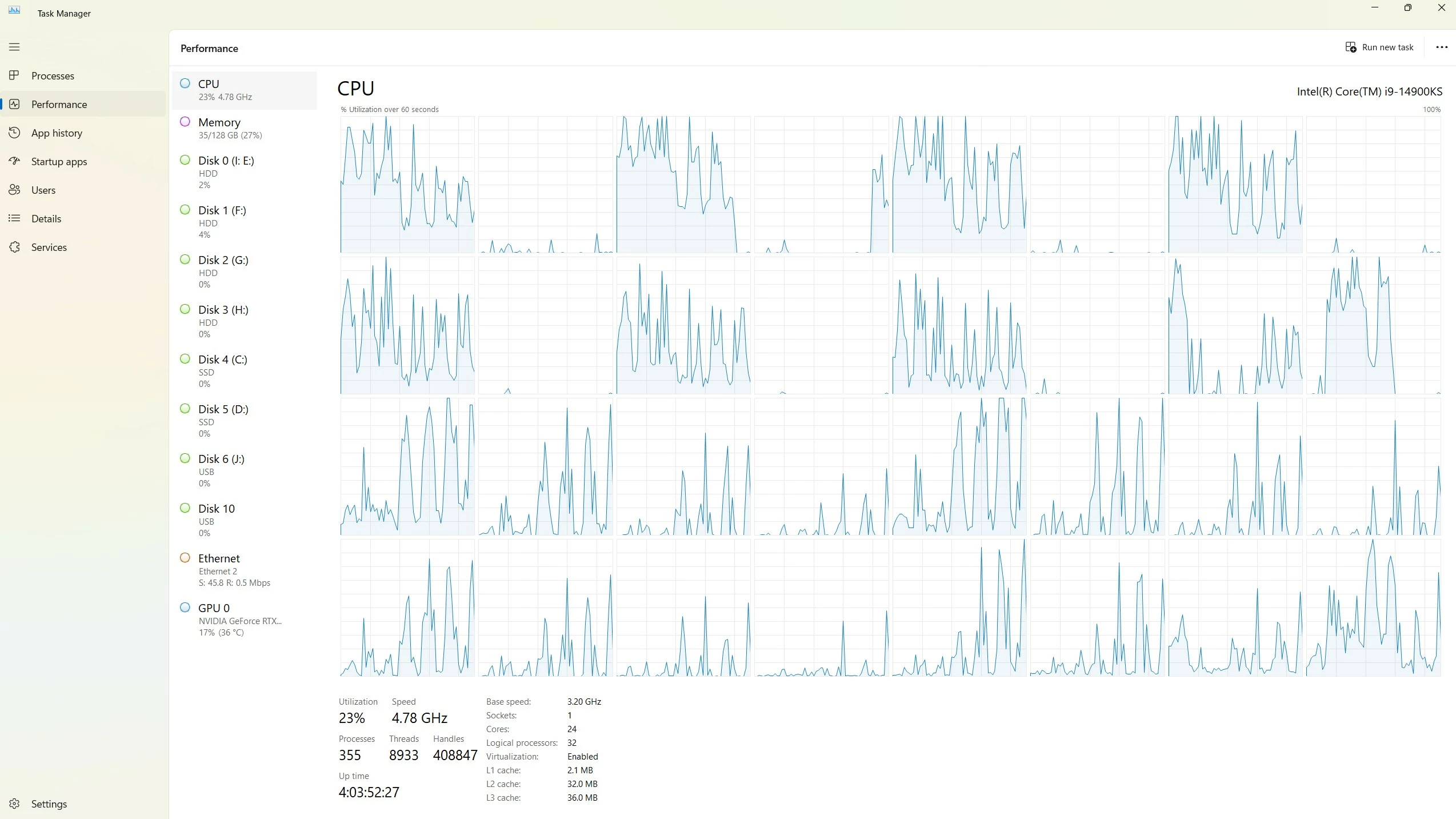
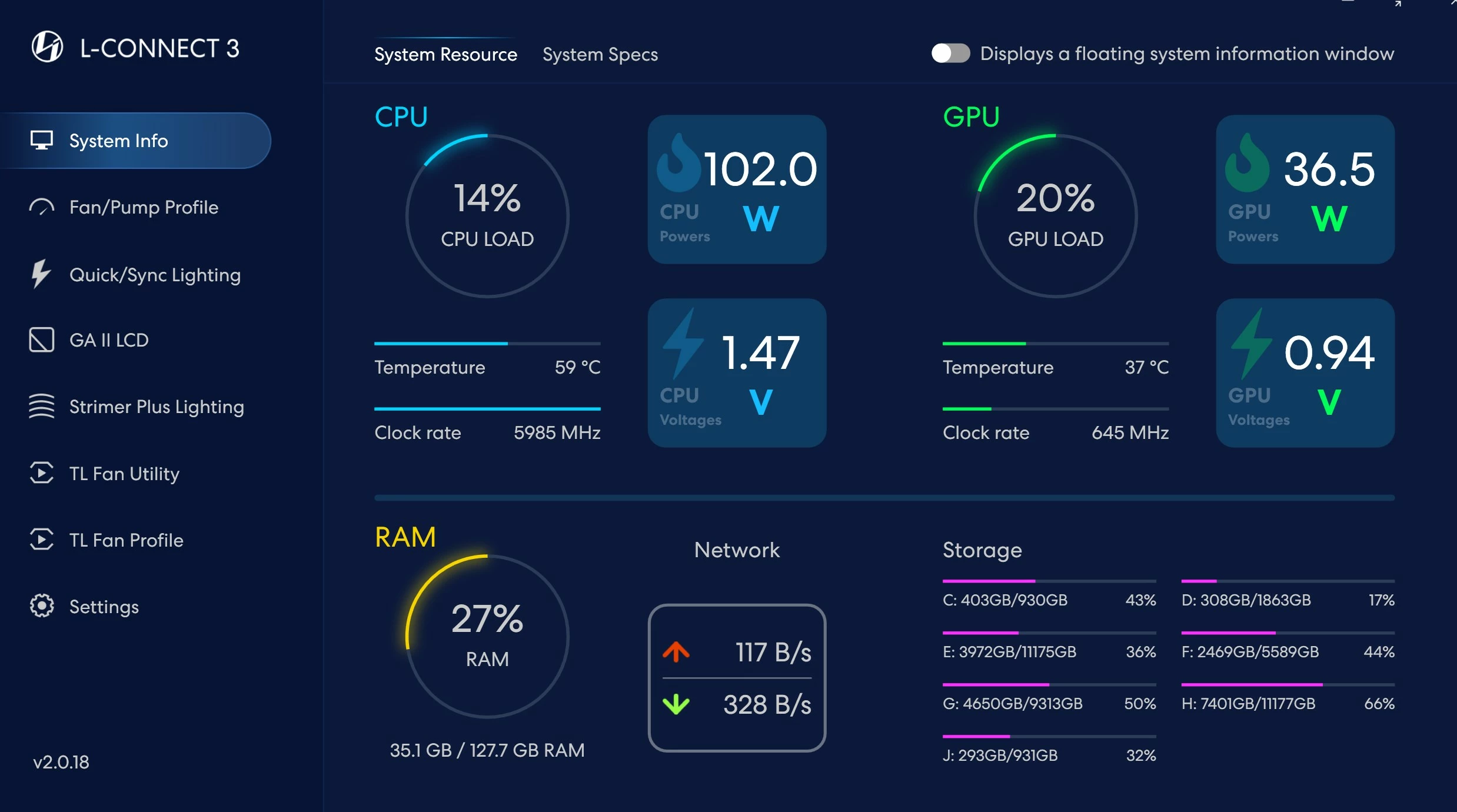
A detailed look through my performance metrics shows my machine resources are not maxed out or even utilised. LR just isnt utilising the full ability of my PC to export. 


Its driving me up the wall. I churn through and edit a lot of weddings and this painfully slow exporting is killing me. Nothing has changed at all. Settings remain the same everything is the same. 


I have only noticed this since the latest release of LR. 


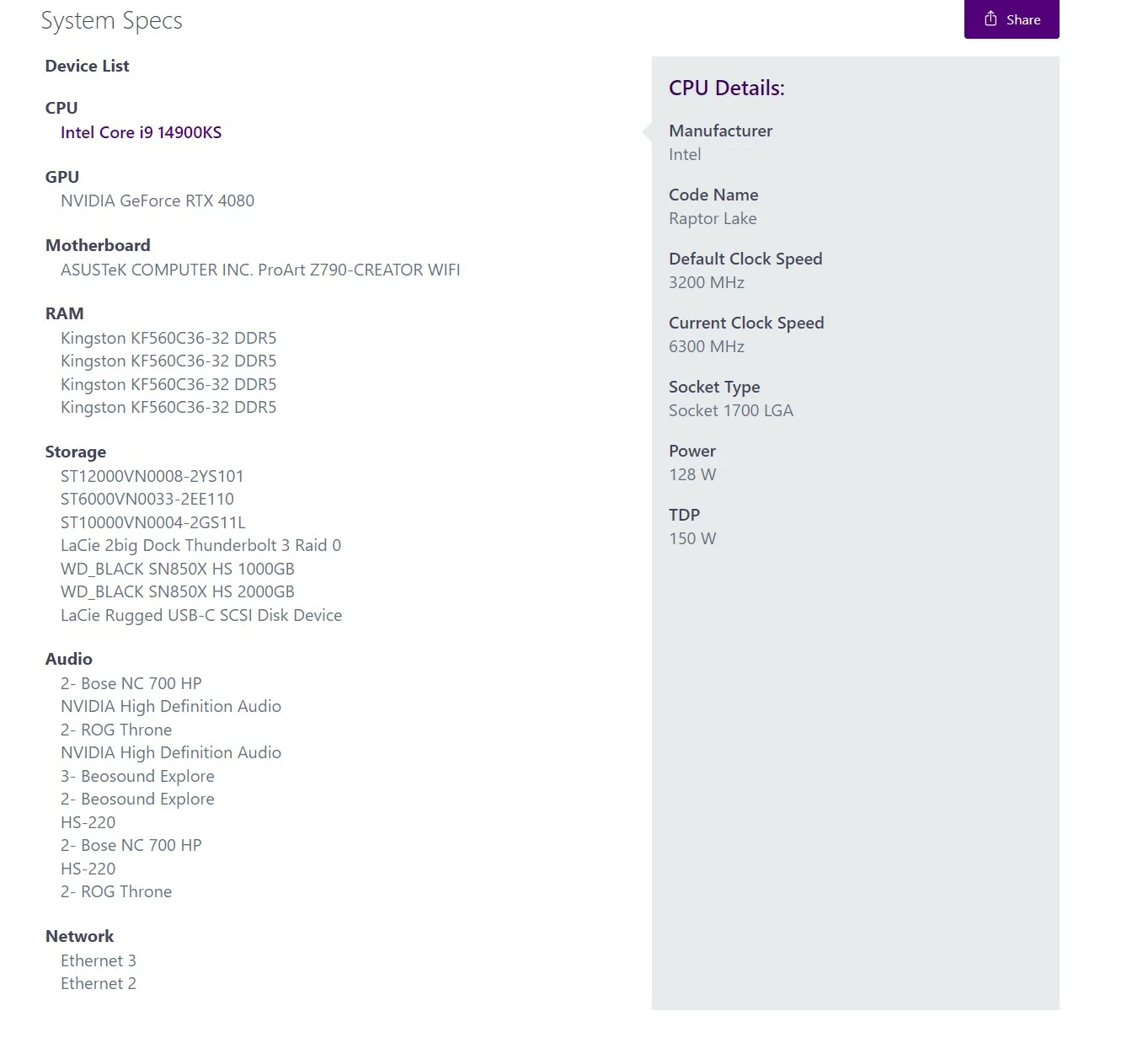
My PC Specs are as below as per attached images. It is clear the PC is more than adequately built to handle anything lightroom can throw at it. I use super fast SSD as OS Disk and separate SSD as scratch disk with all my lightroom files on it and I tons of storage literally 25Gb in total on the PC. So im not hitting any limits.

I have tried


1. Optimising my catalogues

2. Restarting my PC

3. Closing out ALL apps except Lightroom 


Nothing works. My PC is just horribly slow at exporting right now. Im exporting right now and took screen shots of my PCs performance parameters ... its NOT utilising the PC at all. Whats wrong with LR?>


Correct answer johnrellis

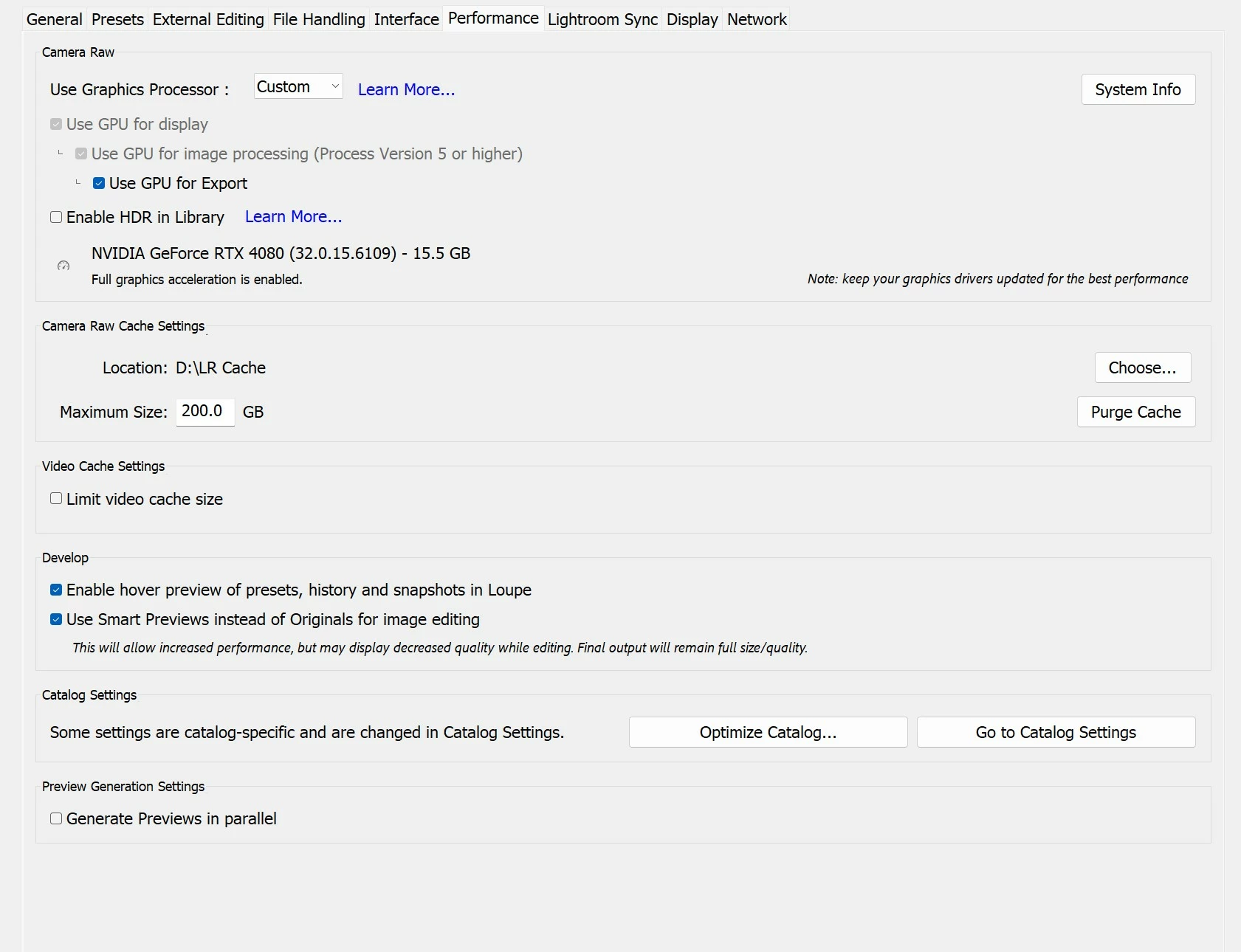
"NVIDIA GeForce RTX 4080 (32.0.15.6109)"


That graphics driver is four months old. So as a first step, as @Aleke suggested, install the latest Studio driver from here:

https://www.nvidia.com/en-us/drivers/details/240528/


If that doesn't help, then proceed with the additional steps provided by @Aleke.

3 replies

Conrad_C
Community Expert
Community Expert
January 30, 2025

I don’t know if this applies to you, but one thing that has tripped up some other users is installing malware scanning software that’s a bit overzealous about scanning Lightroom Classic, and dramatically slows things down. If you run any malware software that lets you exclude specific applications, try excluding Lightroom Classic.

johnrellis
johnrellisCorrect answer
Legend
January 30, 2025

"NVIDIA GeForce RTX 4080 (32.0.15.6109)"


That graphics driver is four months old. So as a first step, as @Aleke suggested, install the latest Studio driver from here:

https://www.nvidia.com/en-us/drivers/details/240528/


If that doesn't help, then proceed with the additional steps provided by @Aleke.

RobbyJaiAuthor
Participating Frequently
January 31, 2025

thank you my friend!!! that was brilliant solved my issue. see my earlier reply under alek!! thanks for being so responsive and helpful!!!!!!!!!

Community Manager
January 30, 2025

Hey @RobbyJai!

Can you check if there are any updates available for your GPU drivers? Have you noticed any performance issues while working on your photos, or is it just during exporting? Can you see if exporting also slows down when you uncheck "Use GPU for Export"? To narrow down if it's an issue with an export preset, can you test if using different export presets results in slow exports too?

Let me know how it goes. Thanks!

Alek

*(If you mention me with an @, like @Aleke, I’ll get a notification and can respond faster.)*
RobbyJaiAuthor
Participating Frequently
January 31, 2025

thank you so much. you and John Rellis was bang on. Definitely graphics drivers issue. Unticking use GPU to export sped things up massively. 


As per johns advice i updated the graphics drivers to the latest and the machine is back to normal when i turn on GPU to export. 


that was most definitely the culprit and my cpu and gpu utilisation is back to where i expect it to be now