Participant
January 23, 2021
Answered

Add camera name to import file name from metadata

  • January 23, 2021
  • 5 replies
  • 1315 views

I'm hopeing that someone can help, fairly new to lightroom and have had some bad expriences with loosing files in the past due to upgrading cameras. So my question is this, is there a way to add the model of camera to the file name when importing the images using the camera metadata? thus making this an automated process. I have two Nikon Cameras a D750 and D500 and dont want to risk them duplicating files or any other issues while using the same cataloge. 


I know that I can add custom text for either D500 or D750 but would like to automate this if possable.


Thanks in advance for any help.
This topic has been closed for replies.
Correct answer Bob Somrak

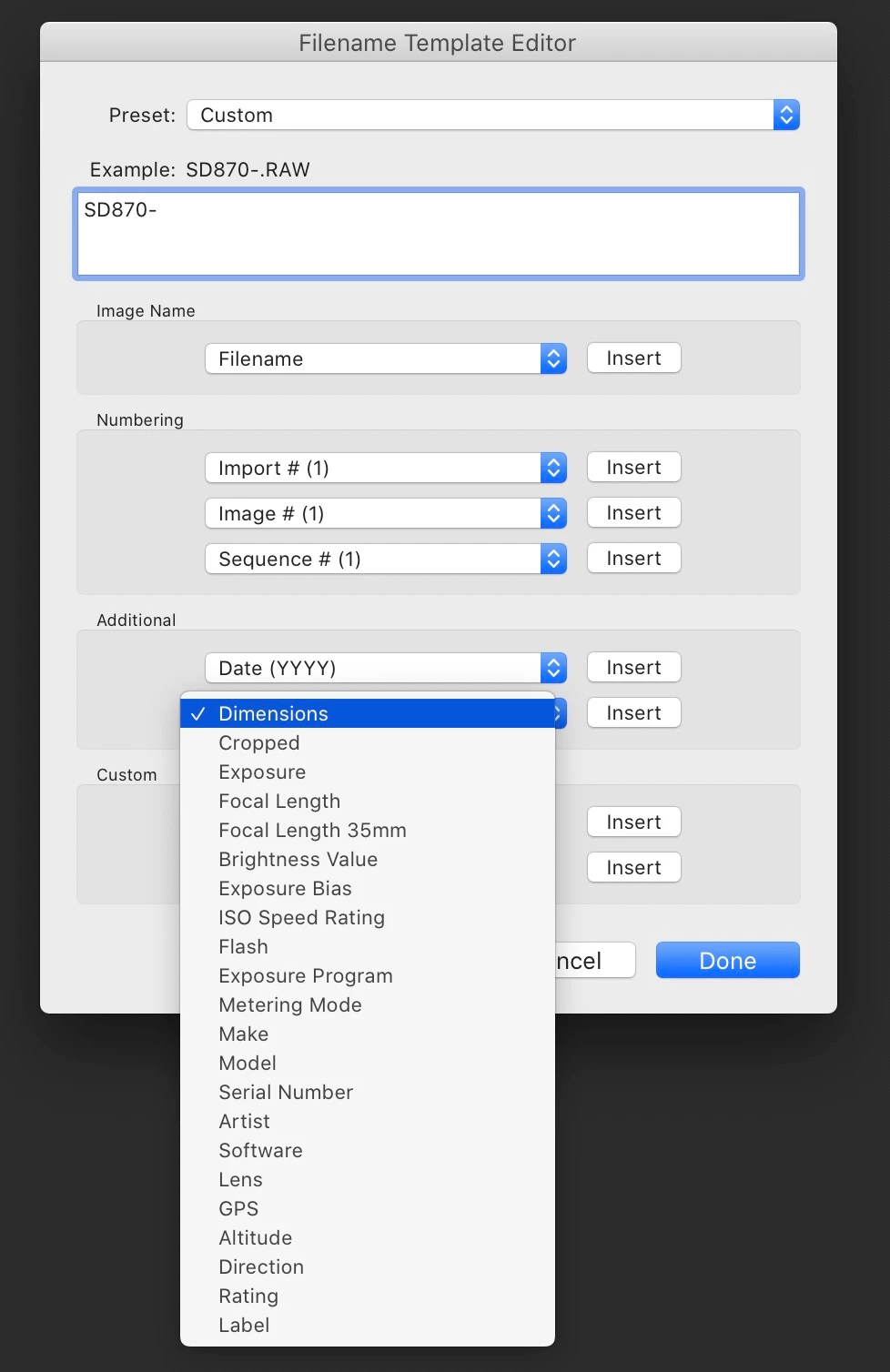
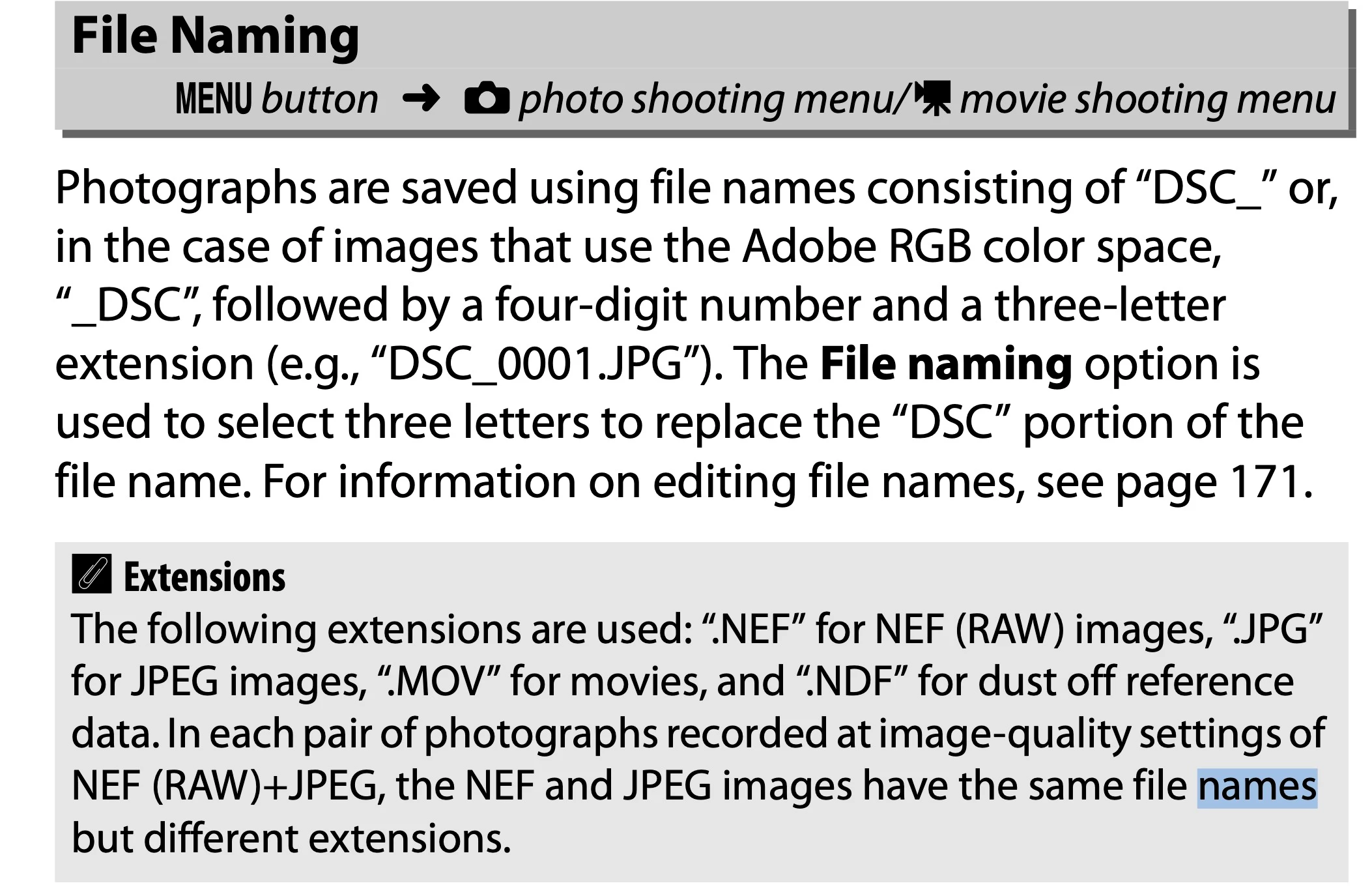
I also use the Camera model to make sure I dont have duplicate filenames in Lightroom as they are all Canon.  On some cameras and also on the D750 (I didn't check the manual for the D500) you can change the Filename in the Camera.  This is the best option as it is automatic.

         FROM THE D750 MANUAL

You can also do this on import.  If you use ADD you can't rename on import but if you use the other import methods like COPY you can use the Import File Rename to  use the Model Number and Model or even the Serial Number

5 replies

Participant
January 23, 2021

Bob Thanks that was exactley what I was trying to do I now know that im never, fingurs crossed, going to end up loosing a file becuase i have a duplicate file name which has happend to me in the past due to upgrading cameras and not nowing lightroom that well. thanks again.

dj_paige
Legend
January 23, 2021

This has never been a problem for me. The files are in different folders, and Lightroom Classic handles it all as expected.

Bob Somrak
Legend
January 23, 2021

I think it is a BAD idea to have thousands of image files on your drive with multiple duplicate names and is so easily preventable using the cameras built in file naming if available or Lightrooms renaming capabilities.

M4 Pro Mac Mini. 48GB
dj_paige
Legend
January 23, 2021

There's nothing wrong with adding camera information to file names, but its also unnecessary with Lightroom Classic, which does not “lose” photos when you upgrade cameras.

Bob Somrak
Bob SomrakCorrect answer
Legend
January 23, 2021

I also use the Camera model to make sure I dont have duplicate filenames in Lightroom as they are all Canon.  On some cameras and also on the D750 (I didn't check the manual for the D500) you can change the Filename in the Camera.  This is the best option as it is automatic.

         FROM THE D750 MANUAL

You can also do this on import.  If you use ADD you can't rename on import but if you use the other import methods like COPY you can use the Import File Rename to  use the Model Number and Model or even the Serial Number

M4 Pro Mac Mini. 48GB
Participant
January 23, 2021
Thanks for that ill have a look. I have the two cameras set to include the
modle number in the file name so part way there.

Regards

Sean