
Participant
August 4, 2017
Beantwortet

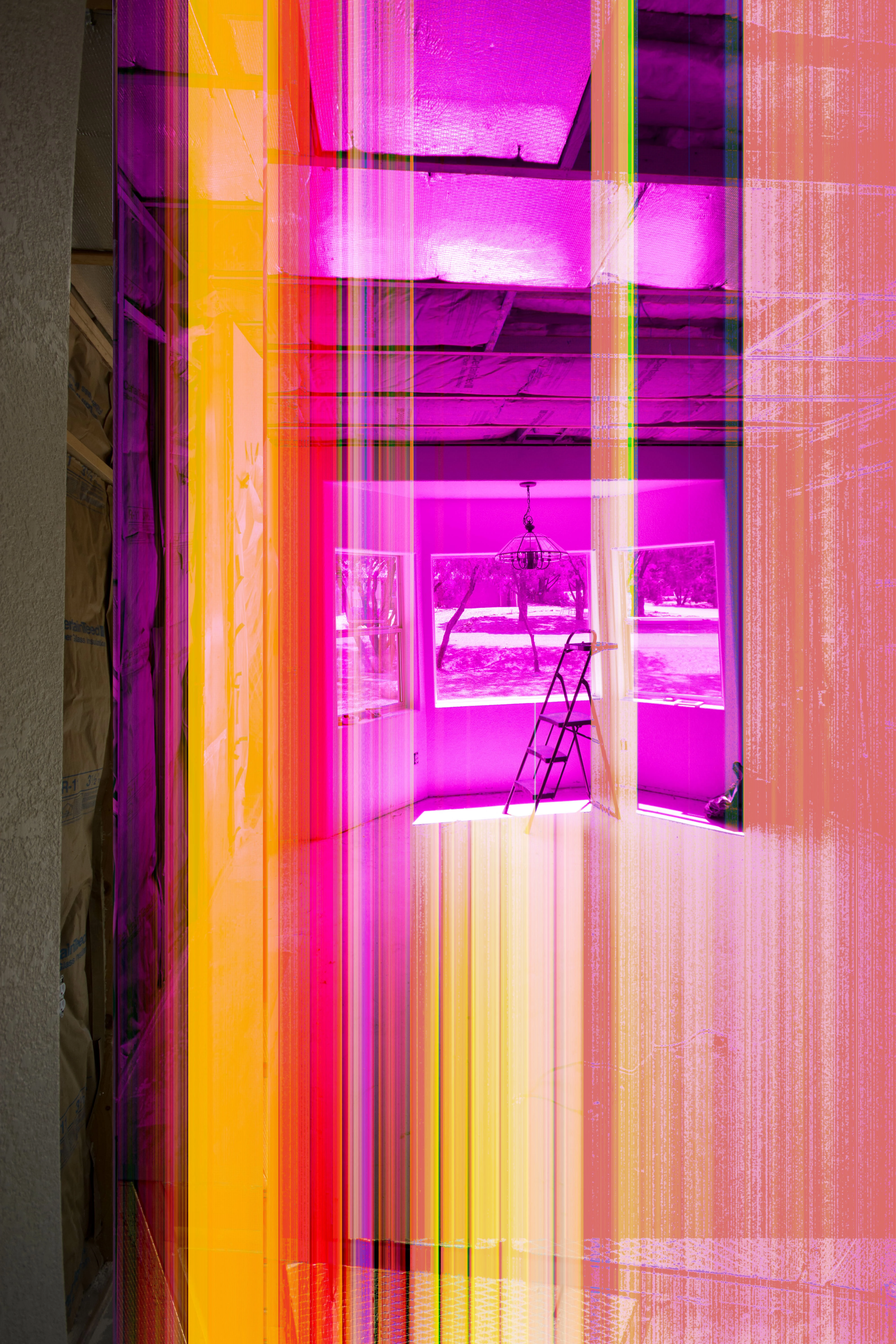
added color bands when importing .nef in LR 6?

  • August 4, 2017
  • 1 Antwort
  • 240 Ansichten

importing .nef files from the memory card into LR 6 adds these color bands. I found a work around by copying the files into the hard drive where LR would store them and import from the hard drive. The color bands still appear, but when each image is selected in the library, they go away, apparently for good. Any ideas on why this is happening and how to stop the error?

Nikon D7200, LR 6 on MacBook Pro, 16G SD card
    Dieses Thema wurde für Antworten geschlossen.
    Beste Antwort von dj_paige

    This is a corrupted file.

    The corruption comes from some hardware malfunction somewhere. It could be camera card, card reader or USB cable, hard disk or computer memory. You need to try to isolate the problem by using different hardware (if you are using a card reader, try a different card reader, or use a USB cable instead of card reader and import again) and if possible perform the import on an entirely different computer.

    1 Antwort

    dj_paige
    dj_paigeAntwort
    Legend
    August 4, 2017

    This is a corrupted file.

    The corruption comes from some hardware malfunction somewhere. It could be camera card, card reader or USB cable, hard disk or computer memory. You need to try to isolate the problem by using different hardware (if you are using a card reader, try a different card reader, or use a USB cable instead of card reader and import again) and if possible perform the import on an entirely different computer.