
Adding 1:1 aspect ratio to overlays of crop tool
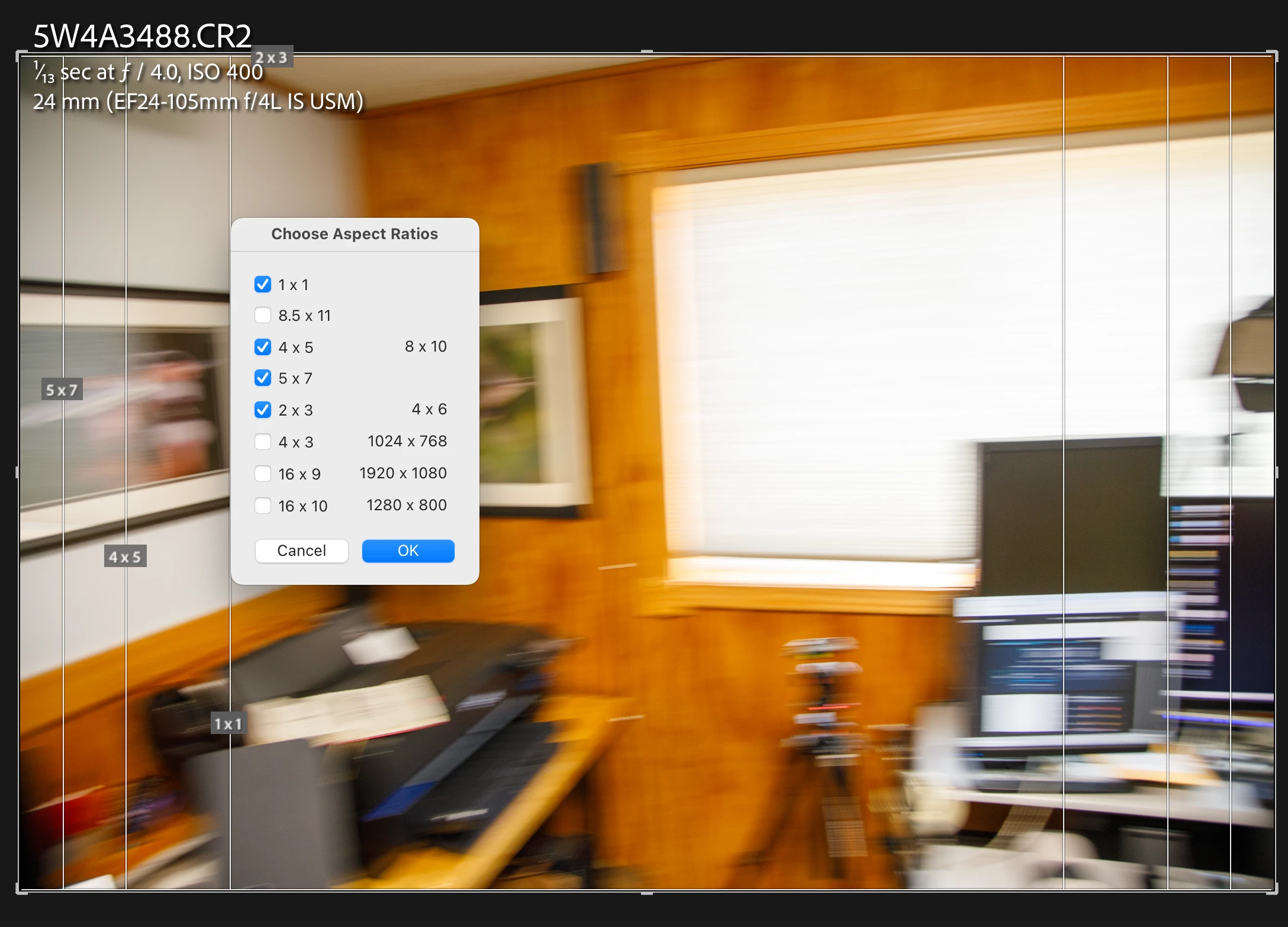
When toggling through the overlays of the crop tool in develop module with the shortcut 'O', it would be very helpful to have an overlay showing the frame of a crop with the aspect ratio of 1:1.
Often 1:1 crops of a photo will be used as a preview. For example: I want to post a 4:5 portrait shot on Instagram but for the 1:1 gallery grid view the top and bottom of the shot will be cropped automatically. I would love to check in Lightroom how my 4:5 photo will look in the gallery grid view of Instagram without actually cropping it.
There already is an overlay showing different frames like 4:5, 5:7 or 2:3. Please add 1:1, too 🙂
I didn't found a related topic. Also feel free to suggest other solutions to my problem. I would love to learn how other photographers handle this issue 🙂
Kind regards
Richard
 AdChoices