
Participant
April 11, 2019
Question

Adobe Standard .dcp profiles not shipped for some newer cameras?

  • April 11, 2019
  • 1 reply
  • 1664 views

I've noticed that for some newer cameras, it appears that the Adobe Standard .dcp files aren't being shipped in the app bundle, though Lightroom still has an Adobe Standard profile for that camera in the app. The Canon EOS RP is one example. Adobe Standard is available as an option in the Develop module, but there's no corresponding .dcp file in /Applications/Adobe Lightroom Classic CC/Adobe Lightroom Classic CC.app/Contents/Resources/CameraProfiles/Adobe Standard.

The problem is that Replichrome builds profiles for its film emulation using the Adobe Standard profile as a base, and therefore Replichrome can't support cameras that don't have an Adobe Standard .dcp in the app bundle. (I'm the developer / maintainer for Replichrome).
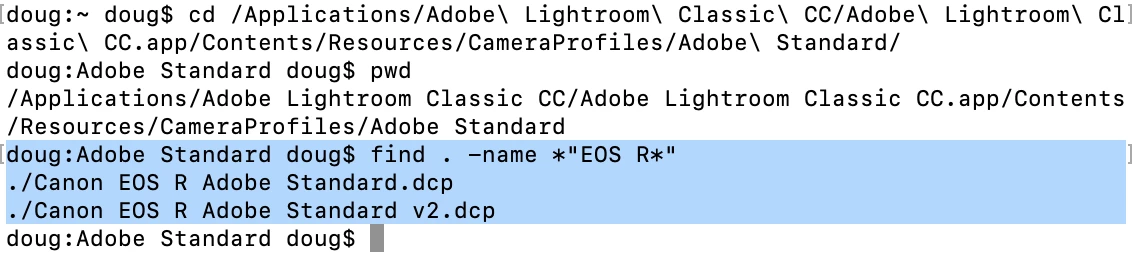
Is there a reasoning for this change that anyone's aware of, and can I expect more cameras in the future to be supported without a bundled .dcp profile? I want to be able to communicate with my customers about why their shiny new cameras aren't supported by Replichrome, despite being supported by ACR / Lightroom.

    This topic has been closed for replies.

    1 reply

    Todd Shaner
    Legend
    April 11, 2019

    You need to update to LR Classic 8.2.1.

    Participant
    April 11, 2019

    Thanks for the suggestion - already did that, however:

    Lightroom supports the camera just fine. I can open and work with EOS RP files in Lightroom, and apply the Adobe Standard profile there. The issue is that, while past camera support has come in the form of a .dcp file on disk for each unique camera profile, it appears Adobe is doing something else for newer models. The EOS RP (our example here) has an Adobe Standard profile, just not on disk where profiles have been since forever... so... is there somewhere else it's being bundled? I guess this is more of a question for the ACR team.

    Again - just trying to get an answer on the product's direction so I can tell my customers. Would hate to discontinue it.

    Participant
    April 11, 2019

    DPE creates a new profile, which technically should be the same as the embedded profile if no settings are applied (all 0). However, I always see slight differences same as encountered. You can use dcpTool to "extract" the embedded camera profile from the DNG file. That should be an exact copy. It's a two step command line process:

    Example: Extracting a DCP profile that is embedded in a DNG image file

    To extract a DCP file, you need to perform two steps. First extract it as an XML file, then compile the XML file:

    dcpTool -d your_image.dng test.xml
    dcpTool -c test.xml newprofile.dcp


    Perfect. dcpTool is actually already part of the toolchain I use to build the Replichrome profiles, so that seems like an easy tweak. I love it when thing have a command-line interface.