
siedsw56853511
Participant
April 30, 2019
Question

Already imported photos appear as new photos

  • April 30, 2019
  • 3 replies
  • 988 views

Already imported photo's appear as new photo's:

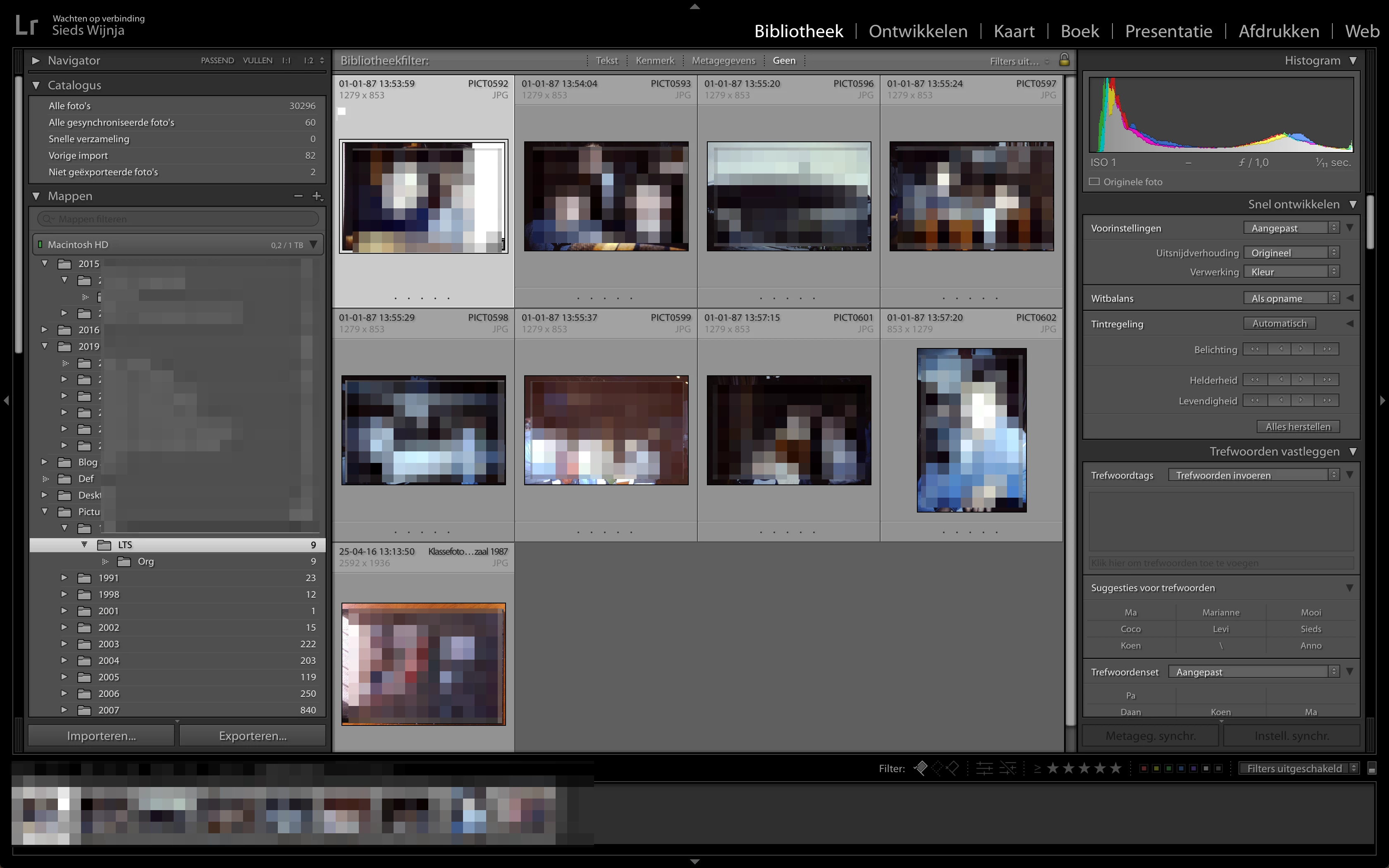
  • I go to a folder (1987 -> LTS in this case) in the navigator.
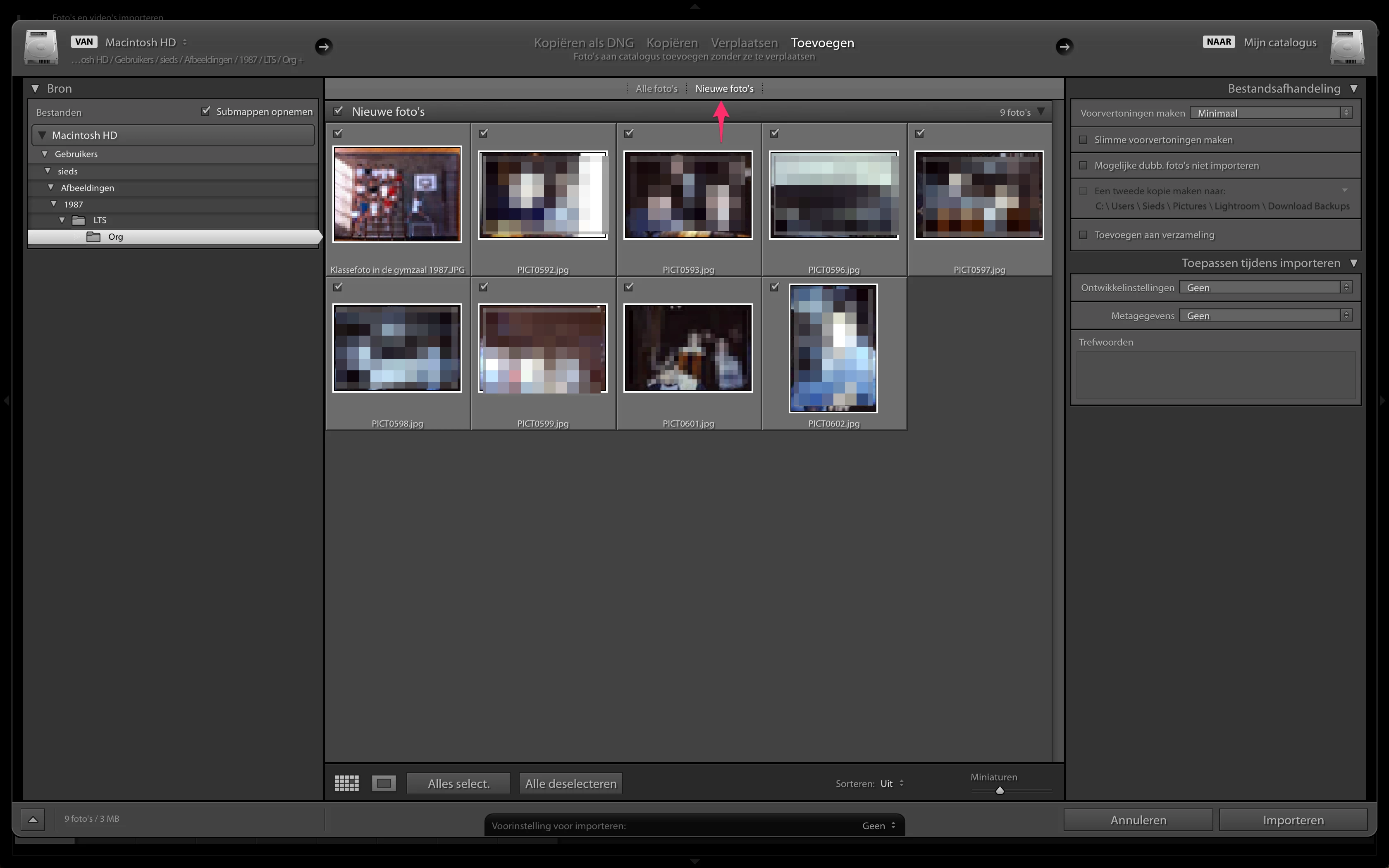
  • I click on ‘import'
  • I navigate to the same folder (again 1987 -> LTS)
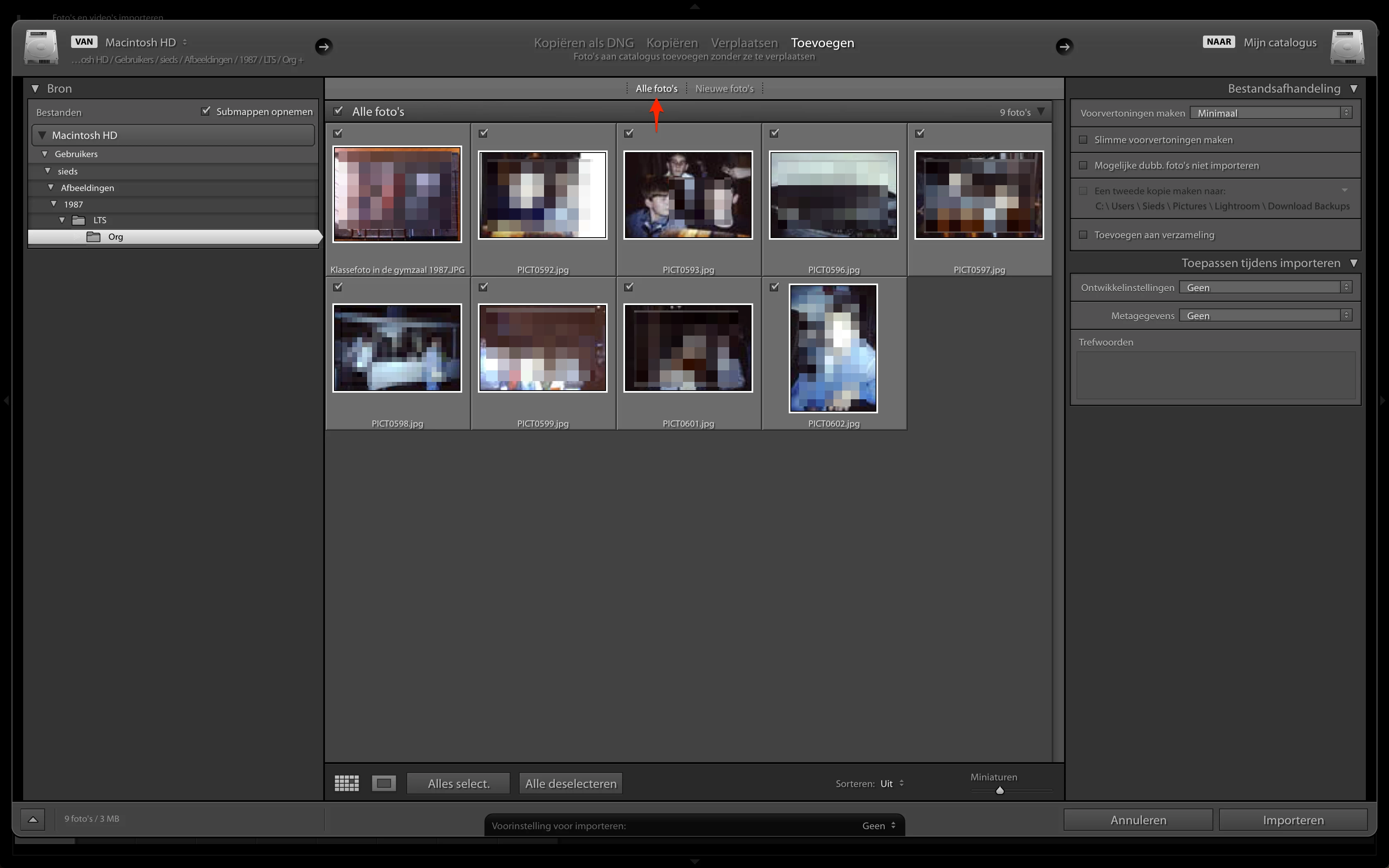
  • I appears then that all of the images that are in that folder are new (when I choose ’new pictures’) while al of the images already are imported before. When I choose ‘All pictures’ Lightroom shows the same pictures as in ’New pictures’. 

Step 1 - these are the already imported photos
Step 2 - what I see when I click import
Step 3 - the same as under 'New Images'
    3 replies

    kuantou
    Known Participant
    September 27, 2025

    I know what you mean, this is very annoying, but happens only sometimes, so it's not repeatable. I think it's just a bug Adobe show work on. 

    kuantou
    Known Participant
    September 27, 2025

    Sometimes I think it's just the reading that is slow, extremely slow.

    GoldingD
    Legend
    April 30, 2019

    Probably relates to the fact that you are adding the images to the catalog. Add acts a bit different.

    siedsw56853511
    Participant
    April 30, 2019

    David,

    Not sure what you mean, I always start the proces with moving the images from a memory card to the harddrvie and fire up LR and then click 'Import'.

    AxelMatt
    Community Expert
    Community Expert
    April 30, 2019

    I don't understand the ui language but as far as I see (and understand ) you don't have set the option that pictures that already exists in the catalog don't imported once again.

    Please set the appropriate option "Mogelijke dubb...." and try again.

    My System: Intel i7-8700K - 64GB RAM - NVidia Geforce RTX 3060 - Windows 11 Pro 25H2 -- LR-Classic 15 - Photoshop 27 - Nik Collection 8 - PureRAW 6 - Topaz Photo AI
    siedsw56853511
    Participant
    April 30, 2019

    Axel,

    Thanks, that works, but it's not the real solution. 

    If I follow the same procedure for a more recent folder with pictures that are already imported, LR recognizes this and will not show any picture when trying to import the same set. Since I've got other issues with my catalog also, I thinks it's got something to do with a corrupt catalog.

    Regards, Sieds

    AxelMatt
    Community Expert
    Community Expert
    May 1, 2019

    siedsw56853511  schrieb

    If I follow the same procedure for a more recent folder with pictures that are already imported, LR recognizes this and will not show any picture when trying to import the same set. Since I've got other issues with my catalog also, I thinks it's got something to do with a corrupt catalog.

    Are you sure that the appropriate option is deactivated when you do the import?

    Normally when the option isn't set all photos where imported and is the option is marked only the pictures where imported that not in the catalog.

    You can do a test with a new fresh catalog. Create a new catalog, import some pictures and then try to import the same pictures again when the option is checked/unchecked.

    My System: Intel i7-8700K - 64GB RAM - NVidia Geforce RTX 3060 - Windows 11 Pro 25H2 -- LR-Classic 15 - Photoshop 27 - Nik Collection 8 - PureRAW 6 - Topaz Photo AI