
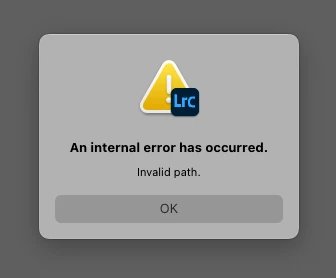
An internal error has occurred. Invalid Path error while finding raw folders on a NAS
Hi guys, oldtime Lr User here, but new to the forums.
(My native language is spanish, so excuse me if my english is bad.)
System Specs: LR Classic 12.2 release, Camera Raw 15.2 (Build 202302032259-eb84d255) on a 2013 Mac Pro 6-Core 3.5Ghz Xeon with 16 gigs of ram Running MacOS Monterey 12.6.3 (21G419) and with a Synology NAS DS420+ Running the latest version of DSM 7.1.1-42962 Update 3
In my studio we have 3 workstations; the first is my "trashcan" mac pro 6,1, and 2 assembled windows PC. We use several catalogs that are stored locally on each machine and synchronized with synology drive, so we always have the updated catalogs on every workstation, and all the raw files are stored on the NAS. Each client has his own catalog and directory with the name "-Name of the client- Medios" being "medios" the word we use to know that is the correct folder, and then it contains the usual LR structure that is year and then date folders.
Each time one of my assistants opens a catalog on his windows workstation, they find all the photographs offline because the file adress is different on windows and mac and viceversa, so the only thing we have to do is clic on the "medios" folder cna clic on "find missing folder" and then we select the respective "Medios" folder. We've been working like this at least 3 years and it has been very easy and productive for us.
Everyting worked fine until this week, when I tried to locate the missing folder i've found an error message that appears immediatly after clicking on the folder: "An Internal Error Has Occurred. Invalid Path"
I've tried restarting my system, the NAS, recconecting the network volumes, resseting the preferences while launching LRC, reinstalling LRC, and even the support team tried to remotely fix the problem granting full acces to the Library folders... but all without succeess.
Funny thing is that I can import new photos to the very same directory that LRC says it's an invalid path, and i can locate individual photos succesfully, but not the Top Parent folder "medios", nor the year folder or even the day folder.
My assistants can work normally on their windows workstations, but it's me who cant find peace of mind having all my photographs online. Hope you can help me with this! Thanks in advance for your time.
 AdChoices