
ethan_baker22
Participant
January 31, 2023
Answered

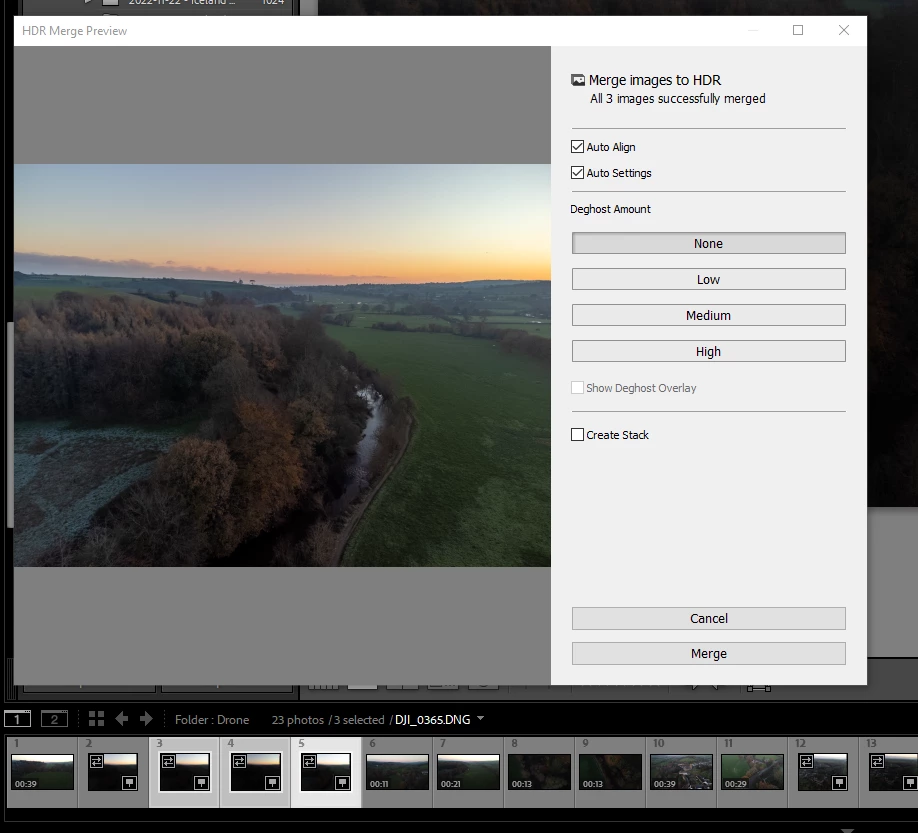
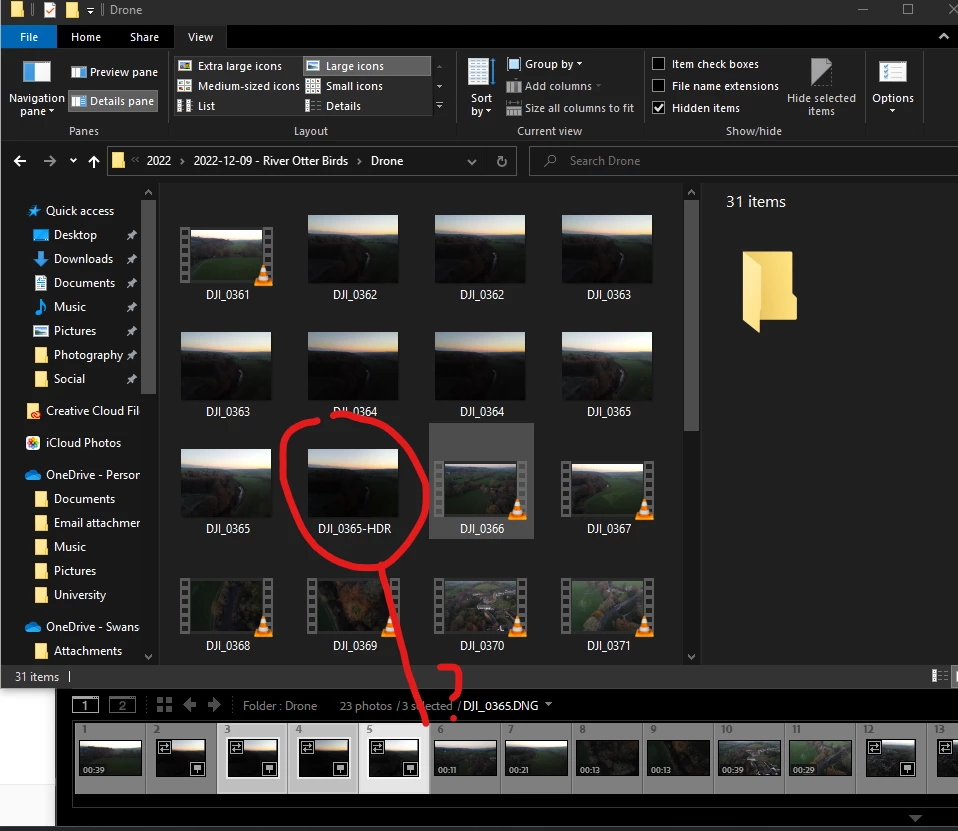
Any updates to Library do not update (i.e HDR Merge, Panorama Merge & synchronize folder)

  • January 31, 2023
  • 1 reply
  • 326 views

Hi, 


I've never posted before, but I'm having an issue where if I merge an HDR, Pano, or Synchronize my folders the photos do not actually appear until restarting Lightroom Classic. I'm on 1.2 & this also happened on 12.0.1. Tried Reinstalling many times. Not found any similar threads yet :/.


This topic has been closed for replies.
Correct answer JohanElzenga

Thanks Sameer, so the first part did not work, but a new Catalog did fix it. The only issue is my old catalog has over 50k images that have all the edits, is there any way to migrate all of this? 🙂 thank you!


Try this: Start Lightroom Classic with a new catalog, then use 'File - Import from Another Catalog' and import the old catalog. Do not move the images, keep them in their current location. This will create a new catalog with everything that was included in the old catalog, except any publishing services.


1 reply

Sameer K
Community Manager
Community Manager
February 1, 2023

I'll help you figure this out. Where do you keep your images on the internal or external drive?


Are you currently working through a collection or a smart collection? Check the sort order of the folder you see.

Try checking the before & after numbers in the All Photos tab in the Library module to check if the HDR output is added to the catalog at all.


You can also select Test integrity before backing up and Optimize catalog after backing up options in the Back Up Catalog dialog box.

Let me know how it goes. Thanks!
Sameer K


ethan_baker22
Participant
February 1, 2023

Hi Sameer, thank you


Internal HDD

I'm not sure I use either - I browse within the "Folders" Structure not "Collections"

The number does not go up until I restart Lightroom.

Done Test Integrity & Optimize 


Sadly it's still the same 😞

Thanks

Sameer K
Community Manager
Community Manager
February 1, 2023

I understand. Try this:


Manually reset Lightroom Classic's preferences following the second method: https://helpx.adobe.com/lightroom-classic/help/setting-preferences-lightroom.html


If this does not help, create a new catalog from File > New Catalog & import a bunch of images to test the behavior again.

Let me know how it goes. Thanks!