Participant
May 23, 2017
Answered

auto transform/ photos straightened

  • May 23, 2017
  • 1 reply
  • 1048 views

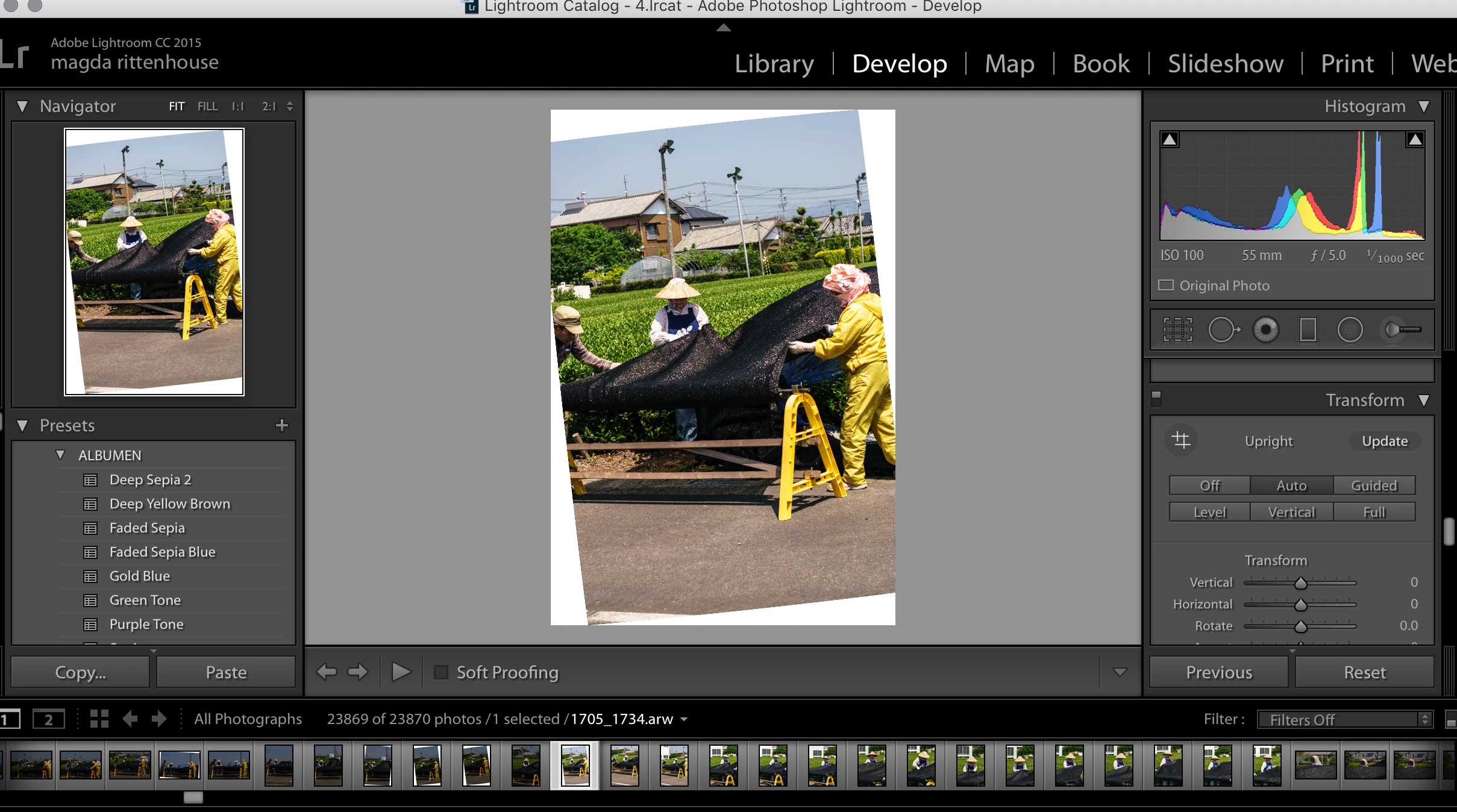
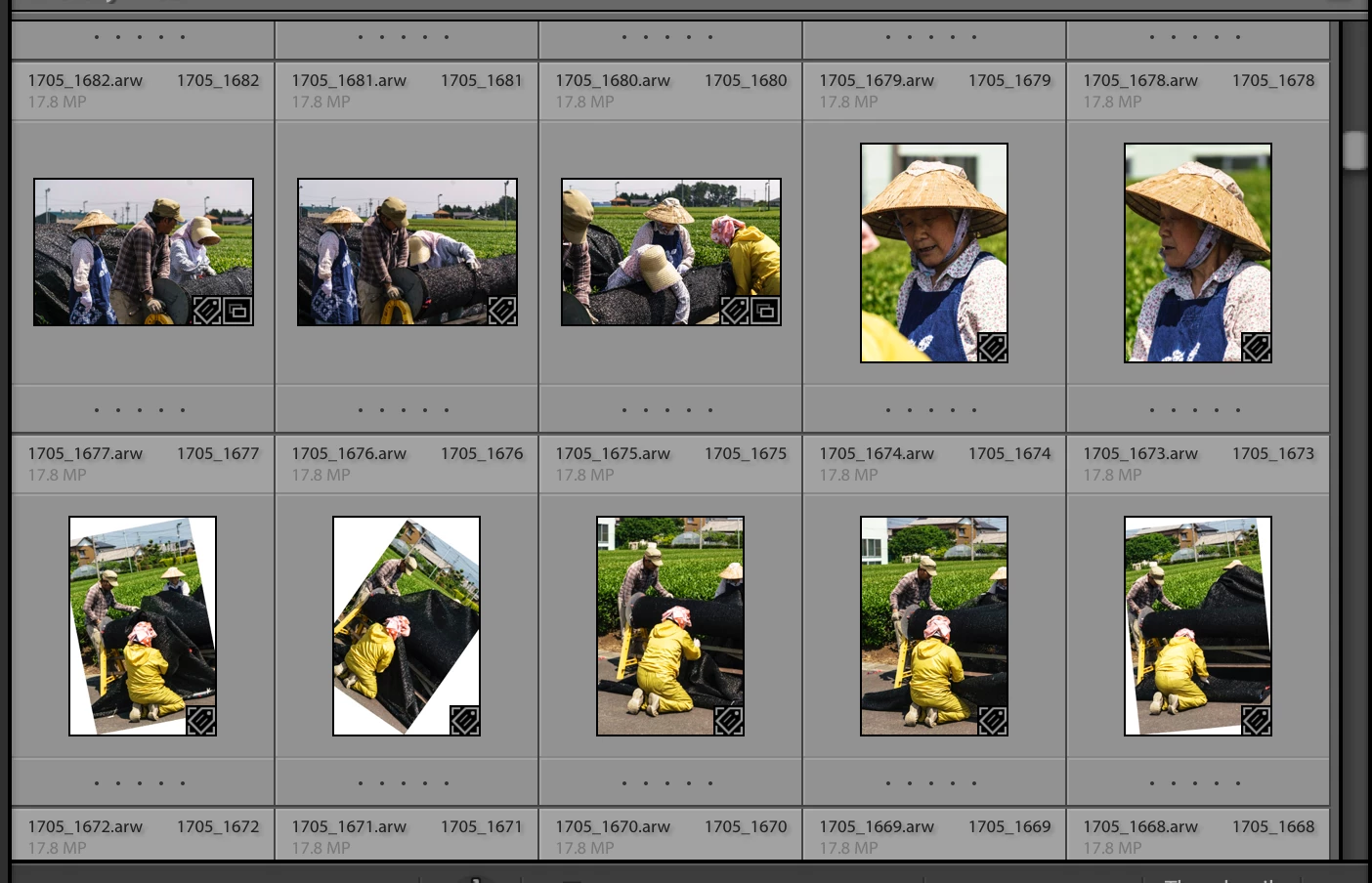
When I import my photos, they get automatically straightened -- e.i Lightroom eliminates any diagonal crops, irregularities in perspective, etc. even if they were sometimes intentional.  I can then go to Develop module and turn the Auto option off in "TRANSFORM" which brings back the original crop, but needless to say, it's  time consuming. Seems to be a new feature that appeared after I updated to Lightroom CC2015.10 (and unfortunately seems to be working retroactively on previously imported/unedited photos). Any idea how to turn it off?

Here is what I mean:
This topic has been closed for replies.
Correct answer johnrellis

2. Select one of the problem photos and go to Develop. Do Develop > Set Default Settings and click Restore Adobe Default Settings. Then click Reset in the lower-right.

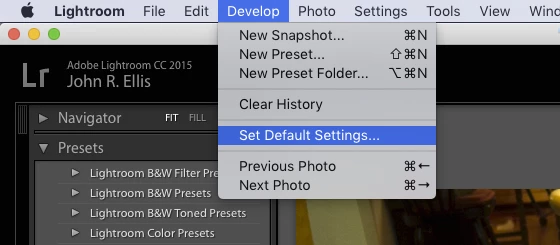
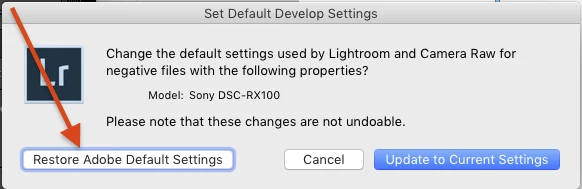
Once in Develop with one of the problem photos, click on the Develop menu, then click Set Default Settings, then click Restore Adobe Default Settings:

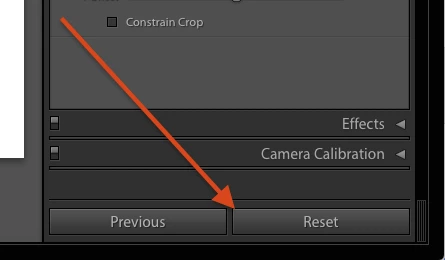
Then click Reset in the lower right:

If the photo then gets the Auto setting of Transform turned off, try importing another photo from the same camera to make sure this has addressed the problem.

1 reply

johnrellis
Legend
May 23, 2017

Troubleshooting steps to try in order:

1. In the right column of the Import window, make sure that Apply During Import > Develop Settings is set to None.

2. Select one of the problem photos and go to Develop. Do Develop > Set Default Settings and click Restore Adobe Default Settings. Then click Reset in the lower-right.

3. Reset LR's preferences: https://www.lightroomqueen.com/articles-page/how-do-i-reset-lightrooms-preferences/ . Sprinkling that magic dust often fixes wonky behavior.

magritAuthor
Participant
May 23, 2017

Thank you johnrellis.

1. Yes, settings set to None.

2. Resetting Default Settings -- I think I have done it, thought not exactly the way you recommend...My options in the Develop module seem to be slightly different (?). Here is how the scroll down menu look like: 

I tried "Reset All Settings" and "Reset Crop" and "Crop as Shot" and nothing happened...

3. Sounds like I am left with option 3, which sounds a little scary... Will try tonight and will let you know. Thanks a lot!

johnrellis
Legend
May 23, 2017

3. Sounds like I am left with option 3, which sounds a little scary... Will try tonight and will let you know. Thanks a lot!

The article (by the leading Lightroom book author) explains exactly what it does: https://www.lightroomqueen.com/articles-page/how-do-i-reset-li…  It's just an inconvenience, because afterward you might have to set some of your previous settings (detailed in the article). 

If you want, you can save away a copy of your previous settings and restore them if resetting doesn't fix the problem, but this involves a little more work: http://www.lightroomforums.net/showthread.php?25197-Resetting-the-lightroom-preferences-file-updated