
Auto Whites and blacks in Lightroom -- what is behind this adjustment?
When I Shift+double-click the white or black slider in Lightroom, what is Lightroom optimizing for? I'd like to understand what is behind this adjustment so I can explain it to a student.
In The Digital Negative, Jeff Schewe says the white and black sliders are for managing white and black clipping, which makes sense.
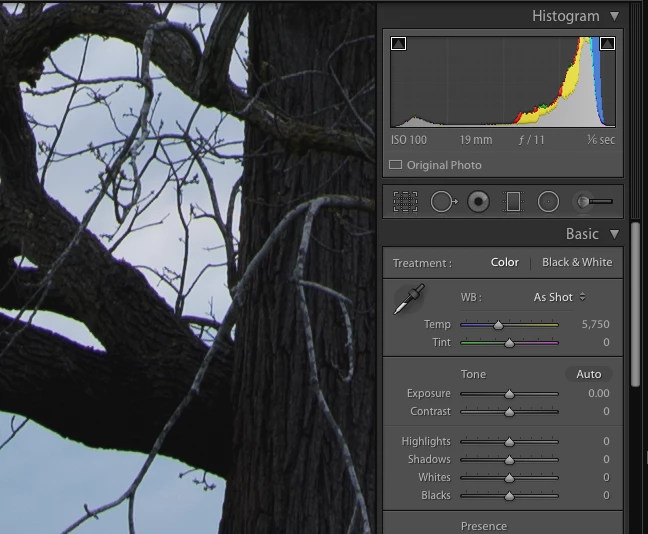
However, when I shift+double-click the Black slider for the image below, I see I'm actually introducing clipping. So what is Lightroom doing with this adjustment shortcut?
Here's an unadjusted image:
Here is the adjusted image after Shift+double-click on the Black slider:
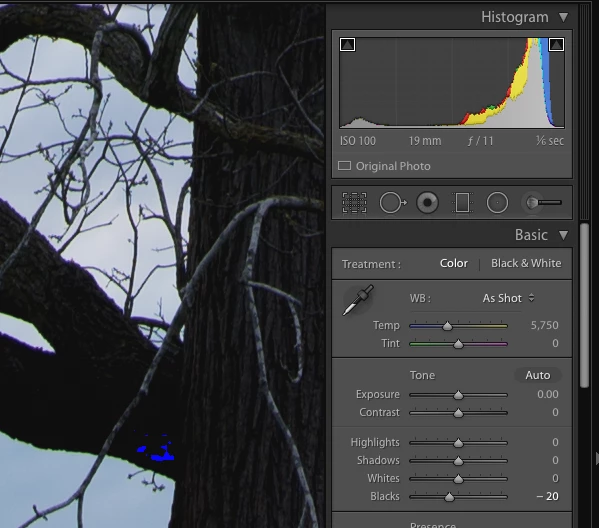
The black adjustment of -20 seems to have introduced clipping on the lower part of the branch.
I like the results I get with the auto-white and auto-black adjustments but I think they are doing something other than managing clipping.
 AdChoices