Participant
February 20, 2025
Question

Banding effect on photos after export from Lightroom

  • February 20, 2025
  • 2 replies
  • 508 views

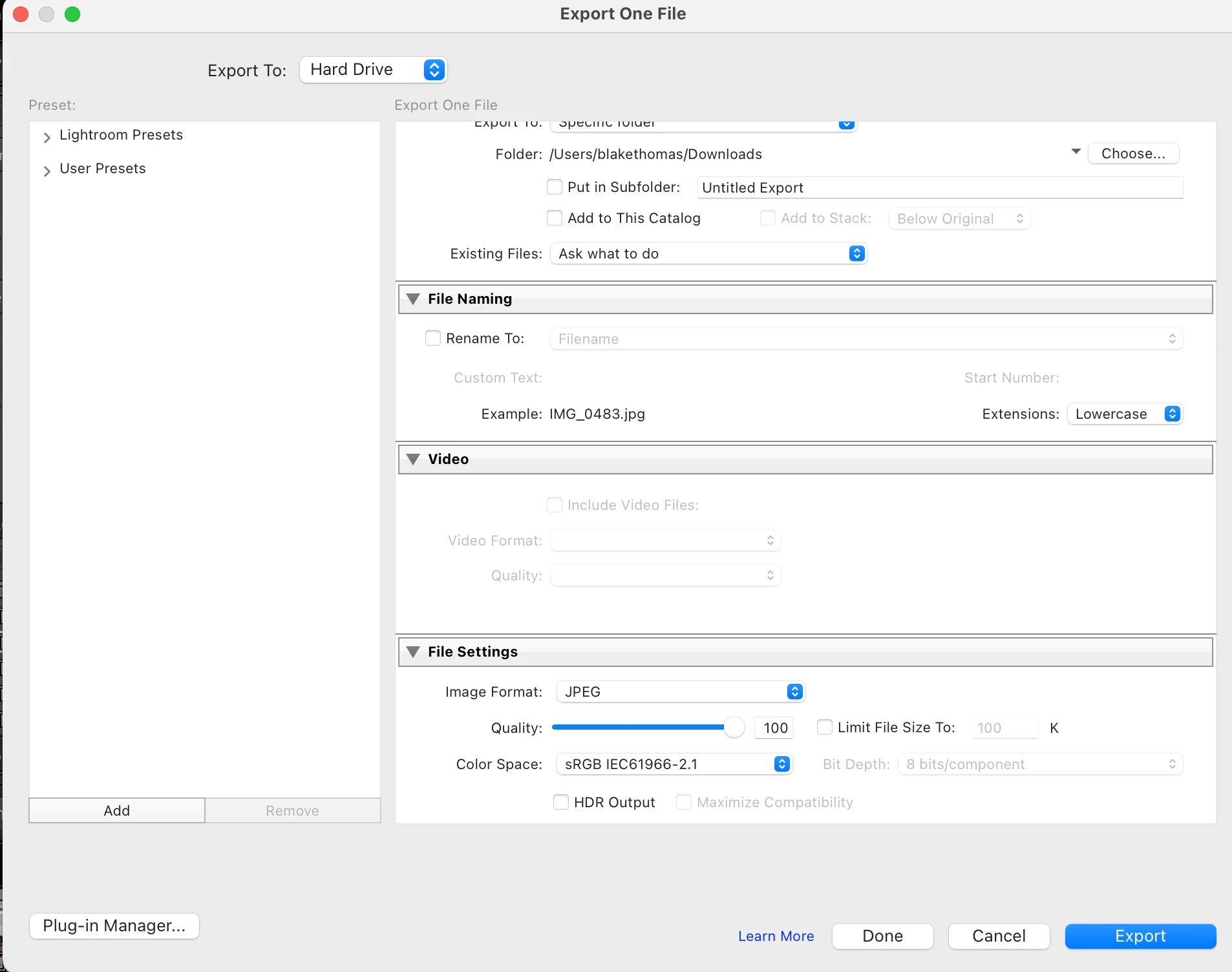
Hello! I am running into the issue where some of my photos seem to be gaining the banding effect once the images are exported from Lightroom to Finder on my Macbook Air. I feel as though I have tried just about everything and read anything and everything about fixing this issue and still have not found a solution. I would greatly appreciate any and all help! Attached below is an example of more or less what the photo should look like and the photo with banding effect, also the export settings I have used primarily (although I have also tried just about every export setting imaginable). Thank you for your help and guidance in advance!



2 replies

Rob_Cullen
Community Expert
Community Expert
February 21, 2025

Looking at you sample images, the 'banding' does not look like the more common artifact caused by JPG compression of tones as there is a circular effect around all four (darker) corners of the problem image..  It might be associated with a lens profile as suggested in this forum link-

https://community.adobe.com/t5/lightroom-classic-discussions/circular-banding-with-vignette-lens-correction/m-p/14706962


Regards. My System: Windows-11, Lightroom-Classic 15.1.1, Photoshop 27.3.1, ACR 18.1.1, Lightroom 9.0, Lr-iOS 10.4.0, Bridge 16.0.2 .
Sameer K
Community Manager
Community Manager
February 20, 2025

Hey, @Blake_Thomas9345. Welcome to the Lightroom Community. I'll need more info to help you figure this out. 

Does this happen with a specific image? 


This can be really frustrating, especially when you're aiming for high-quality results. You've already tried some troubleshooting steps. Here is another direction that can help you figure this out

Check Monitor Calibration: Sometimes, banding can be due to monitor issues rather than the image itself: https://adobe.ly/4gUvv94


Let me know how it goes. Thanks!

Sameer K

(Type '@' and type my name to mention me when you reply)

Participant
February 20, 2025

Hello! 

 
It only happens with a few images out of a group that I was editing but what is interesting is I edited them all very similarly and exported them the same and the banding is only happening to a select few. In the original post I have attached the photos including what the banding looks like and the export settings. I also have attached the export settings but have attached the file here as well for your reference. In terms of monitor calibration I have checked this in viewing the photos from 4 different devices and the banding is consistent on each so I don't believe that's the issue
Participant
February 20, 2025

@Sameer K see above