
Batch Processing with Bordering and Watermarking
I'm looking for a solution to batch processing images where I can add white bordering and my signature/watermark inside the bordering, like shown below;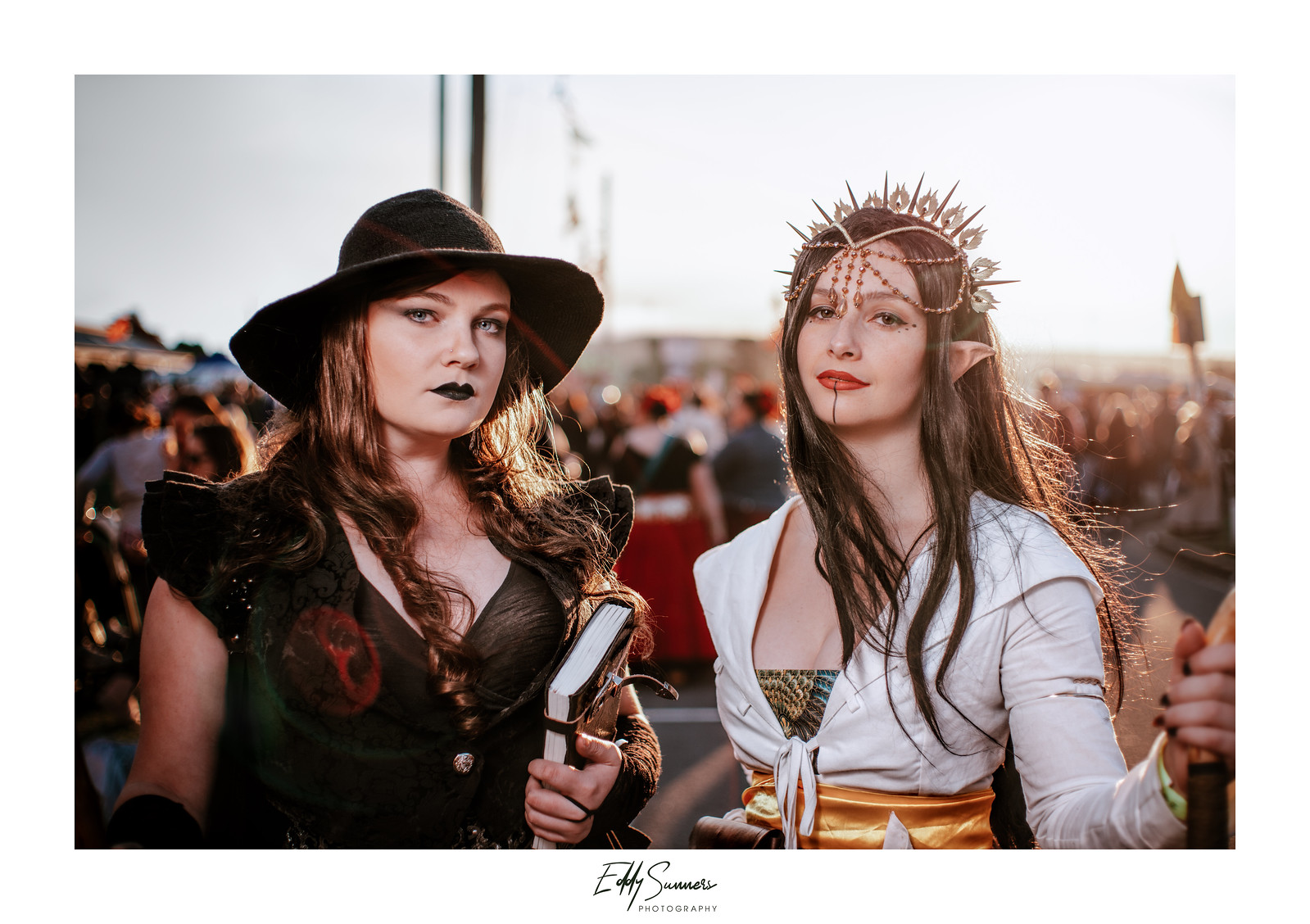
Probably hard to see on this forum due to the white background, but the signature is sitting in a white border frame.
Thus far I have done this process by taking the image to PS (if not already in PS) and then increasing Canvas size and dragging my PNG water mark inside and resizing and positioning it (ZZzzzz....)
It's ok when doing it for a shot here or there, but I also do event work (paid and non paid), the non paid stuff I tend to always watermark like this, but if there are 20, 40, 100 shots like this... that means popping into PS for each and every shot (for this process) whereas it's quite feasible I edited things purely in LR (and used Syncing features) to be quick about things, popping into PS for this process for each and every shot kinda defeats the purpose. There has to be a quick way to handling this, even outside of LR/PS?
Thus far I tried the LR/Mogrify2 plugin. It was ok, but it seems restrictive with applying bordering in terms of only pixel parameters and not percentage. Even if two images are same aspect ratio, if one is heavily cropped and the other native, applying the same border will mean different thickness. The same can be said for watermarking.
I don't even mind sorting the images out in terms of orientation (portrait shots vs landscape), and then processing them separately, but the Mogrify 2 has no preview mode, so you're also just having to wait for the export of 'x' amount of shots, then go back and see which images have the bordering and watermark in really bad placements and go back and try fixing again.
I'll have a look again, I might be missing some options, I don't know the plugin that well.
I dunno.. it strikes me this part of photography isn't getting enough attention, is there an advanced program that might do what Mogrify 2 can do but better, with previews etc?
TIA!
Eddy
 AdChoices