
Before / After Function Quit working on SOME images
In the past 4 months, the before/after function in Develop Mode quit working for many images in my catalogue. This used to function perfectly, now it is super inconsistent in way that is baffling.
All 3 of these things happen in my current catalogue:
1) On some images, before/after function works as it should (raw/unedited image on the left, edited image on the right)
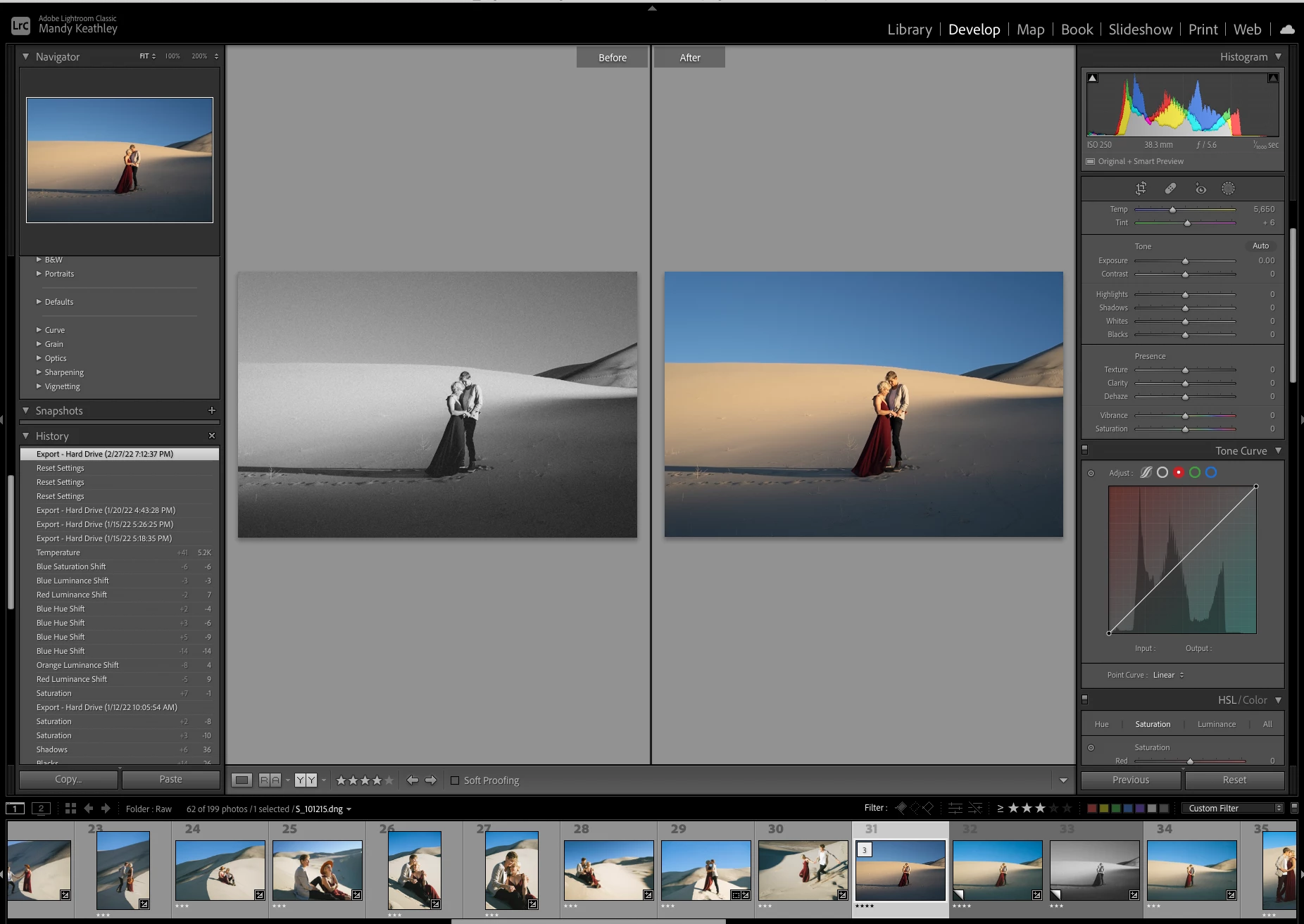
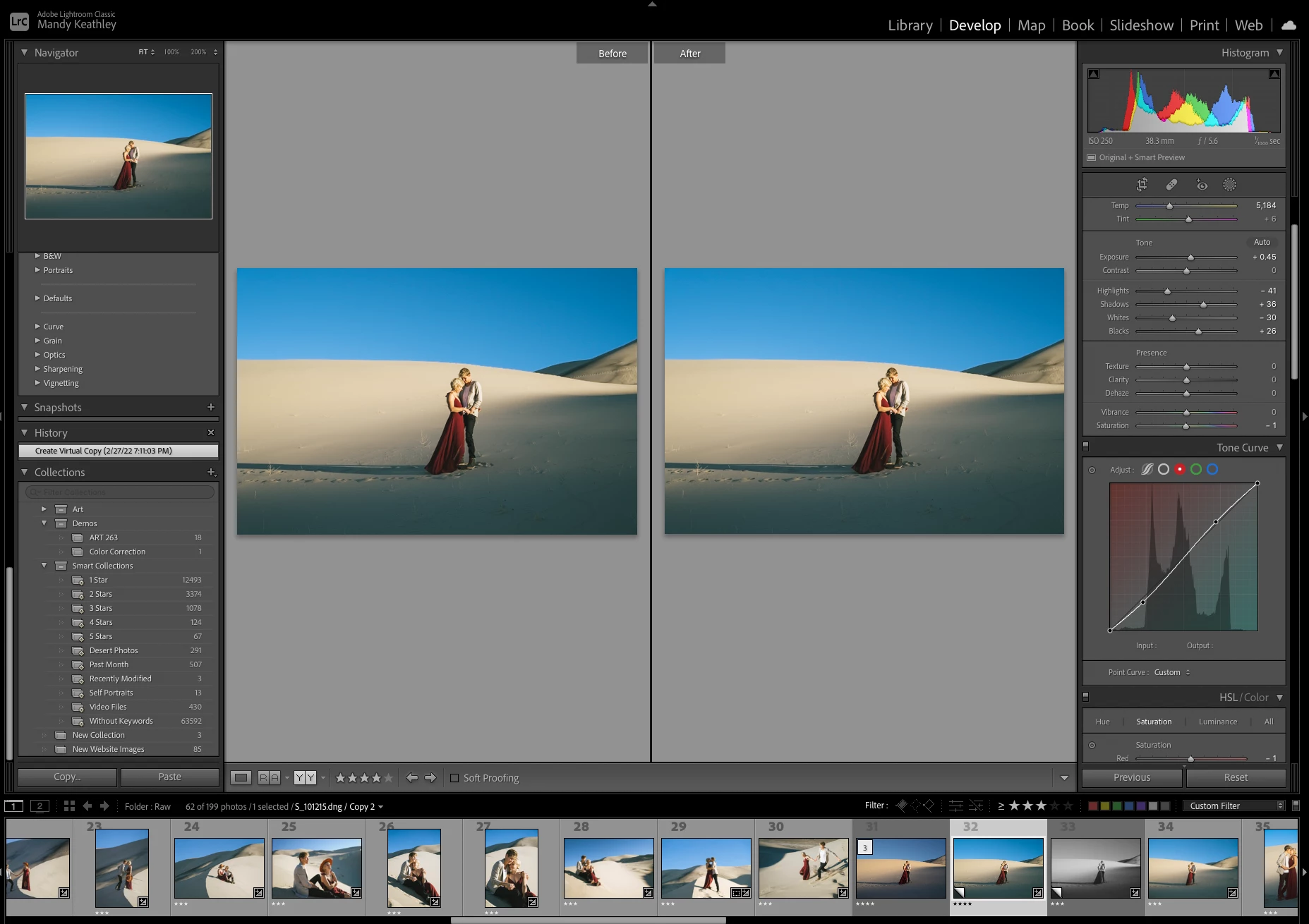
2) Other images, shows one of my previous edits on the left, and a newer edit on the right, or the SAME photo twice. (See screenshot). I want the Before feature to always show the raw photo and I've tried everything to get it back to that.
3) If I click "RESET" or go through the history and click on the "IMPORT" to go back to the original, then it shoes me the edited photo on the left, and the raw photo on the right, which is flip flopped.
I always want to compare my edits to the raw, and I no longer can do this. Again, this only happens to SOME of my photos which makes it all the more confusing. My only theory, is that this happens when I edit a folder, close LR, and then return to tweak some of those photos. But this still seems like a glitch in Lightroom that should not be happening.
 AdChoices