Known Participant
April 15, 2023
Answered

Black & White Treatment and Masks

  • April 15, 2023
  • 2 replies
  • 874 views

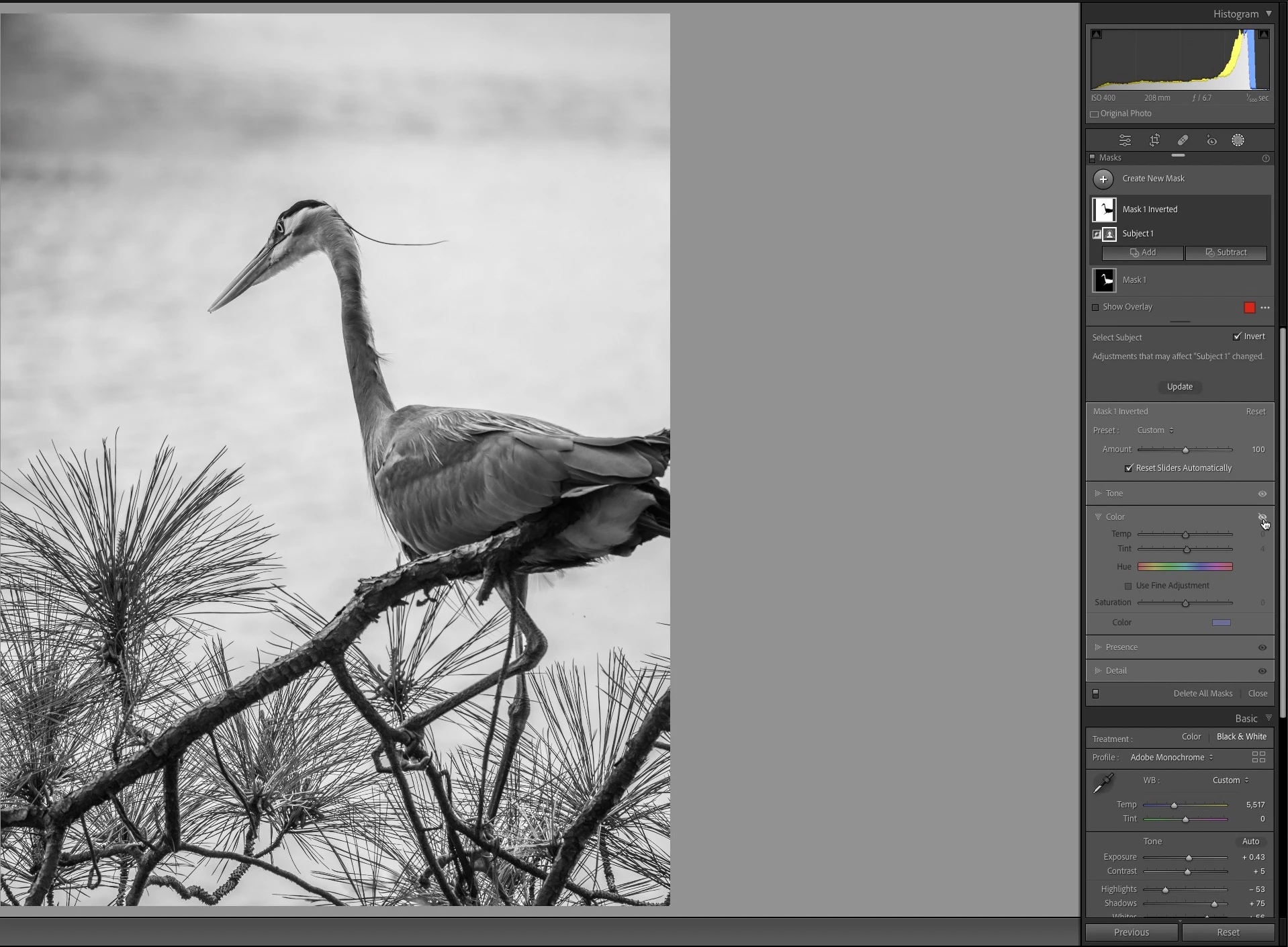
I have an image I have processed in Color that has a mask that was created by inverting an object selection. The mask has a blue color applied (Color in the Color tab). I then converted it to black & white by applying the Black & White Treatment (the Adobe Monochrome was applied but all black & white profiles have the same effect), but the blue color still shows through as blue. Why is this?

I am including the color image, the converted image, and then a screen capture while I am clicking on the visibility eyeball on the Color tab to show what I expected the black & white treatment to do to the entire image.

If you can explain this, I'd appreciate it!



Mac mini M2 Pro, macOS Ventura 13.3.1, LrC 12.2.1

This topic has been closed for replies.
Correct answer JohanElzenga

I don't think you were talking about the mask overlay, like @Rob_Cullen assumes. If I understand you correctly then what you did was add some color by using a color overlay as an adjustment in the masked area. This is exactly why you still see this color when you change the image to B&W. It is a color overlay, so you have 'layed color over the image' in the masked area. That works no matter what the underlying image is; a color image or a B&W image.


2 replies

JohanElzenga
Community Expert
JohanElzengaCommunity ExpertCorrect answer
Community Expert
April 16, 2023

I don't think you were talking about the mask overlay, like @Rob_Cullen assumes. If I understand you correctly then what you did was add some color by using a color overlay as an adjustment in the masked area. This is exactly why you still see this color when you change the image to B&W. It is a color overlay, so you have 'layed color over the image' in the masked area. That works no matter what the underlying image is; a color image or a B&W image.


-- Johan W. Elzenga
D RoederAuthor
Known Participant
April 24, 2023

Thanks. I did not realize that is the way it works. Seems kind of strange, but good to know. Very helpful.

Rob_Cullen
Community Expert
Community Expert
April 15, 2023

A Mask Overlay will show on any image (color or B&W) when the mask is active.

A mask does not change an image in any way- it is the Adjustments you make in the Masking panel that change the image.

Your Blue overlay will show in both Color & B&W modes.


Regards. My System: Windows-11, Lightroom-Classic 15.1.1, Photoshop 27.3.1, ACR 18.1.1, Lightroom 9.0, Lr-iOS 10.4.0, Bridge 16.0.2 .