
Inspiring
March 23, 2024
Answered

Can I apply different defringe values to differnt part of the image

  • March 23, 2024
  • 2 replies
  • 1006 views

I am trying to correct chromatic abboration on an image with a lot of purple orange and pink.
I need to apply different defringe value to different ares of teh image.

Is this possible:


E.g. whne to remove this:
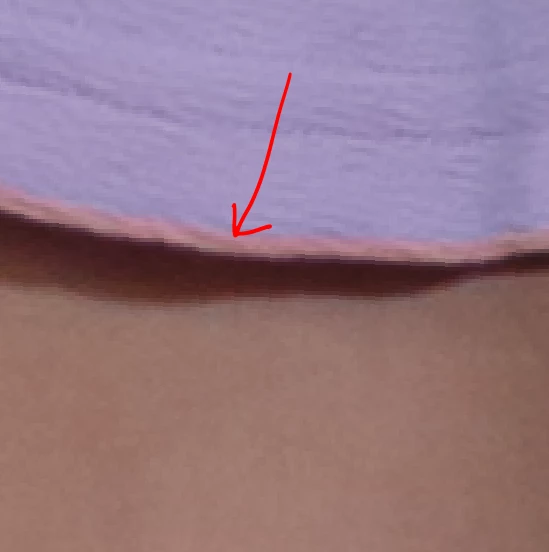
 

I use these value:
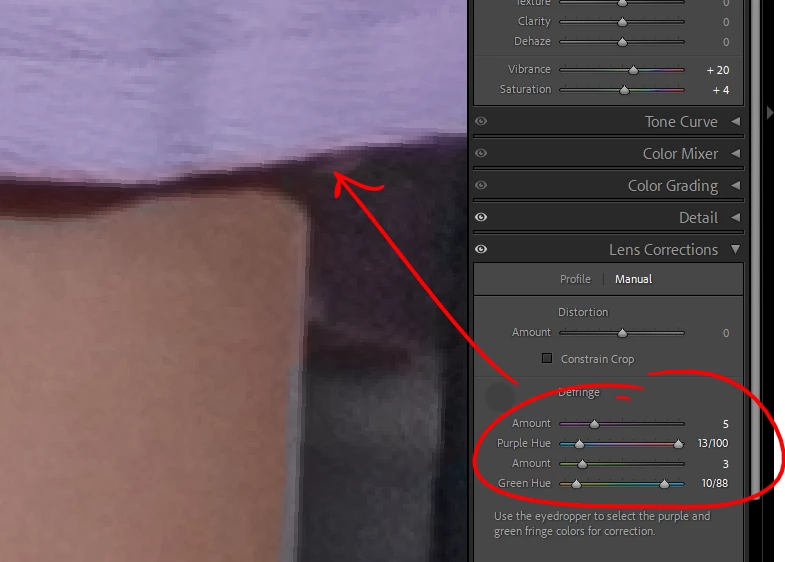
 

but hten a different part of the image looks like this:
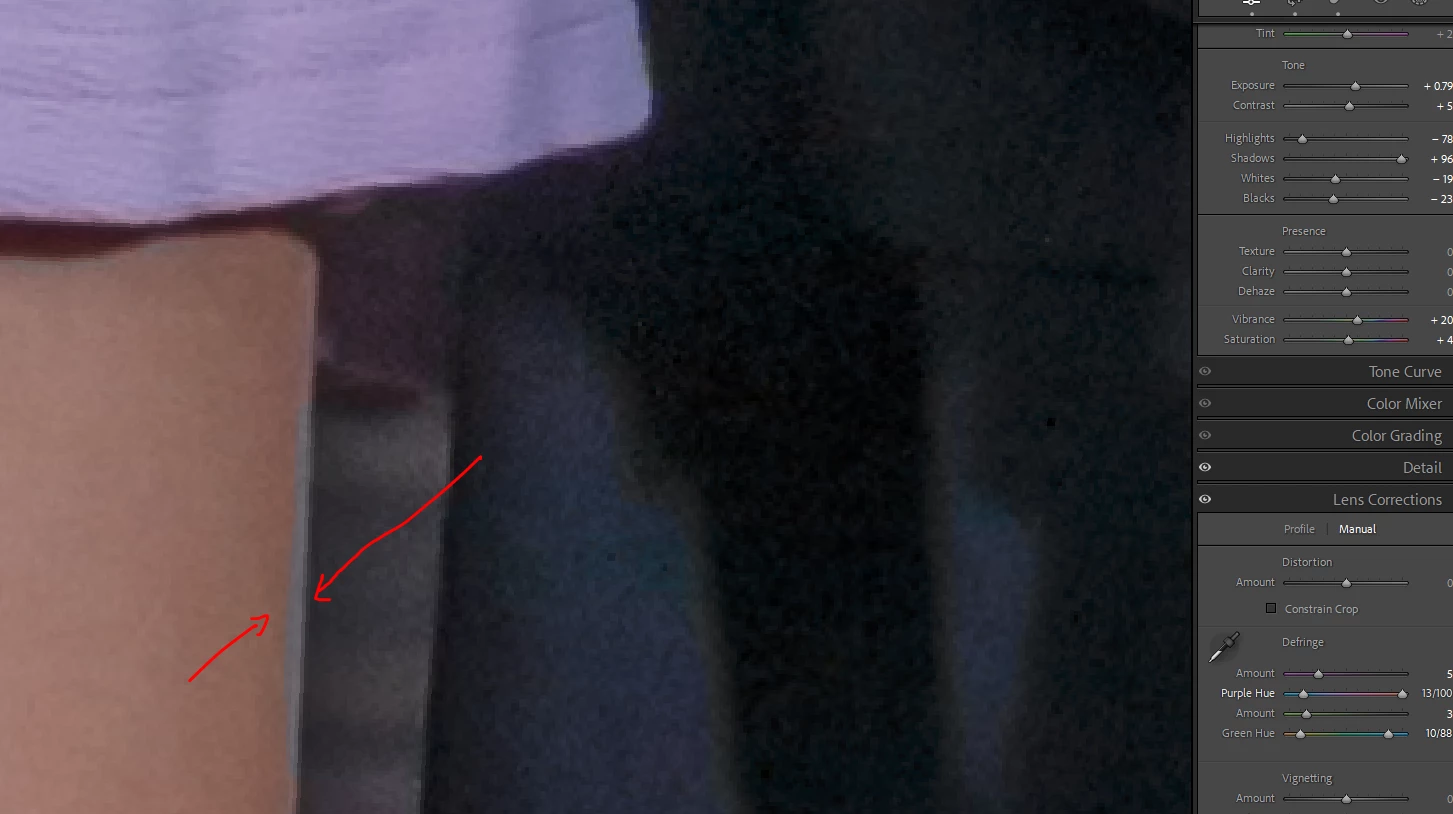
 

So if i pull to one side i get destortion in another aprt.
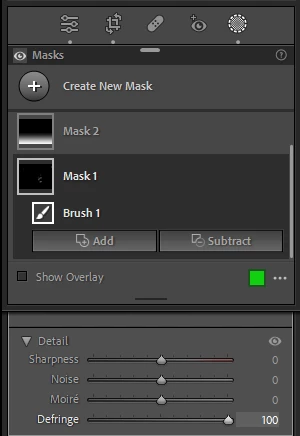
I could load both into PS and use deffrent defringe values and mask as required if this is the solution.


This topic has been closed for replies.
Correct answer Per Berntsen

You can use a brush mask, and apply the defringe locally.

I often prefer this method, since globally applied defringe can cause color spill in other parts of the image.

It can of course be a lot of work, depending on the image.


2 replies

Community Expert
March 23, 2024

I take it you have checked the box for auto correcting Chromatic Aberration? (in the Lens Corrections / Profile panel)


Your screenshot looks more like lateral CA to me - which is what that checkbox addresses. This characteristially varies around the image, but always shifting different hues by varying amounts, working radially from the image's centre in a systematic way.


That's by contrast with the symptoms of longitudinal CA or of overspill 'bloom' - which the fringing controls are there to address. and which can show up anywhere in the image.

Per Berntsen
Community Expert
Per BerntsenCommunity ExpertCorrect answer
Community Expert
March 23, 2024

You can use a brush mask, and apply the defringe locally.

I often prefer this method, since globally applied defringe can cause color spill in other parts of the image.

It can of course be a lot of work, depending on the image.


Inspiring
March 24, 2024

thanks, i was not aware i could use the mask for that