
Zoe7traveller
Inspiring
October 15, 2017
Beantwortet

Can't import drone mp4 files into Lightroom? Please help :)

  • October 15, 2017
  • 3 Antworten
  • 5015 Ansichten

I'm running the most current Lightroom and suddenly I can't import videos from my DJI Phantom 4 drone.

I've been able to import videos from this drone and from other sources for years -- but suddenly in the last couple of weeks, despite countless tries, Lightroom refuses to important these vids.

I get the following message in a popup (attached pic)  An unknown error has occurrred while reading the video file.  Connecting to Dynamic Link server failed.
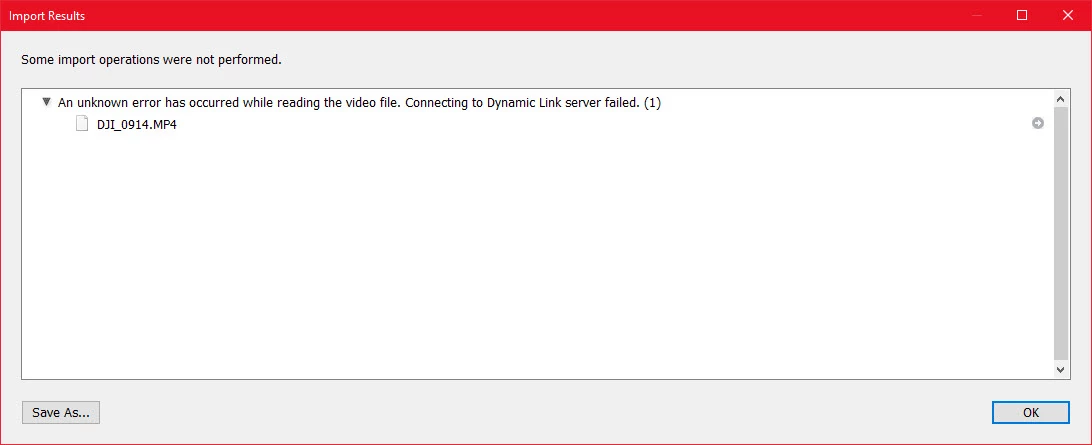
For reference, I uploaded a smaller sample video to my OneDrive.  I don't think there's anything unusual about the video.  You can download the original video here https://1drv.ms/f/s!As-WTlcyNuWiqYxjpOMm1jLhSHp4sw

I've not changed the way I've been doing stuff.  I'm out of ideas --- maybe you have some ideas?

Dieses Thema wurde für Antworten geschlossen.
Beste Antwort von Zoe7traveller

I wound up uninstalled Quicktime and installing it again.  It resolved the problem.

3 Antworten

Zoe7traveller
Zoe7travellerAutorAntwort
Inspiring
October 31, 2017

I wound up uninstalled Quicktime and installing it again.  It resolved the problem.

Akash Sharma
Legend
October 31, 2017

Thanks for the update.

Glad to know it is now working fine,

~Akash

Participant
November 10, 2019

Any one with a solution when running on iMac as you can not uninstall Quicktime ???


Lightroom Classic 8.4 and 9.0 Not Importing or Playing previously imported video?? HELP!

I recently started to have problem with Lightroom Classic 8.4 where I can not import Video's, getting Error "An unknown error had occured while reading the Video file. Connecting to Dynamic Link Server failed". Then Lightroom stopped playing previously imported videos too saying "there is an error working with the Video". I upgraded to Lightroom 9, and the same issue exist.


I read all the postings on this and contacted support but nothing helped. After more than 30 minutes with suppoort doing remote support session on my MacBook Pro, the recommended course was to exit Lightroom, go to activity monitor, stop Dynamiclinkmanager and dynamiclinkmediaserver processes, start lightroom againa and import. This did work once or twice but then stopped working.


I created a new Catalog to import the files and got the same error.


I then Opened Lightroom 6 and imported the videos and it worked fine.


This tells me something happened with Lightroom 8 and lightroom 9 that is preventing Video's from being imported and playing in Lightroom. My same machine, operating system and video files worked on Lightroom 6 but not LR8 and 9.


This is so frustrating. ANY Help is resolving this issue is appreciated.

Akash Sharma
Legend
October 17, 2017

Hi DoctorMu,

Thanks for providing the sample video and details.

I  was able to import and play the video into latest version of Lightroom CC 2015.12. Which version are you using? (CC/6 or below)

Try the steps mentioned below:-

  • Open Lightroom Preferences and click on the File Handling tab.
  • At the bottom of the File Handling options, find the Video Cache Settings.
  • Click the Purge Cache button.
  • Close the Preferences dialog.
  • Close Lightroom.
  • Launch Lightroom.

Let us know if that helps.

Thanks,

Akash

Participating Frequently
September 9, 2018

Tried this ... roughly how long should the PURGE take ? 2 days and still waiting for the dialogue box to finish

ManiacJoe
Inspiring
October 17, 2017

Which exact version NUMBER of Lightroom?

Mac or Windows? Which version?