Participant
September 13, 2018
Answered

Can't import LUTs .xmp

  • September 13, 2018
  • 3 replies
  • 2412 views

Hello,

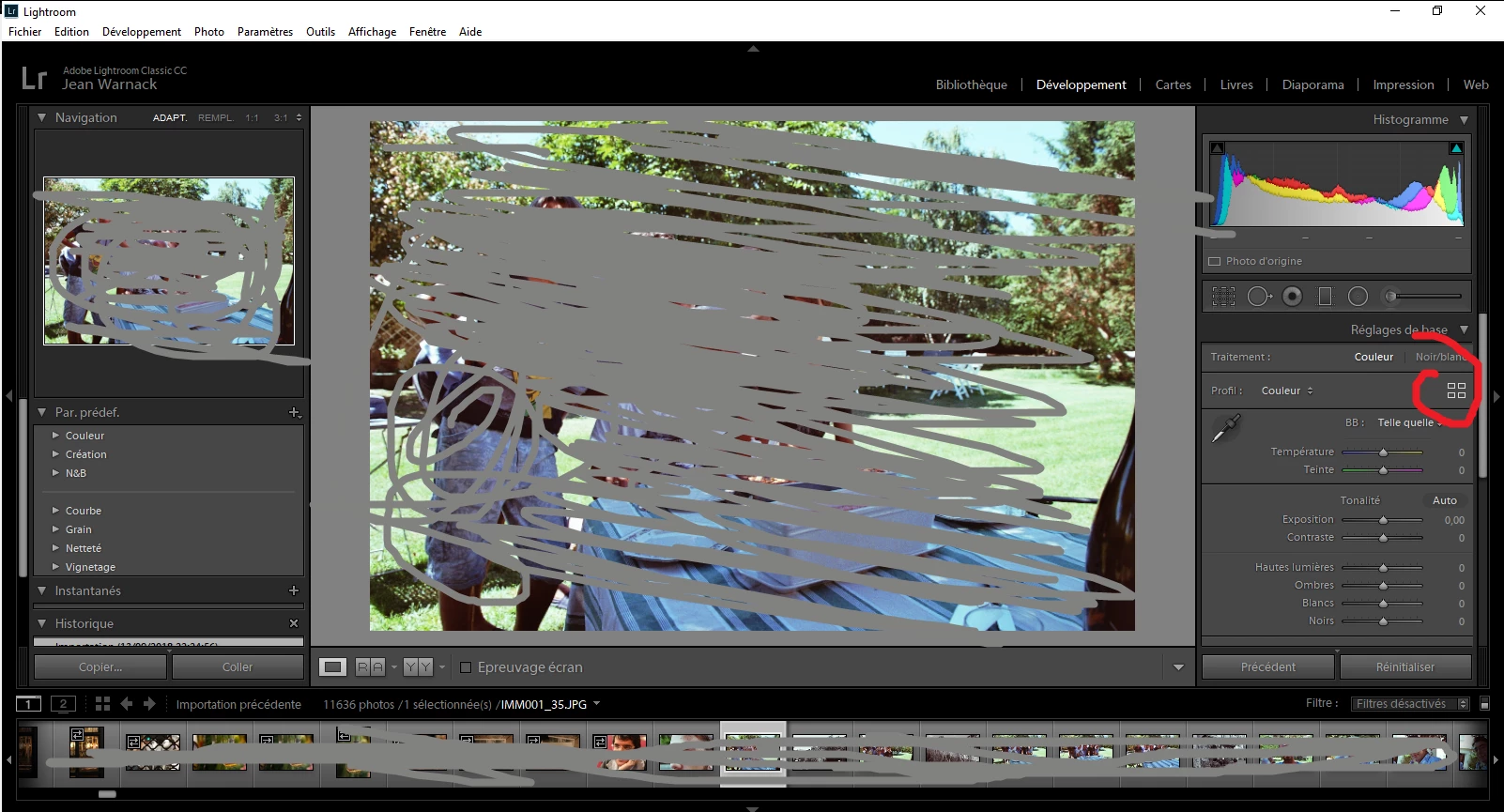
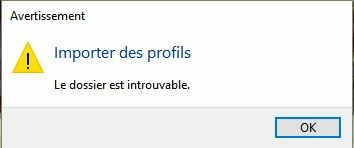
I'm trying to import .xmp LUTs with the new profile explorer. But when I try to had it, the importation start and get this error (sorry in French), meaning (title) Import profiles (content) The Folder can't be found. I tried to desinstall and reinstall LightRoom (Losing my whole catalogue on the same time ><) and it didn't change anything... Any idea ?

Thanks !!
This topic has been closed for replies.
Correct answer Rob_Cullen

Well since April 2018 release, you can use this to import .xmp .lmp or .dcp LUTs.


I was able to easily use your profile.

I simple did a Copy & Paste to the folder- C:\Users\myname\AppData\Roaming\Adobe\CameraRaw\Settings

I have Lightroom Classic v7.5 in Windows-10.

3 replies

Community Expert
September 14, 2018

I was able to import it directly through the profile browser too. Not sure what could be wrong with your configuration.

Community Expert
September 14, 2018

If you want to make a profile that Lightroom can read from a LUT (cube or csv),  you should follow the instructions and examples in the profiles SDK that you can find here. You need Camera Raw for that and I don't think there is a way to do it in Lightroom. If that is what you did to create the xmp profile than better to post the xmp file indeed.

Community Expert
September 14, 2018
Participant
September 14, 2018

Well since April 2018 release, you can use this to import .xmp .lmp or .dcp LUTs.

johnrellis
Legend
September 13, 2018

Upload one of the .xmp files to Dropbox and post the sharing link here. This will let us determine whether there's something wrong with the .xmp file or with your LR configuration.

Participant
September 14, 2018

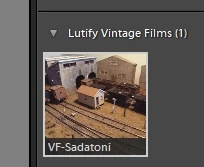
Hi, thanks for your answer, here is one of them : Dropbox - VF-Sadatoni.xmp