kimkelly5252
Participant
October 24, 2017
Answered

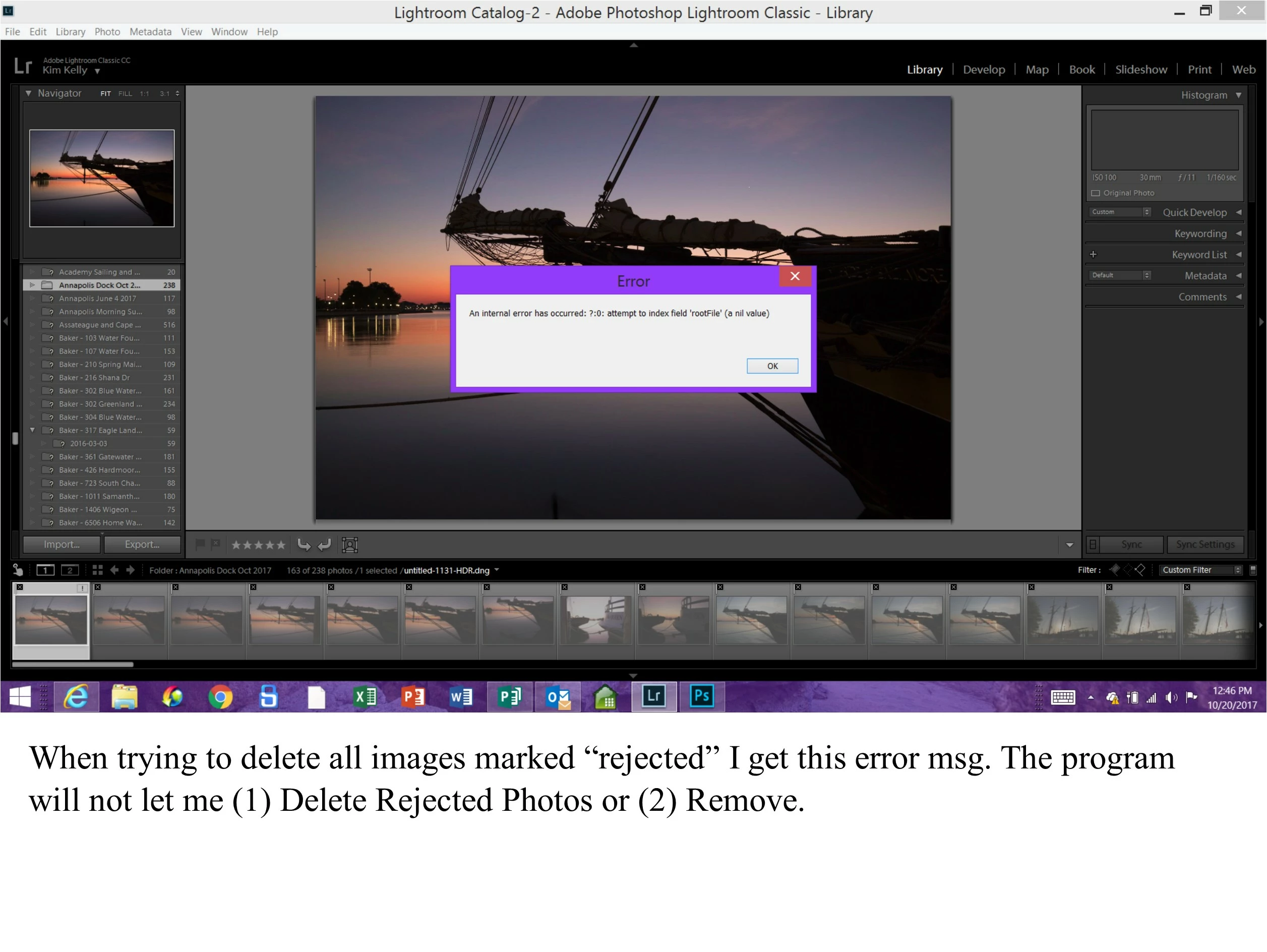
Cannot Delete Rejected Images
  • October 24, 2017
  • 1 reply
  • 576 views

    This topic has been closed for replies.
    Correct answer Akash Sharma

    Hi kimkelly,

    I see that all these images in the folder/collections are missing in Lightroom. I believe this is the reason you're getting this error.

    They might be deleted from the original source.You may refer https://feedback.photoshop.com/photoshop_family/topics/fix-internal-error

    Thanks,

    Akash

    1 reply

    Akash Sharma
    Akash SharmaCorrect answer
    Legend
    October 24, 2017

    Hi kimkelly,

    I see that all these images in the folder/collections are missing in Lightroom. I believe this is the reason you're getting this error.

    They might be deleted from the original source.You may refer https://feedback.photoshop.com/photoshop_family/topics/fix-internal-error

    Thanks,

    Akash

    Participant
    November 18, 2017

    I have the same trouble. Nothing changed since last import except possible update of Windows 7. I was trying to reload LR CC Classic (monthly subscription) but nothing changed. Pics still marked as rejected but physically they were deleted./

    Akash Sharma
    Legend
    November 20, 2017

    Hi iKorum,

    Sorry about the inconvenience. Could you please check whether un-marking those images as rejected change their status as missing in the catalog or not?

    Thanks,

    Akash
