Participant
December 18, 2024
Answered

Cannot startup Lightroom Classic even after reinstalling

  • December 18, 2024
  • 4 replies
  • 1687 views

Hello,

I've been having trouble booting up LrC version 14.1.1. When opening from start menu, desktop shortcut, or CC, LrC does not open a window. When opening Task Manager, it shows LrC running and using resources, but there is no visible window open. I have tried ending the task in Task Manager, rebooting, and even uninstalling/reinstalling LrC through CC. I don't recall any specific changes made that would have caused this, as I tried opening my Catalog one day and it suddenly appeared with this issue. Any help in understanding what is going on would be greatly appreciated! Thanks.
Correct answer AxelMatt

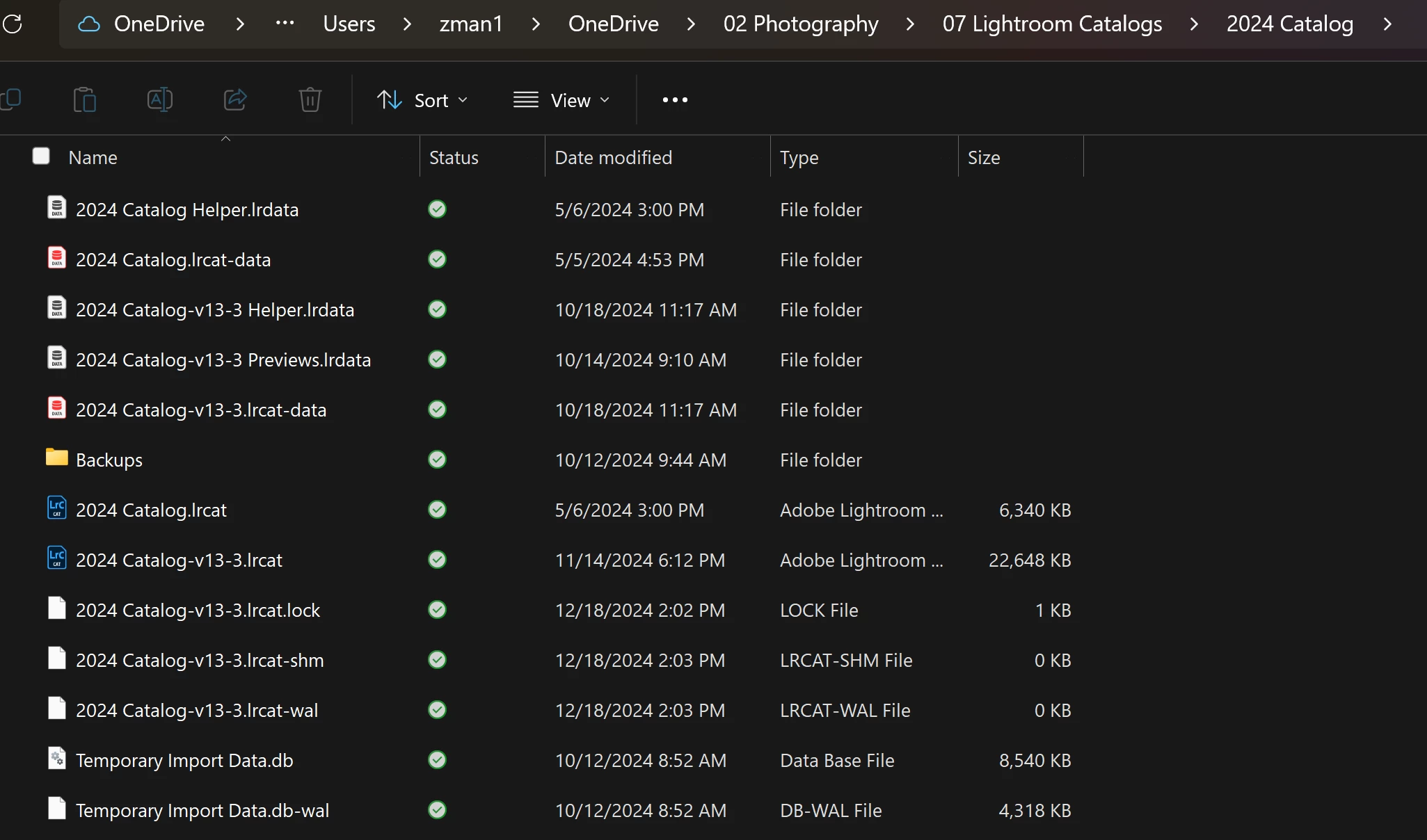
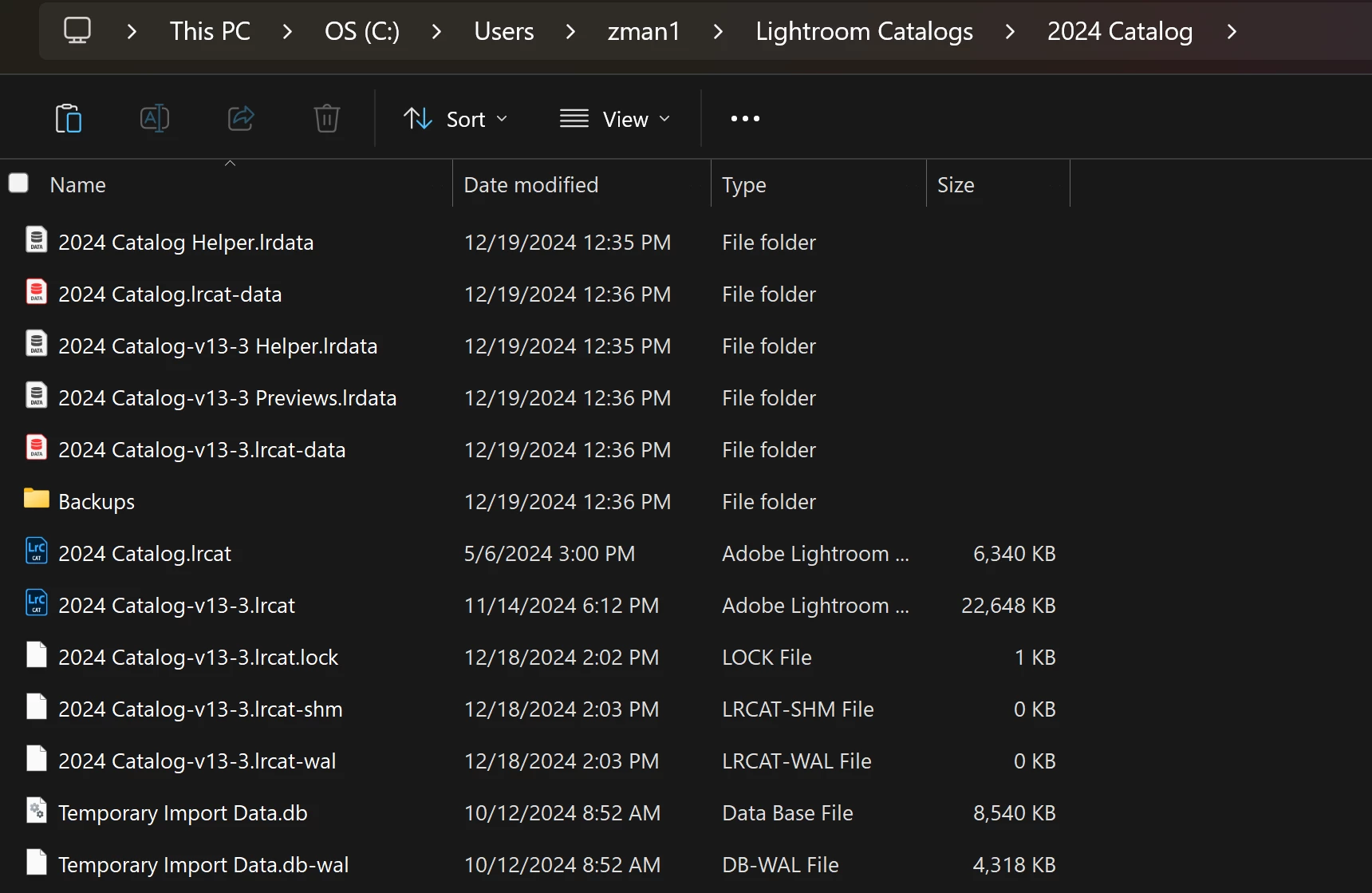
I have a .lock file as well and am located in OneDrive. I've had no issues with this, but I'll move the catalog to a local location. Here is the old location:

and the new location:

Is it still suggested to delete the .lock file here and try to reboot Lightroom? If so, should I still try the reset procedure even if the actual Lightroom window does not open up?


quote

Is it still suggested to delete the .lock file here and try to reboot Lightroom? 


By @ZaneF


Yes!!

quote


 If so, should I still try the reset procedure even if the actual Lightroom window does not open up?


By @ZaneF


Also Yes!!


If both doesn't help check if the catalog has a problem. First restore the catalog from the latest backup.

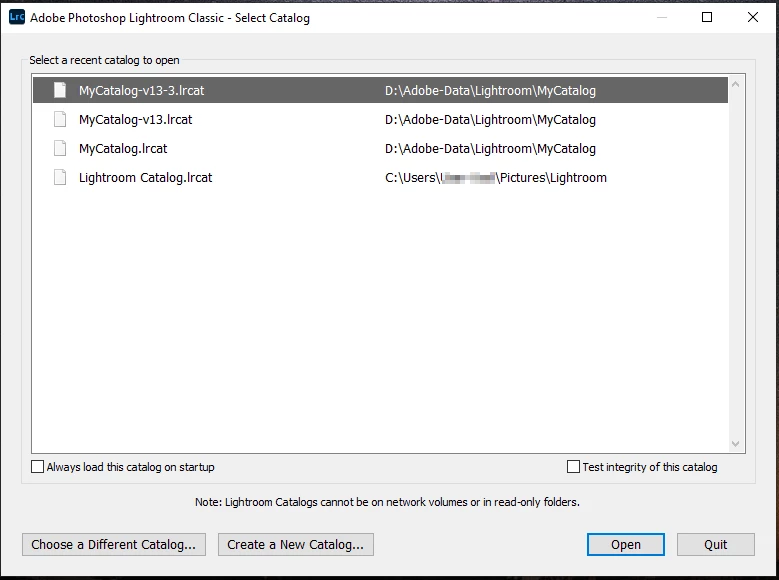
Is this doesn't help, hold the Ctrl-Key while starting LrC. This opens a catalog selection dialog.

First select the appropriate recent catalog and let it check it – note the checkmark "Test integrity of this catalog" to check its integrity. If that doesn't help, try to create a new one and see if this catalog works. If yes, you could then try to import your current catalog into the new one.


4 replies

Participant
December 21, 2024

I had the exact same issue, which seems to have come with the latest update. Reseting Preferences had no effect, but starting Lightroom with the CTRL key and pointing it from the default install library to my own library opened Lightroom and it proceeded as normal. Go figure.

GoldingD
Legend
December 20, 2024

Also, in that screenshot on December 19. I see a folder named Backups. Are you keeping both your  working catalogs and your catalog backups on C drive? Bad.

AxelMatt
Community Expert
Community Expert
December 19, 2024

If you've checked that there's no .lock file as @GoldingD wrote try to reset Lightroom Classic's/ Lightroom Desktop preferences. Preferences are immune to an uninstall/reinstall.


This procedure works for both Lightroom Classic and Lightroom Desktop.

If you are using Lightroom Desktop it can change the location of your local storage. Please review this setting after resetting preferences. 


Reset Procedure:

  1. Close Lightroom.
  2. Hold down [Alt/Opt]+[Shift] while restarting Lightroom.
  3. Overwrite the Preferences when prompted by the dialog.
  4. Close Lightroom.
  5. Restart Lightroom.


My System: Intel i7-8700K - 64GB RAM - NVidia Geforce RTX 3060 - Windows 11 Pro 25H2 -- LR-Classic 15 - Photoshop 27 - Nik Collection 8 - PureRAW 5 - Topaz Photo
Fritillary
Participant
December 19, 2024

I'm having same problem as ZaneF But I see there IS a lock file. what do I do with that?

ZaneFAuthor
Participant
December 20, 2024
quote

Is it still suggested to delete the .lock file here and try to reboot Lightroom? 


By @ZaneF


Yes!!

quote


 If so, should I still try the reset procedure even if the actual Lightroom window does not open up?


By @ZaneF


Also Yes!!


If both doesn't help check if the catalog has a problem. First restore the catalog from the latest backup.

Is this doesn't help, hold the Ctrl-Key while starting LrC. This opens a catalog selection dialog.

First select the appropriate recent catalog and let it check it – note the checkmark "Test integrity of this catalog" to check its integrity. If that doesn't help, try to create a new one and see if this catalog works. If yes, you could then try to import your current catalog into the new one.


The reset procedure and opening this catalog dialogue seems to have worked for me (in that I can now open LrC). The problem definitely seems to be with that particular catalog, as I can now open other catalogs without issue. Of course, I'd still like to be able to access the catalog that's causing me issues, and it seems that opening backups is also an issue. How do you suggest going about importing the problem catalog into a new one and circumventing this?

GoldingD
Legend
December 19, 2024

Please share a screenshot of the file contents of the folder your catalog is in


Participant
December 19, 2024

The download lightroom classic