Participant
November 2, 2024
Question

Catalog upgrade after upgrading Lightroom Classic

  • November 2, 2024
  • 2 replies
  • 439 views

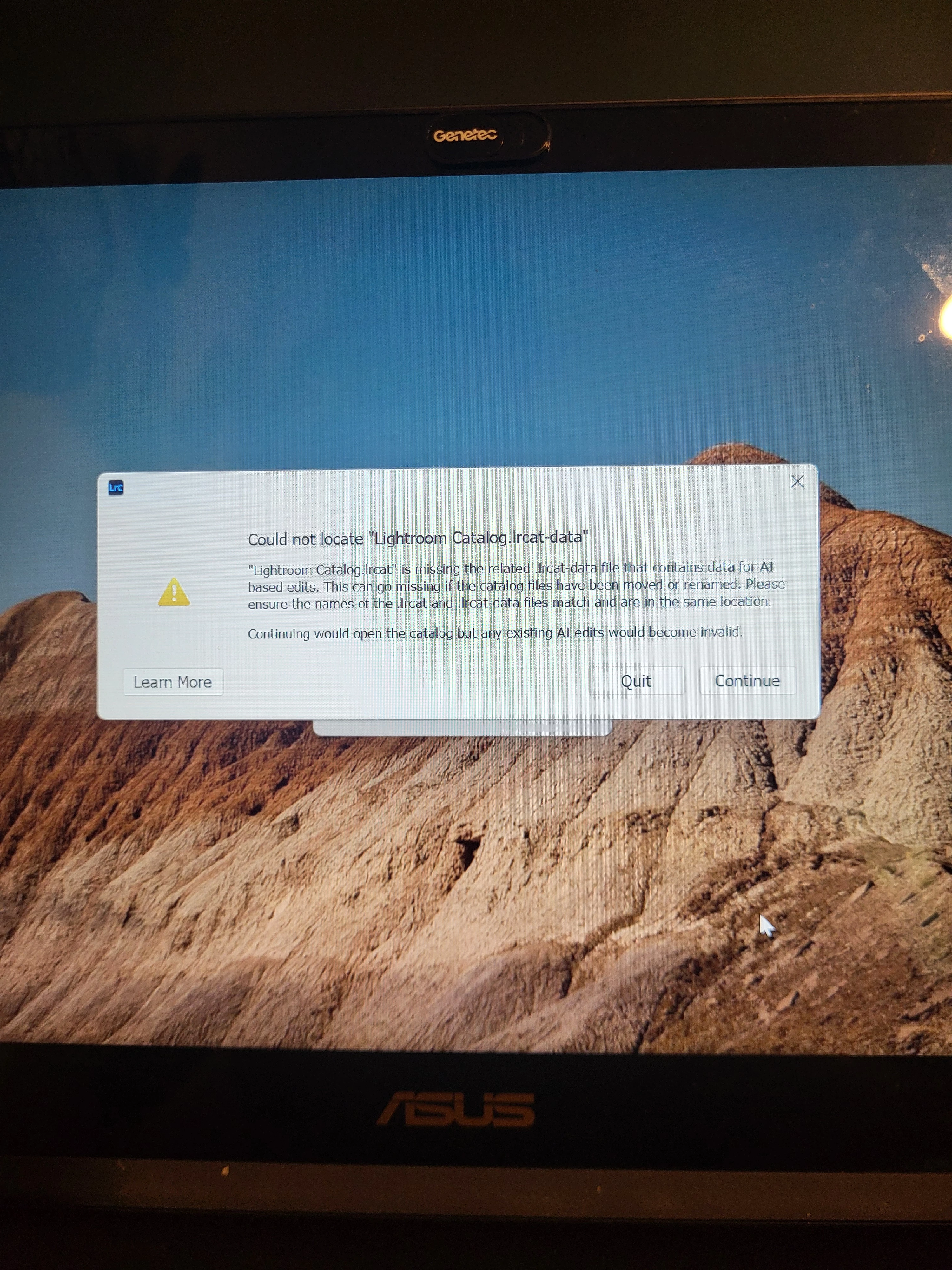
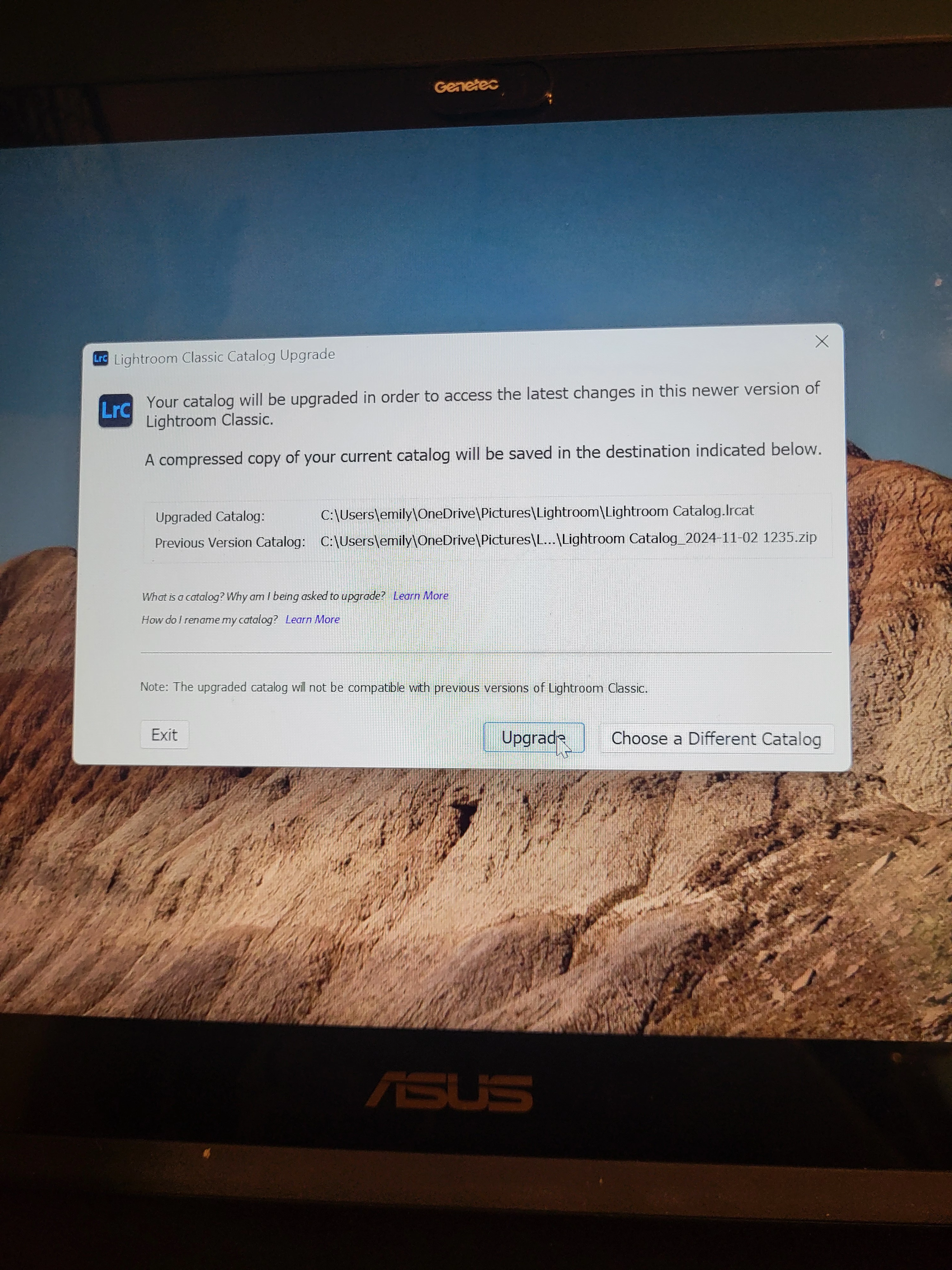
Went to upload photos and LRC said "catalog not found" so I clicked "choose different calatlog" and this popped up? Has never happened before I upgraded last week 😭 What is happening?
  

This topic has been closed for replies.

2 replies

JohanElzenga
Community Expert
Community Expert
November 2, 2024

Don't panic, but read the dialogs carefully. Lightroom didn't say that the catalog could not be found (at least not in your first screenshot, but maybe before you got this dialog?), it said that a help file that contains data for AI edits (masks) could not be found. As it can rebuild that file, it offered the option to continue and you apparently clicked that button. The second dialog is the catalog upgrade dialog. An upgraded version of Lightroom Classic (version 14) always needs to upgrade the catalog, so if this is the first time you launched Lightroom Classic 14, then that is as expected.


Let Lightroom Classic upgrade that catalog and then check if that is the catalog you'd expect, with all your images present. If so, then that missing help file only means you will have to rebuild your AI masks and AI removes. If the upgraded catalog does not contain all your images, then you apparently selected an older catalog. In that case you should try to find the correct one, open that in Lightroom Classic and let that one be upgraded. Catalogs do not vanish into thin air all by themselves, so it should be possible to find it.


-- Johan W. Elzenga
Rob_Cullen
Community Expert
Community Expert
November 2, 2024

My comments-

The first message specifically states it is the "DATA" file that is missing, not the Catalog .LRCAT file.

The .LRCAT-DATA file is one that accompanies the catalog .LRCAT file. It holds all AI edits you have made to images. An 'old' catalog may not have a .LRCAT-DATA file.


The second message indicates that LrC wants to upgrade a catalog. It is a new design for the 'catalog upgrade' dialog that informs you of the ZIP file that will store the old version. The upgraded catalog is not renamed in this dialog but you can use the main LrC menu to easily edit a catalog name -after an upgrade.


Regards. My System: Windows-11, Lightroom-Classic 15.1.1, Photoshop 27.3.1, ACR 18.1.1, Lightroom 9.0, Lr-iOS 10.4.0, Bridge 16.0.2 .
