
Answered
change color profile
my lightroom and photoshop seems like they use a different color management than the real one.
how can i change it in boat of them?
photo attach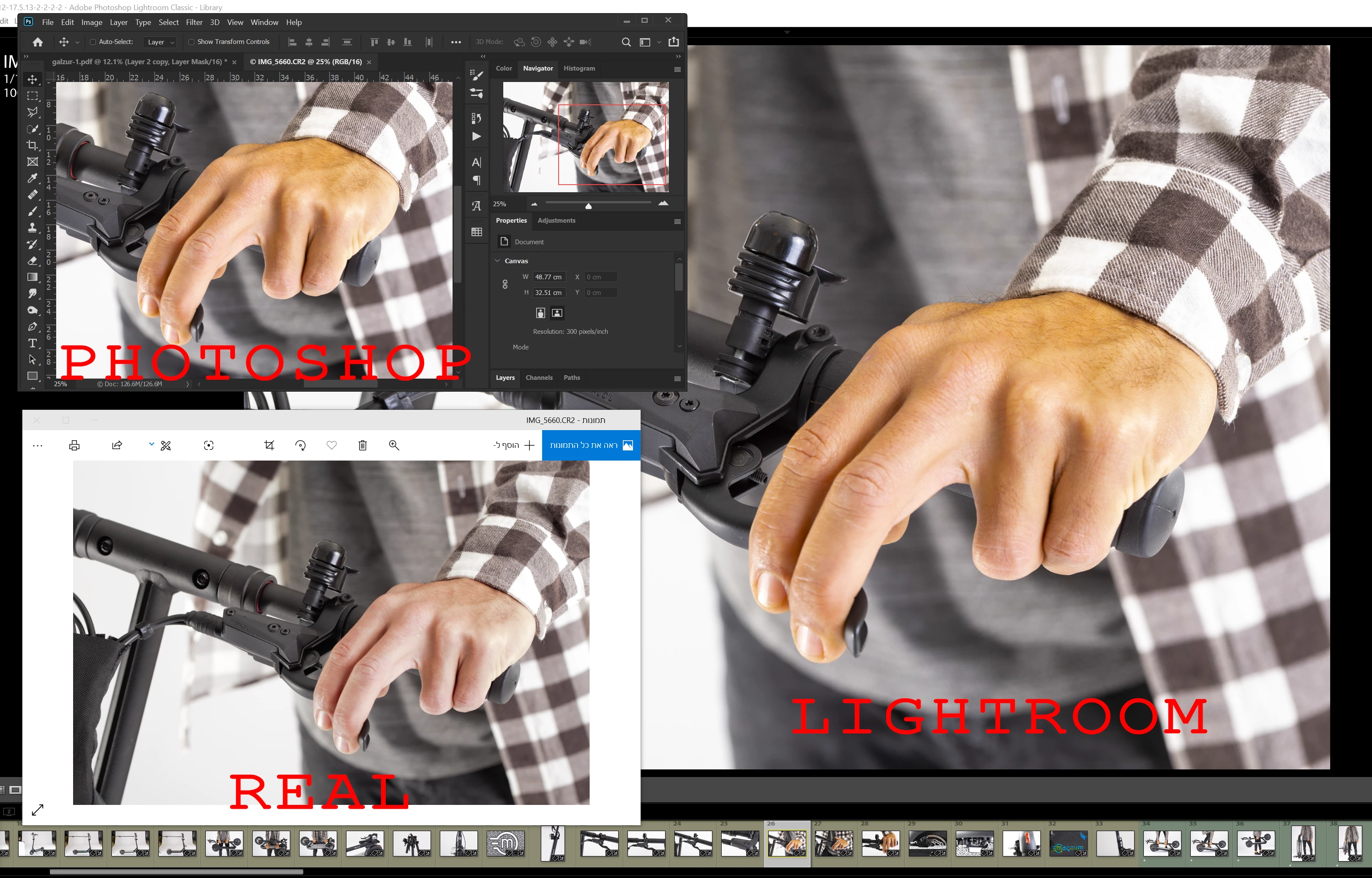

my lightroom and photoshop seems like they use a different color management than the real one.
how can i change it in boat of them?
photo attach
Per is right - but all that said, this looks like a corrupt/broken monitor profile. There is an unpleasant yellow skin tone here that doesn't look right.
Are you using a calibrator to make your monitor profile? That's the only way to get fully reliable color (in color managed applications, not Windows Photos).
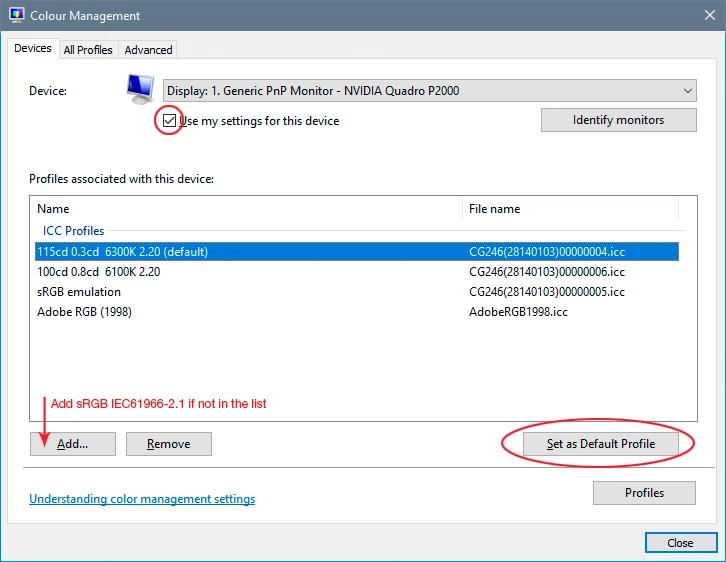
If you don't have a calibrator, you have probably received a bad manufacturer profile distributed through Windows Update. If so, you can replace it with sRGB IEC61966-2.1. This won't be entirely accurate, but it will be better than a broken profile. Relaunch Lightroom when done, it needs to load the new profile at startup:
Already have an account? Login
Enter your E-mail address. We'll send you an e-mail with instructions to reset your password.


 AdChoices